 LSS 4
LSS 4Video
The Video layer allows you to open a video file from your disk. The LSS4 software supports the motion-JPEG (MJPEG) video format. If you open a *.mov or *.mp4 format, the software will convert the video to the supported MJPEG format.
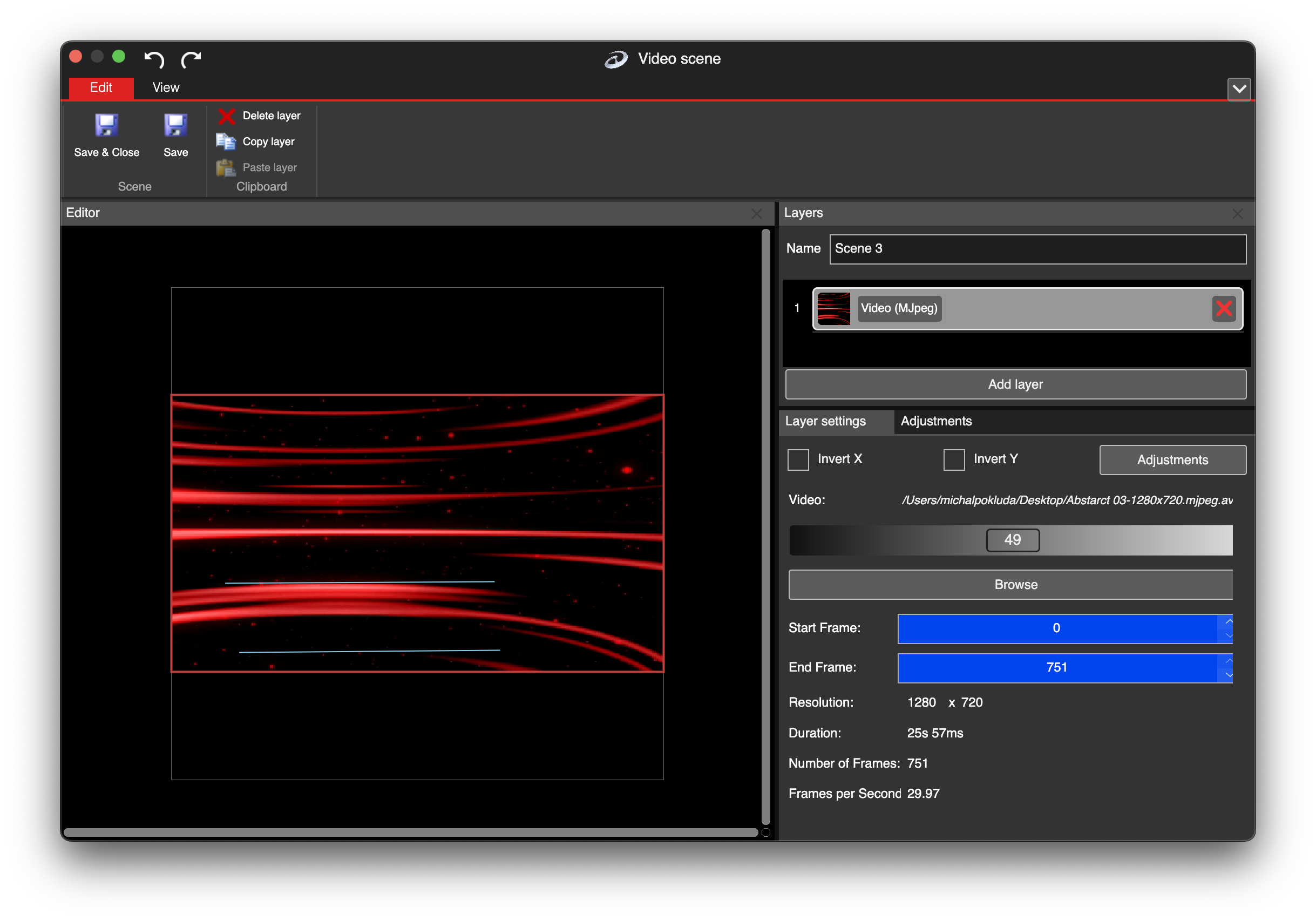
Video layer in video scene
You can click Browse to locate video file on your disk. In case the video is in standard video format (like mov, mp4 or even gif), the software will convert it for you to supported (MJPEG) file. The convert window will appear in this case.
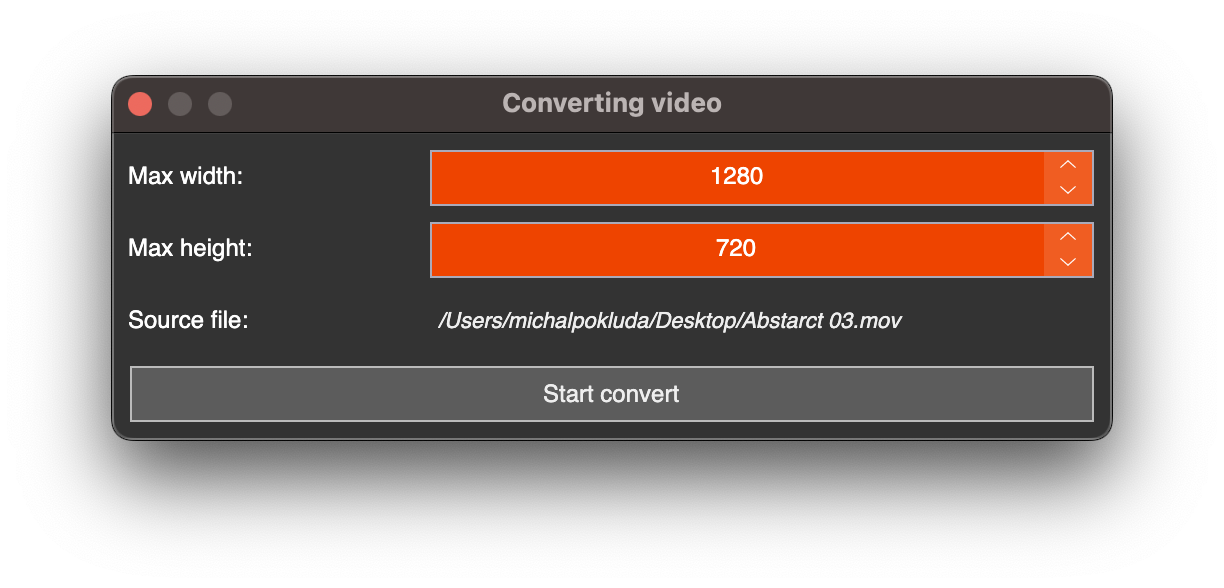
Video convert in LSS4
The Max width and Max height determine the size limit for the output video. It is likely unnecessary to use 4K videos for pixel LED installations, as it would waste CPU power. This will help save disk space and CPU power for other tasks.
There are several text properties in the video layer.
| Settings | Explanation |
|---|---|
| 49 (Value Scroll Bar) | Set the preview frame of the video. |
| Start Frame | Specify the start frame of the video. |
| End Frame | Specify the end frame of the video. |
The Start Frame and End Frame allow you to select the desired loop of the video.
In the additional information section, you can view the Resolution, Duration, Number of Frames, and Framerate (frames per second) of the opened video file.
The Invert X and Invert Y allow you to flip video horizontally or vertically. The Adjustments contain additional color settings for video layer.