 LSS 4
LSS 4Text
Text video layer allows you to create static or scrolling text. The text is transparent, allowing you to mix it with animated backgrounds such as Color Effects or Video.
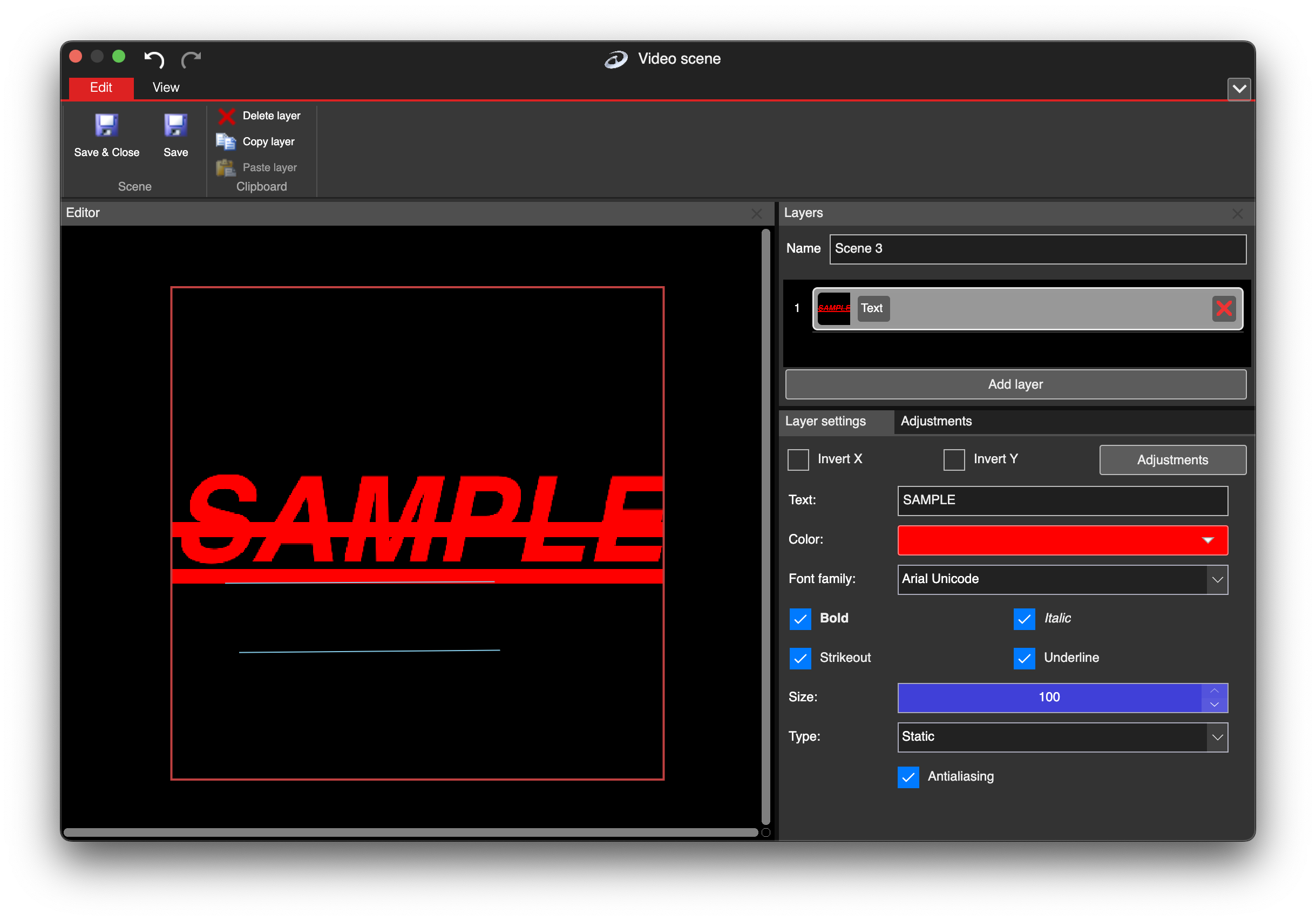
Text video layer
There are several text properties you can use to change the text layer.
| Settings | Explanation |
|---|---|
| Text | The text you want to display. |
| Color | Choose the text color. |
| Font Family | Select a font from the system fonts available on your computer. |
| Bold | Apply bold formatting to the text. |
| Italic | Apply italic formatting to the text. |
| Strikeout | Apply strikethrough formatting to the text. |
| Underline | Apply underline formatting to the text. |
| Size | Set the text size as a percentage of the layer size. |
| Type | Choose whether the text is Static or Scrolling. |
| Duration | When Scrolling is selected, define how long the text scrolls. |
The Invert X and Invert Y allow you to flip text horizontally or vertically. The Adjustments contain additional color settings for text layer.