 LSS 4
LSS 4Introduction Main Window
Main window is divided into multiple sections.
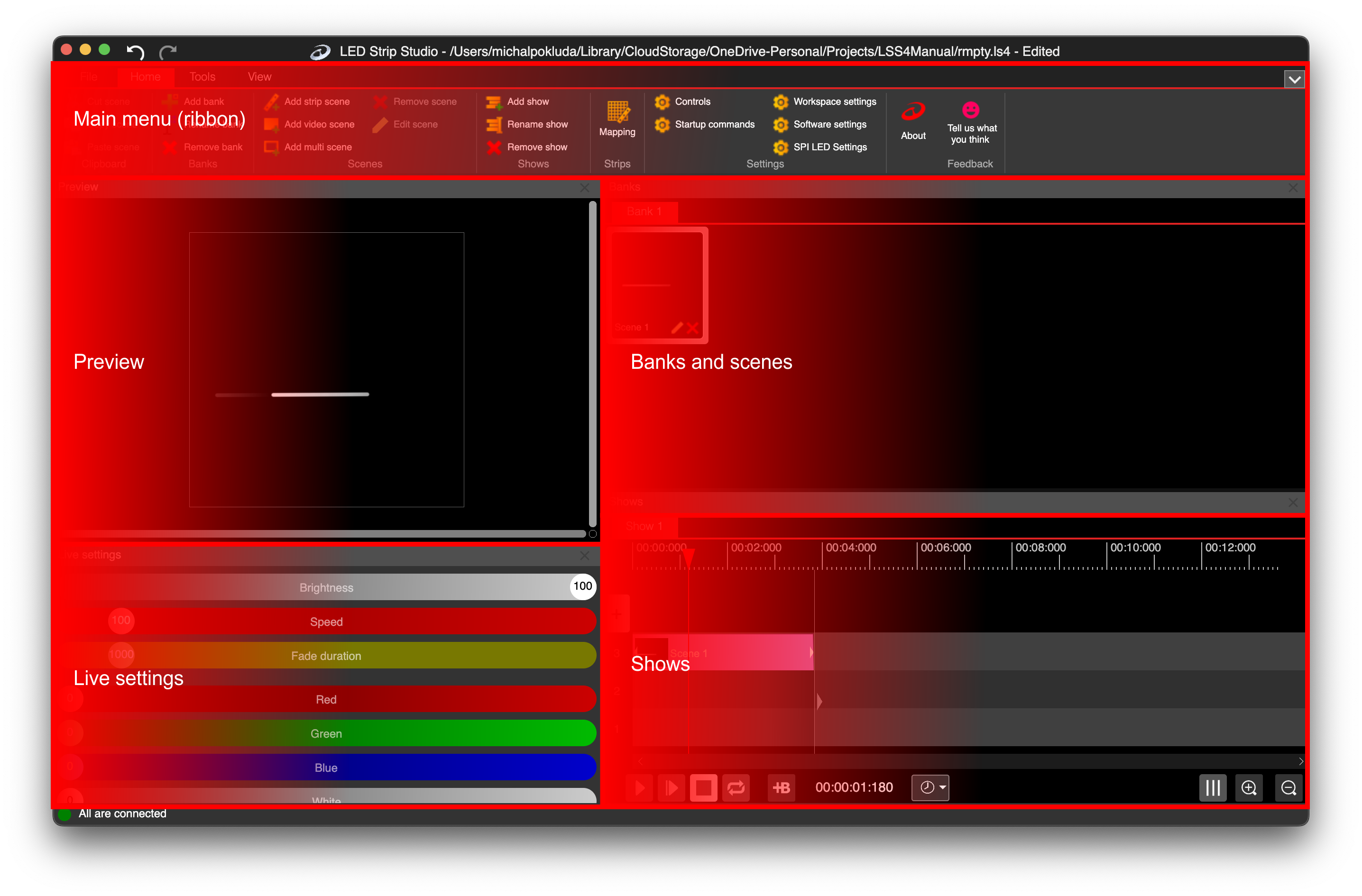
Main window with all the sections
Main Menu (or Main Ribbon) – Access the various functions of the software.
Preview – The preview area, where you can see the currently playing scene or show.
Live Settings – Adjust live preview settings such as brightness, speed, or color.
Banks – The main workspace section, where you can view all banks and their scenes.
Shows – Create music-synchronized pixel LED shows, including dance performances.