 LSS 4
LSS 4Art-Net
Art-Net is a communication protocol that sends DMX512 and RDM lighting control data over standard Ethernet networks, allowing lighting consoles, media servers, and fixtures to exchange data efficiently in large-scale lighting setups.
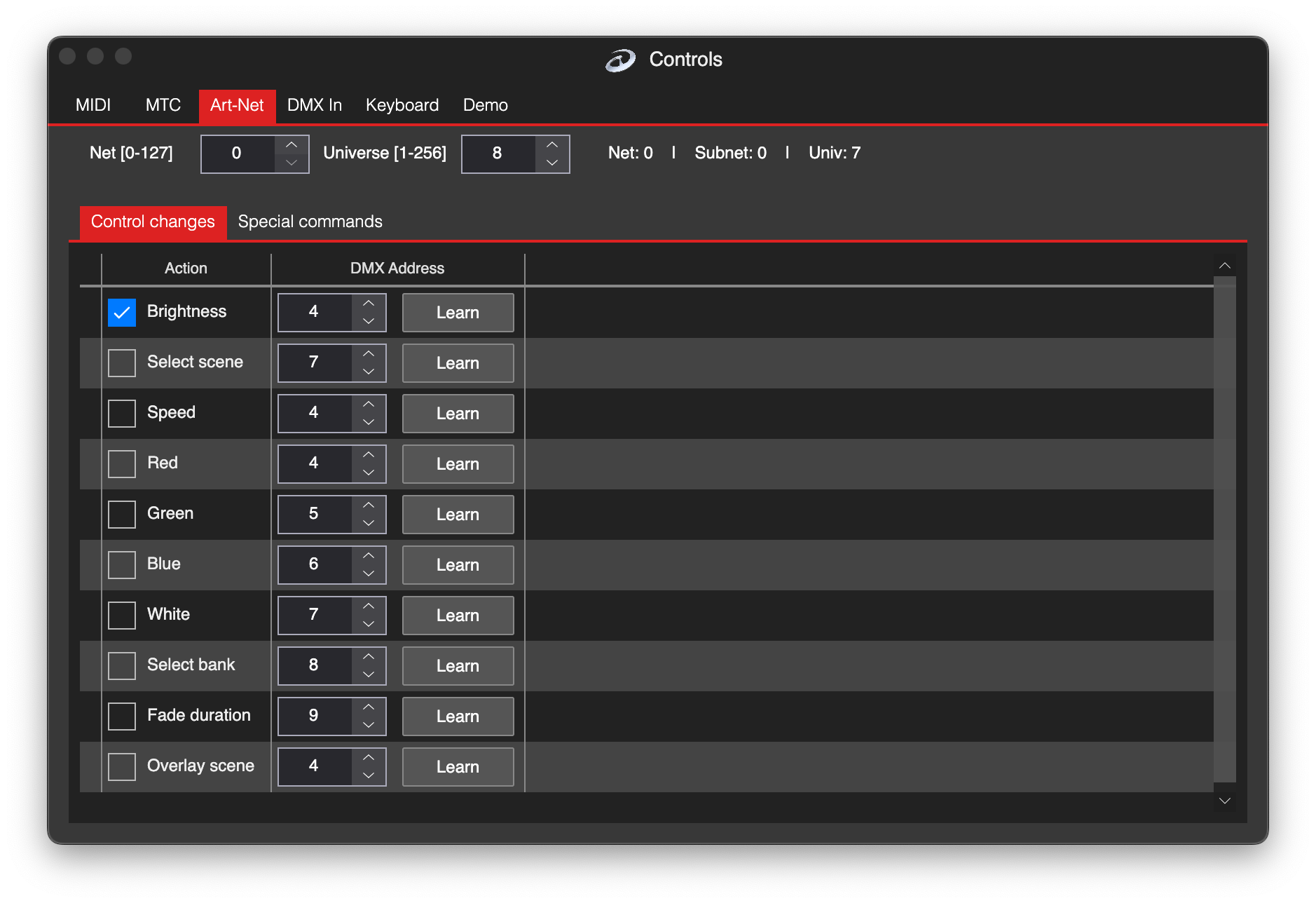
Art-Net settings
At the top of the window, you can set the incoming Art-Net properties. There are Net and Universe options to be used for incoming Art-Net.
Live Settings
There are following standard functions you can control using Art-Net:
| Function | Explanation |
|---|---|
| Brightness | Adjust brightness from Live Settings. |
| Select Scene | Select a scene from the current bank. |
| Speed | Adjust speed from Live Settings. |
| Red, Green, Blue, White | Adjust Red, Green, Blue, and White levels from Live Settings. |
| Select Bank | Select a bank. |
| Fade Duration | Set the fade duration from Live Settings. |
| Overlay Scene | Select an overlay scene from the current bank. |
Special Commands
In the Special Commands section, you can use all available commands of LSS4. In the Condition column, you can define under what condition the command is executed.