 LSS 4
LSS 4Overview
The Video Scene window contains several sections.
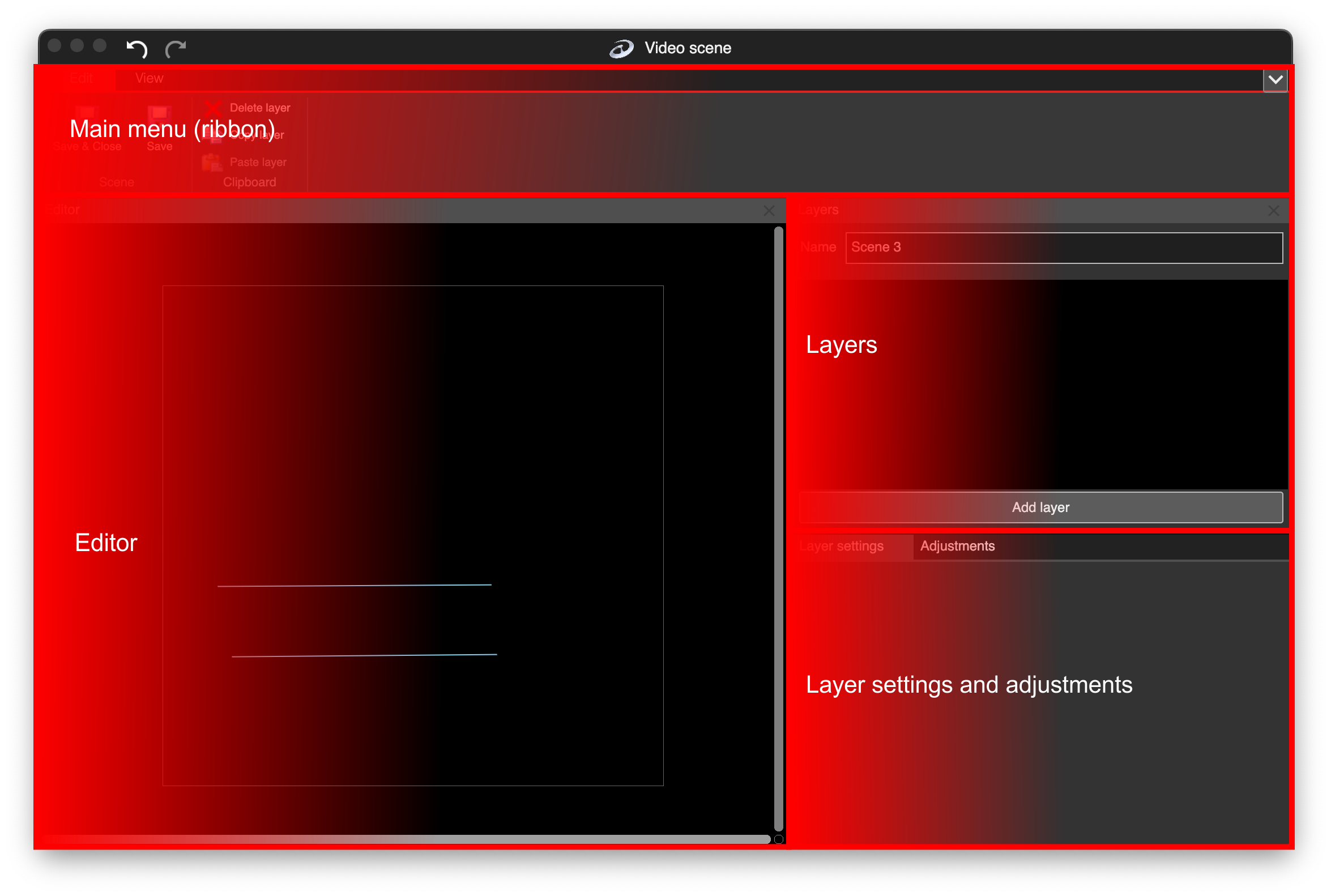
Video scene window sections
| Section | Explanation |
|---|---|
| Main Menu (Ribbon) | Contains all available tools in Video Scene. |
| Editor | Workspace where you can select layers and adjust their position or size. |
| Layers | Displays the list of 2D layers used in the scene. |
| Layer Settings & Adjustments | Configure individual layer settings, and use adjustments to modify global color options (e.g., contrast, brightness) for the entire video scene. |
Undo/Redo
At the top of the Video Scene window, you can use Undo/Redo actions. All actions performed in the video scene window are stored in the undo/redo buffer, allowing you to quickly revert to a previous mapping if a mistake occurs. You can also use the standard keyboard shortcuts: Cmd+Z and Cmd+Shift+Z on macOS, or Ctrl+Z and Ctrl+Shift+Z on Windows.
View menu
In the View menu, you can show or hide all sections of the Video Scene window. There are also two predefined layouts available, each providing a practical window configuration.