 LSS 4
LSS 4Copy/Paste LED Strip Animations
In the Editor window you can quickly copy/paste animations between segments. You can use left-mouse drag and drop to copy and paste animation from one strip to another.
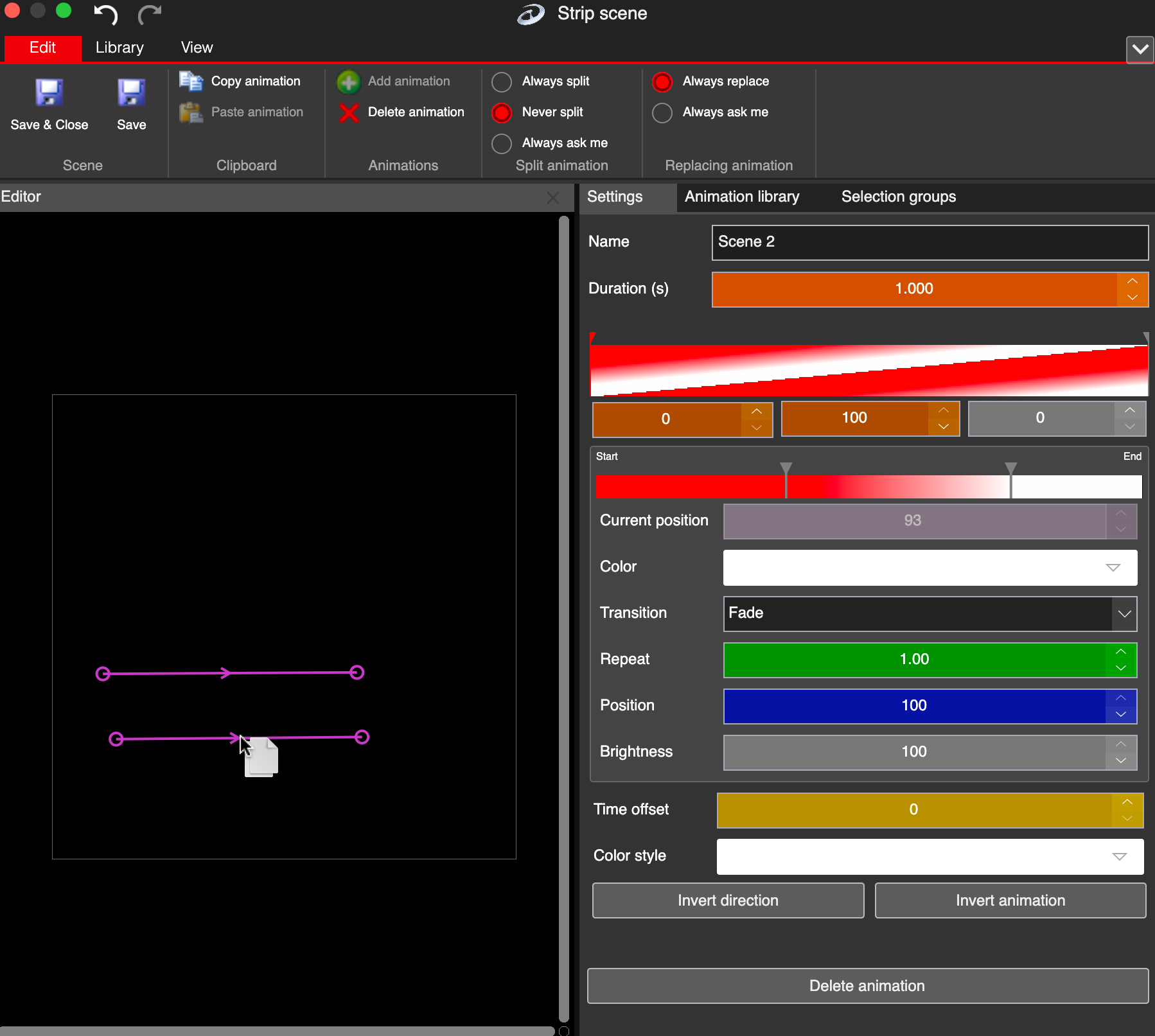
Quickly copy paste animation between strip segments
You can use the standard Cmd+C or Cmd+V (Ctrl+C and Ctrl+V on Windows) hotkeys, as long as you hover the mouse pointer over the Editor pane.