 LSS 4
LSS 4Synchronization
You can synchronize your show to three different time code sources:
- Clock - Simple synchronization to the internal computer clock.
- Music - Synchronization to the music in *.wav file format.
- Midi MTC - External time code source in Midi MTC format.
You can select the synchronization source at the bottom of the Show pane using the clock icon.
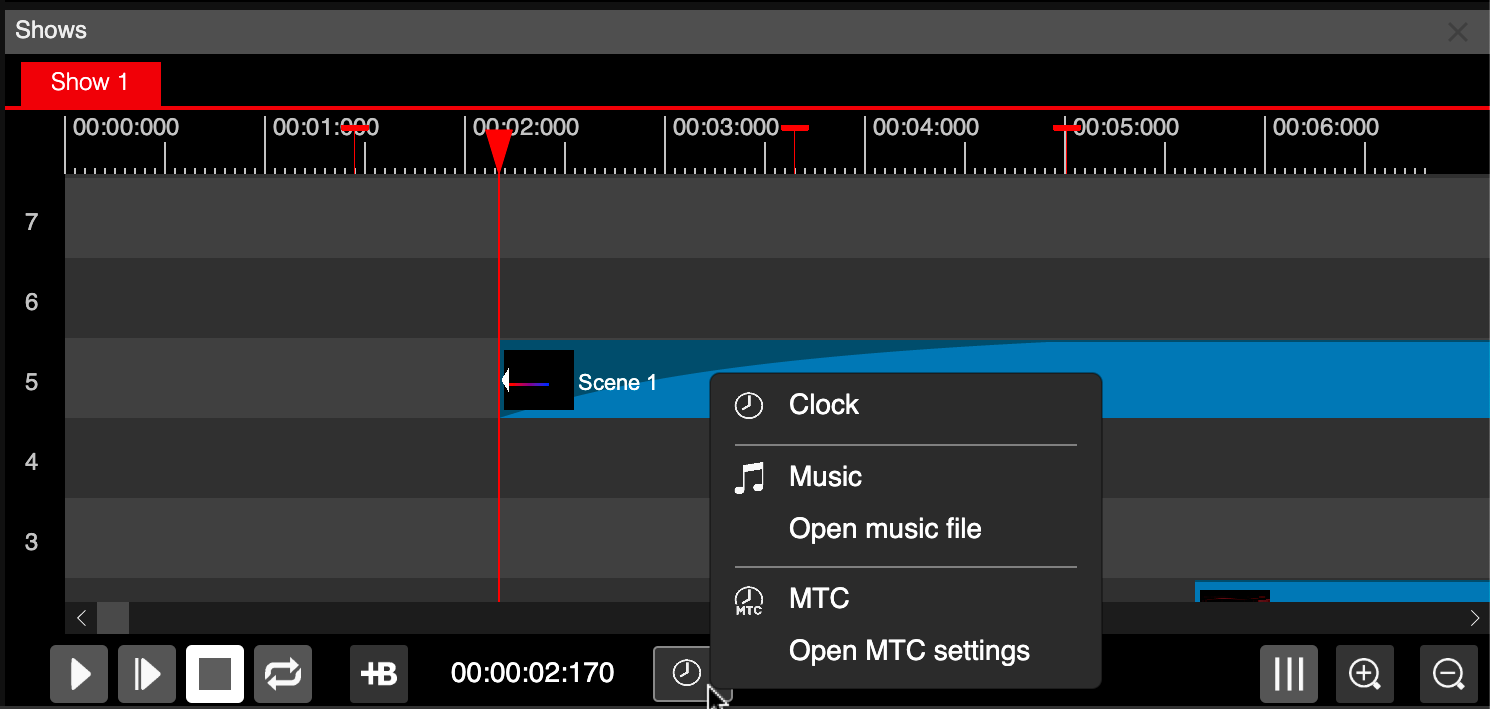
Synchronization menu in shows
Music Synchronization
LSS4 software can use *.wav file format to play the music. You can import also *.mp3* format, but it will be converted to wav. You can open the audio file using Open Music File command from the synchronization menu.
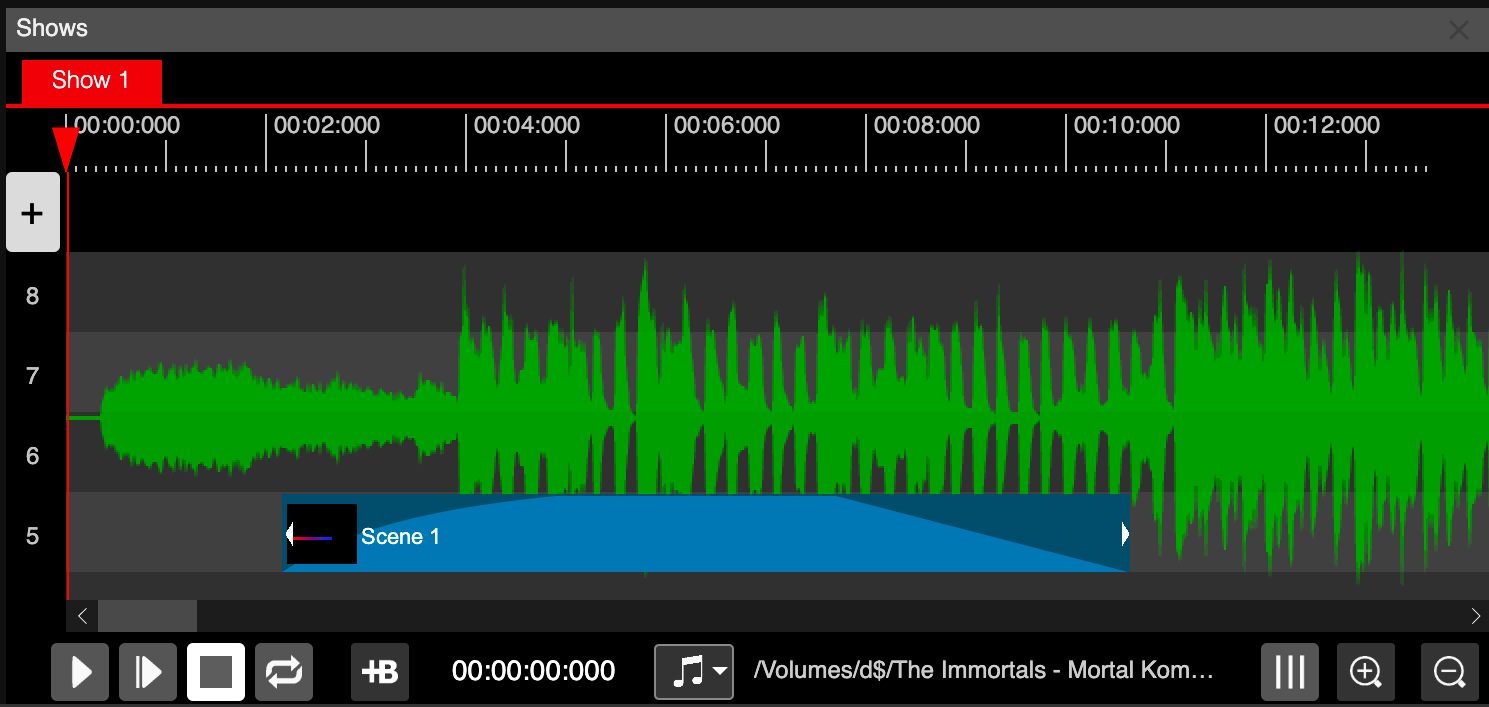
Wave display in the background
Once you open the audio file, you can see the waveform of the audio in the background of the timeline. This allows for better orientation when creating a music-synchronized show.
Once you have the audio file opened, you can hear the actual music playing when you set the start or end time of the events. This also helps you to precisely link your event time to the music.
Midi MTC Synchronization
Midi MTC synchronization is a way to synchronize your LED show to the external time code source like video, lasers or other sources. To setup the MTC settings you can select Open MTC Settings from the synchronization menu.
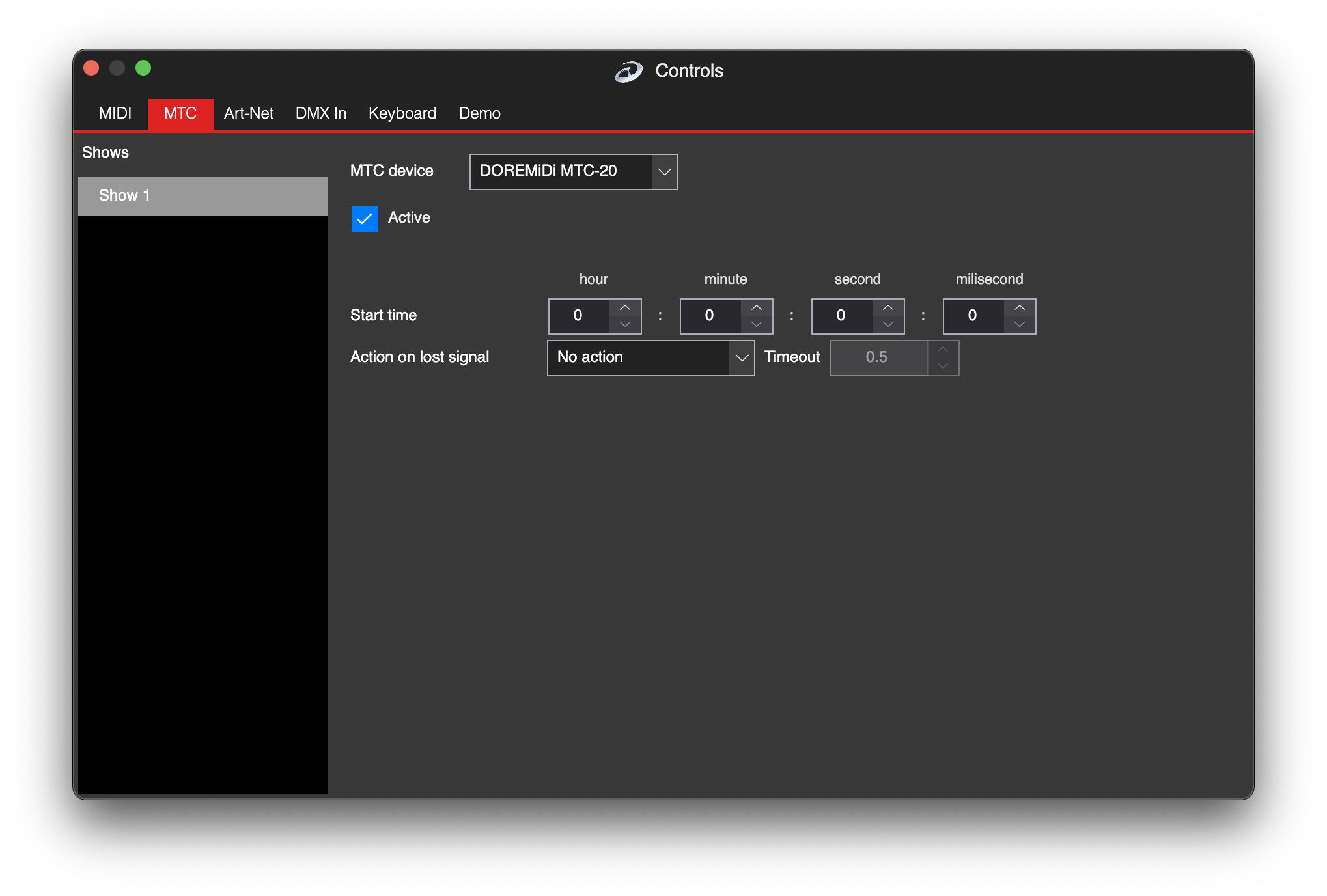
Midi MTC synchronization settings
Here you can select the MIDI MTC source device in the MTC Device combobox. Once you check Active, the time code source will be enabled. Now, pressing the play button in the show will synchronize it to the incoming MTC time code.
Additional settings in the MTC synchronization settings allow you to set the Start Time when the show should actually start. Quite often, your show doesn’t start at the beginning of the time code, but you would rather like it to start after, for example, 1 hour.
The Action on Lost Signal allows you to set the behavior for lost MTC signals. No Action will continue with the show playback even if no more MTC signals are being received. Pause Show will stop at the last frame of the last received MTC update. Stop Show will stop the show when the synchronization signal is lost.