 LSS 4
LSS 4Live Settings
You can use Live Settings to adjust the brightness, speed, and color of the animation or video running in the workspace. You can use Fade Speed to set the duration of the cross-fade when switching between two scenes.
Use right-click to reset a setting to its default value (e.g., 100 for brightness). All Live Settings values can also be controlled via external controllers such as DMX, Art-Net, or MIDI.
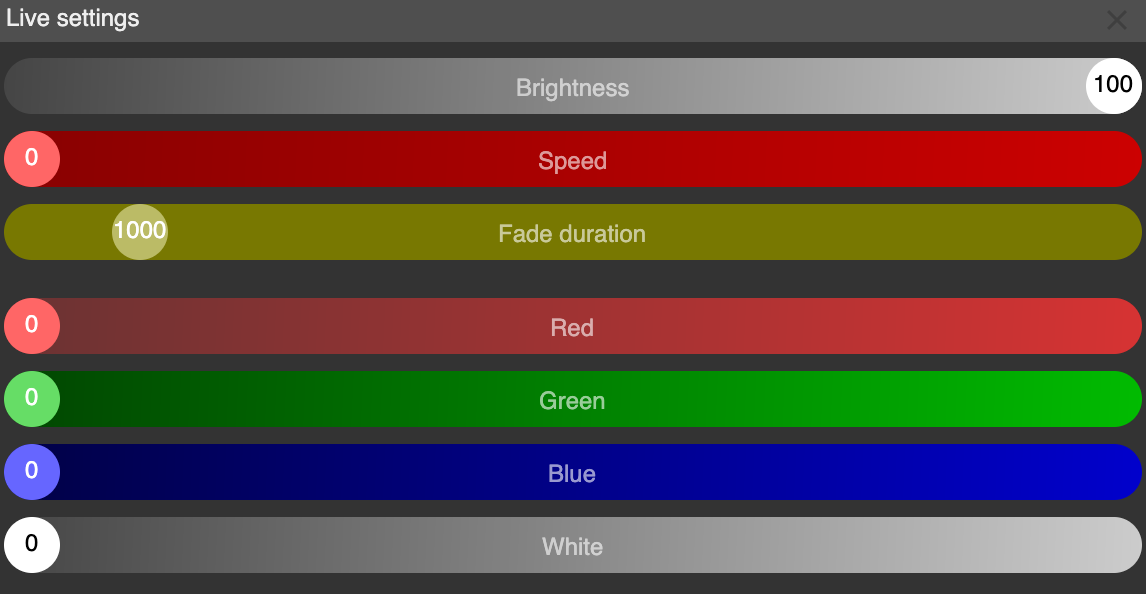
Live Settings in main window
Once you set the value of the Red, Green, Blue, or White slider to a non-zero value, the color settings override all pixels with the color defined by these values. If all sliders remain at zero, the original scene or show colors are used.
Note: Live Settings values are not saved in the workspace. When you reload the workspace, all values are reset to their default state.