 LSS 4
LSS 4MIDI
MIDI (Musical Instrument Digital Interface) is a communication protocol that allows electronic musical instruments, computers, and other devices to exchange performance and control data. LSS4 supports MIDI. You can use it to trigger the scenes or synchronize the shows (using MIDI MTC).
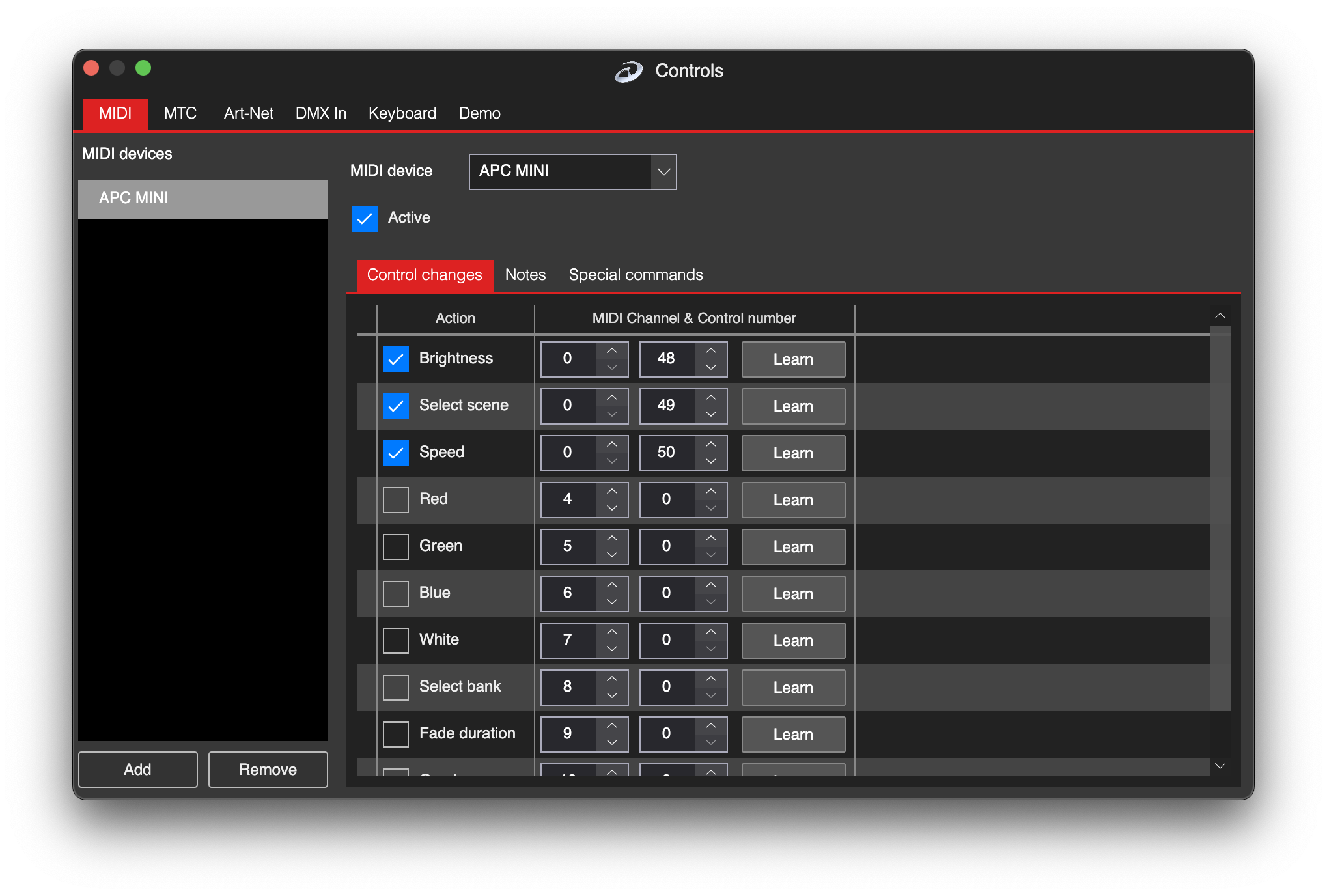
MIDI settings
MIDI Devices
You can connect one but also several MIDI devices to your computer. You can use e.g. devices with just a notes and other devices with just a knobs (controllers). The software will find automatically the MIDI devices connected to your computer and you can see them in the MIDI Device dropdown at the top.

List of hardware MIDI devices connected to computer
In the MIDI Devices list, use Add to add a new device. This is a “virtual” device that becomes real and functional once you assign a hardware device from the MIDI Device dropdown to it.
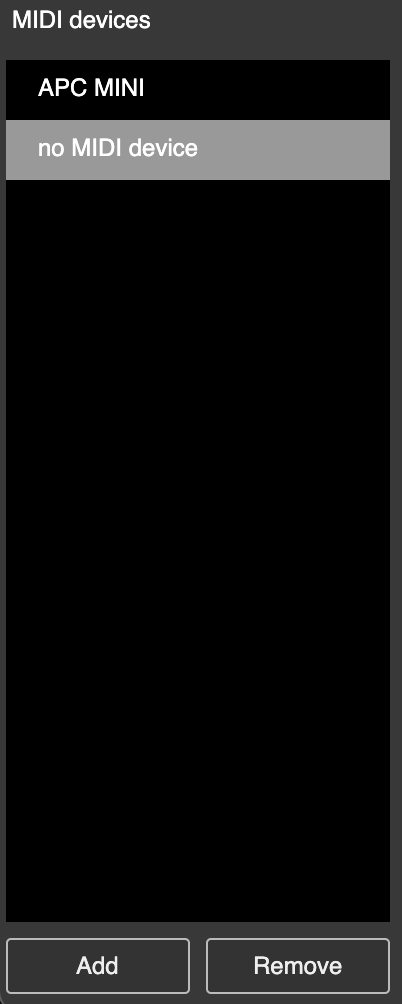
List of virtual MIDI devices
If there is no hardware device assigned to virtual device, the name of the virtual device is No MIDI Device.
Control Changes
In MIDI, there are 128 available Control Change (CC) numbers (0–127), so you can use up to 128 different controllers per MIDI channel. Additionally, there are up to 16 different MIDI channels. These control change commands provide values from 0 to 127 and can be used to control things like brightness or speed in the live settings.
To assign a certain function to the LSS4, simply check the desired function and set the correct MIDI channel and controller in the MIDI Channel & Control Number section. You can type them manually (if you know them), but it may be easier to use the Learn function.
Once you press Learn, the software will read all the MIDI controllers and once you move one of them, it will be remembered as the one to use for the selected function.
Notes
Notes can be used to activate a specific command in LSS4. There are a total of 128 possible MIDI notes and 16 MIDI channels available, and you can assign any command to any note.
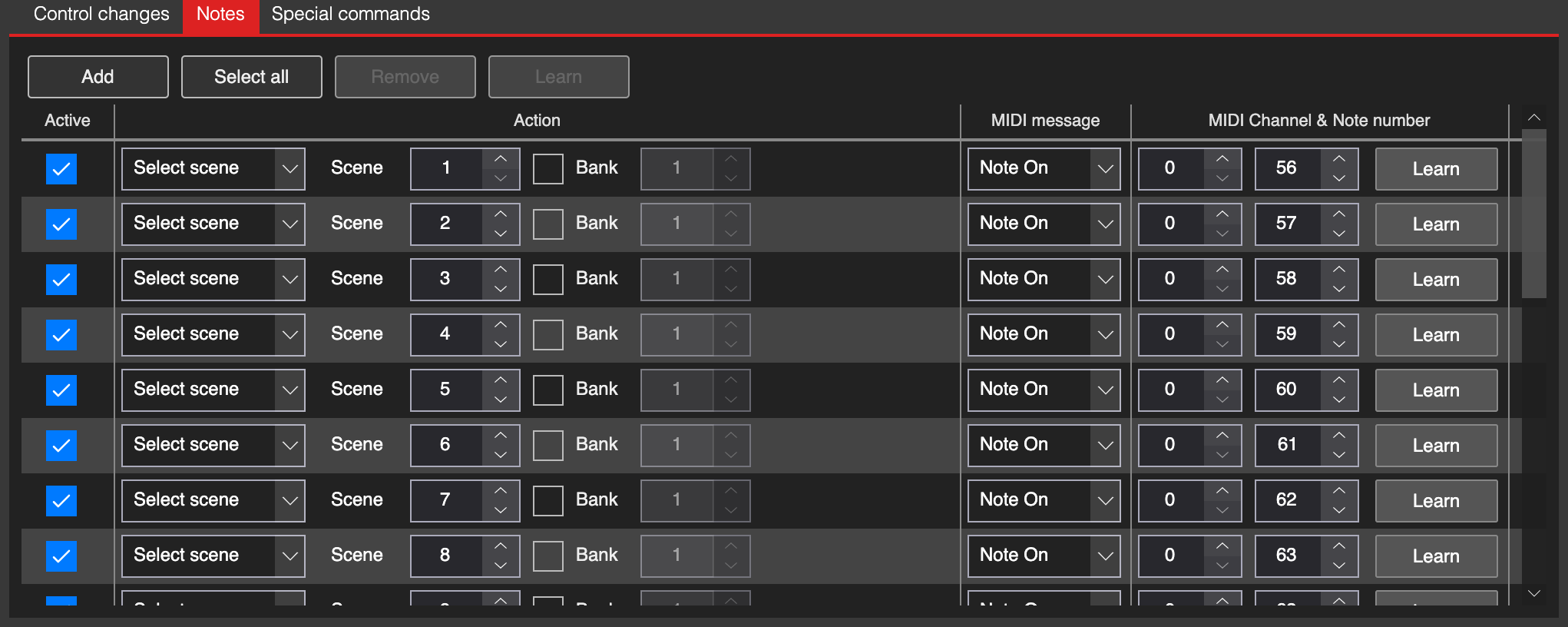
MIDI notes
In the list of notes you can press Add to add new note command. Following window with settings will appear.
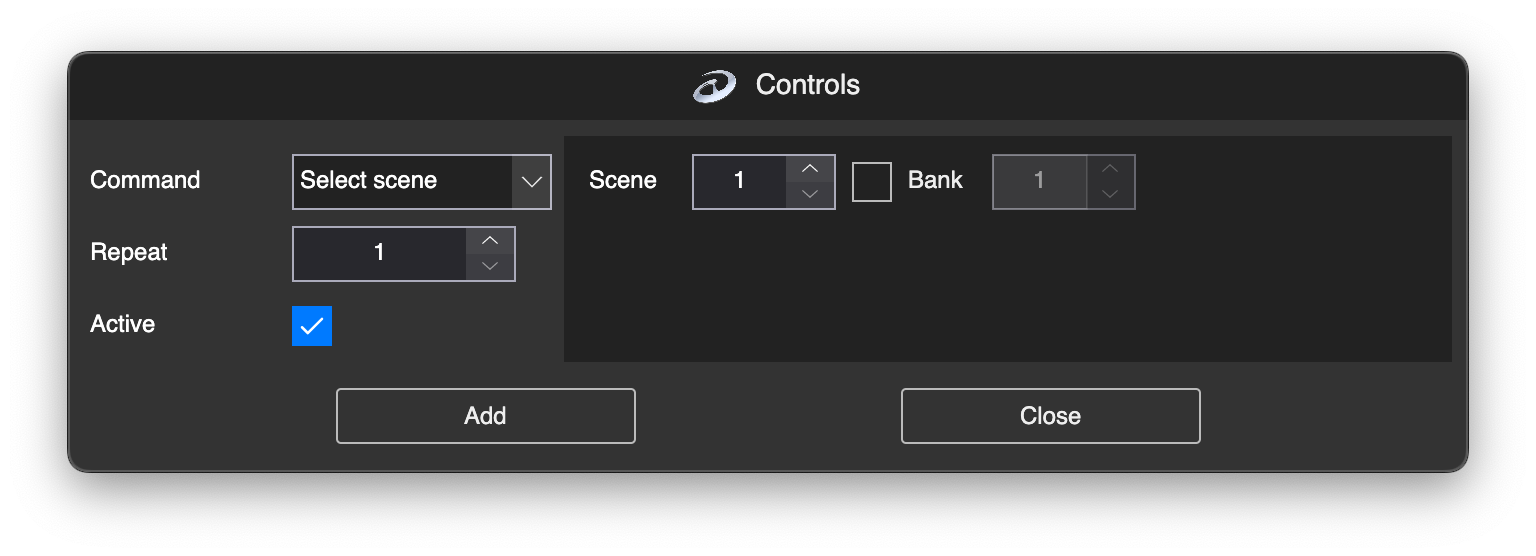
Add note command
You can select which type of command should be performed when a MIDI note is received in the Command dropdown.
Once you add the new command, there is no MIDI event assigned to this command. You can manually assign a MIDI channel and note in the MIDI Channel & Control Number to trigger the command. However, it is easier to press Learn and then press the desired MIDI key. The software will automatically remember the selected channel and note. Once this note is received again, the software will perform the selected command.
In the MIDI Message column, you can define when the command should be performed. It is either Note On (key is pressed) or Note Off (key is released).
In the Action column, you can change the command to be performed if you decide to do so.
Special Commands
Special commands allows you to trigger certain LSS4 command in case the MIDI controller is within some range. E.g. you might want to activate scenes using controller. In that case you can define scene 1 to play when the controller value is 1, scene 2 when it’s 2 so on.
The ranges are defined in the Condition column. There are 3 available conditions:
| Condition | Explanation |
|---|---|
| Less Than | Command is triggered when value of controller is below this value. |
| Equal | Command is triggered when value of controller equals to certain value. |
| More Than | Command is triggered when value of controller is higher than certain value. |