LSS4 is a native macOS application — not a ported Windows app, not a web wrapper. It runs natively on Apple Silicon M1, M2, and later chips, and handles 100,000+ pixel LED installations with the performance and efficiency that native Mac development delivers.
Built to run natively on M1, M2, and later chips. No Rosetta translation layer, no emulation overhead — full silicon performance for LED pixel calculations.
Control installations with 100,000 and more individual LED pixels from your Mac. The 64-bit rendering core handles large-scale calculations efficiently on Mac hardware.
Create your project on a Mac, run it on a Windows machine at the venue, or vice versa. The project file format is identical across platforms — no conversion required.
macOS Network Setup
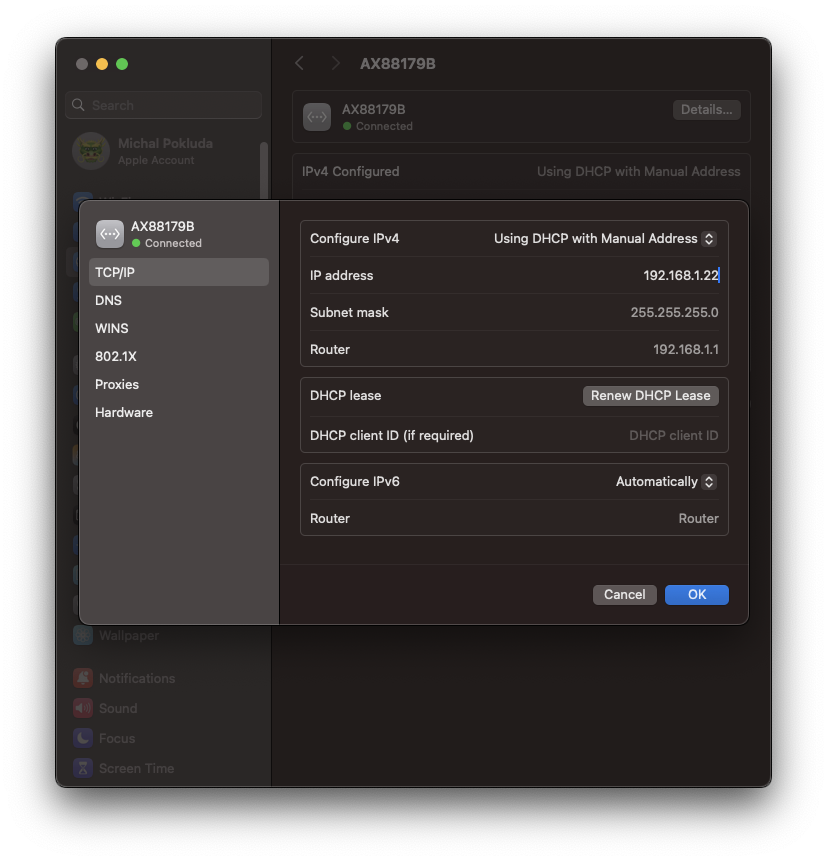
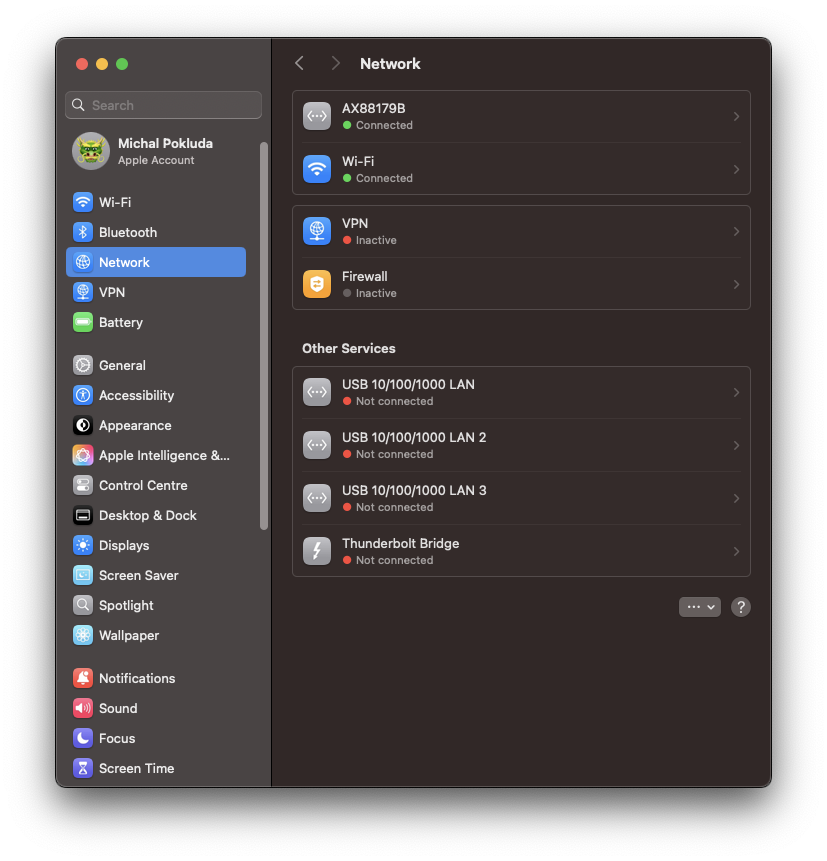
Connecting LED hardware to a Mac involves configuring a dedicated Ethernet interface with a static IP address. LSS4's manual covers this setup step by step for macOS — from System Settings to the exact IP and subnet values needed to communicate with LEC3 and Reactivo 2 devices.
The setup process is well-documented and usually takes under five minutes. Once configured, LSS4 auto-discovers your connected devices and you're ready to start mapping.
Screen Grabber on Mac
On macOS, the Screen Grabber feature requires permission in Privacy & Security settings. You'll need to check the checkbox next to LSS4 under Screen Recording. Once enabled, you can capture any region of your Mac desktop and display it live on your LED installation — including output from other apps like Resolume, MadMapper, or video players.
System Requirements for macOS
| macOS Requirements | |
|---|---|
| OS | macOS (recent versions supported) |
| CPU | Dual-Core or faster (M1/M2 fully optimized) |
| RAM | 4 GB (16 GB recommended for large installations) |
| Graphics | Metal-compatible GPU |
| Storage | 1 GB available disk space |
| Network | Ethernet (10 Mbit/s or faster) for hardware control |
FAQ
Does LSS4 run on Apple Silicon (M1, M2, M3) Macs?
Yes. LSS4 runs natively on Apple Silicon M1, M2, and later chips. This means it takes full advantage of the chip's performance and efficiency without any Rosetta 2 translation overhead. The native M1/M2 performance is particularly noticeable with large-scale installations involving 100,000+ LED pixels.
Can I use the same project file on both Mac and Windows?
Yes. LSS4 uses the same project file format on both macOS and Windows. You can create a project on your Mac, transfer it to a Windows machine at the venue, and it works without any conversion. The only requirement is that any video and asset files referenced by the project are also available at the destination — which is easy if you store everything in subfolders of the project folder.
What hardware does LSS4 control on macOS?
LSS4 on macOS controls LEC3 and Reactivo 2 hardware over Ethernet, exactly the same as on Windows. You configure a static IP address on your Mac's Ethernet interface (or a USB-Ethernet adapter), connect to the same network as your controllers, and LSS4 discovers them automatically. ArtNet, MIDI, DMX, and keyboard controls are also supported on macOS.
Get in Touch
Real people, real answers. Choose the channel that works best for you.
Send us your questions, project details, or feature requests. We reply with thorough answers.
[email protected]Quick questions, photos of your installation, or a live voice call — WhatsApp works for all of it.
+421 948 280 393Book a screen-share session with the team. Walk through your project, get hands-on guidance.
Book a CallUse the contact form to describe your issue or question in detail. We follow up promptly.
Contact UsFor large-scale installations — stadiums, studios, architecture — we travel worldwide to assist on-site.
[email protected]Try LSS4 with full features. No credit card required. Windows and macOS.
Download NowNative performance, same project files as Windows, and support for 100k+ pixel installations. Download LSS4 for macOS today.