Effect Creation

Create Beautiful LED Color Effects
from Scratch

LSS4's effect creation system gives you a full animation editor with keyframes, custom color palettes, and shape-based animations. Create scrolling gradients, pulsing patterns, color chases, and smooth transitions — all without touching a single line of code.

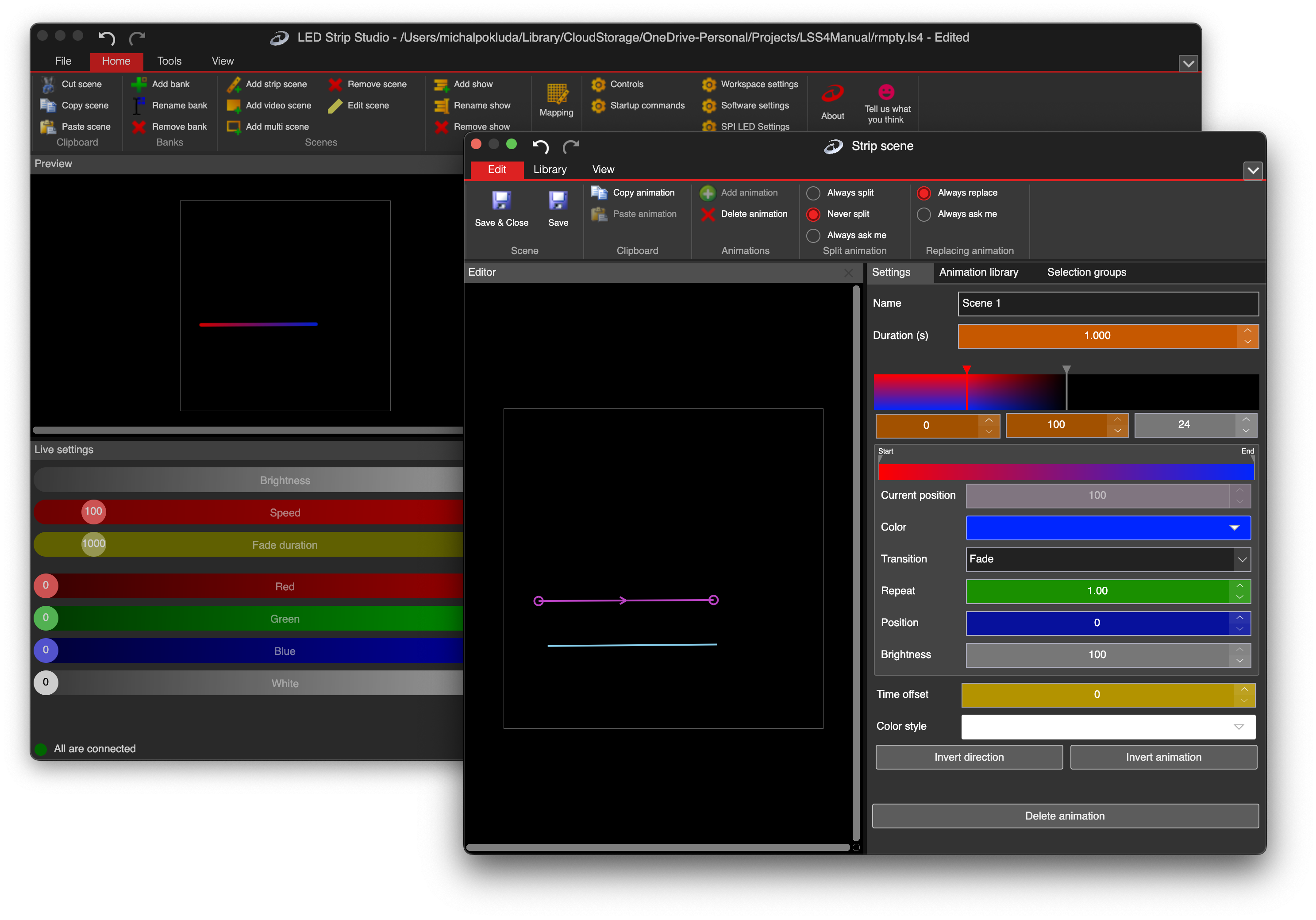
LSS4 animation editor showing keyframe and color palette controls

Animate in keyframes, like a pro

Every LED effect in LSS4 is built from keyframes — snapshots of your color palette at specific points in time. Between keyframes, LSS4 smoothly interpolates the colors, creating fluid transitions that look polished even on complex multi-color palettes.

Double-click to add a keyframe, then define the color palette for that moment. Add as many keyframes as you need. The animation plays through them in sequence, looping back to the start. It's intuitive enough to pick up in minutes, but deep enough to create genuinely complex animations.

  • Keyframe-based timeline for animation sequencing
  • Smooth color interpolation between keyframes
  • Multiple color points per keyframe define the palette
  • Set duration, time offset, and invert direction per animation
  • Color Style options for different rendering modes
  • Copy/paste keyframes between animations
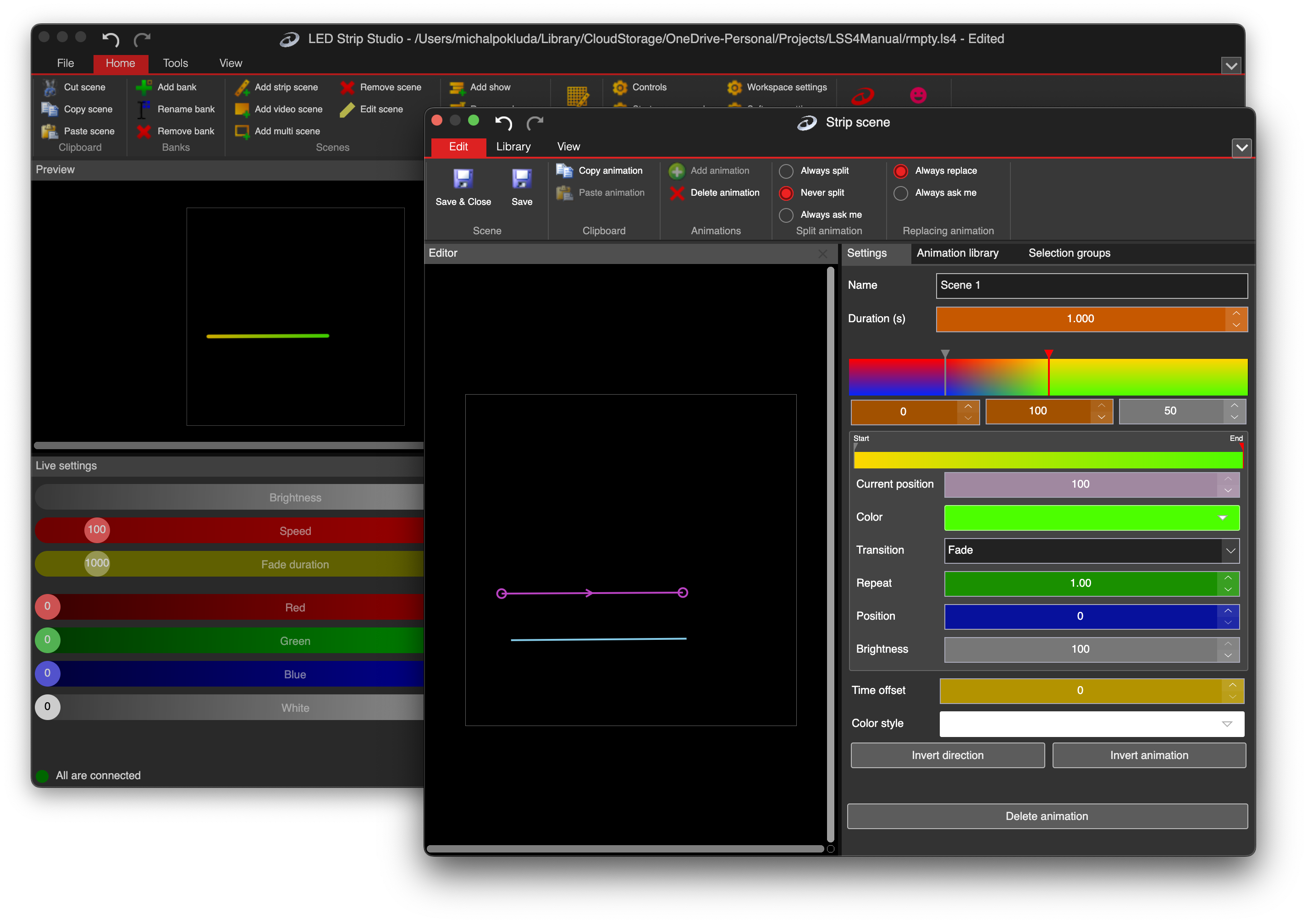
LSS4 animation keyframes showing color palette transitions

Advanced palette generator with full control

Color palettes in LSS4 aren't just gradient pickers — they're multi-stop color definitions that get applied to your LED segments in position-based ways. Each color point in a palette has a position (0–100%) that determines where it appears on the LED strip. Scrolling the palette across the strip creates chase and sweep effects.

The palette generator supports advanced color palettes that go far beyond simple two-color gradients. Define 10, 20, or more color stops to create complex patterns that repeat and scroll naturally across your installation.

  • Multi-stop color palettes with position control (0-100%)
  • Palette scrolling creates chase and sweep effects
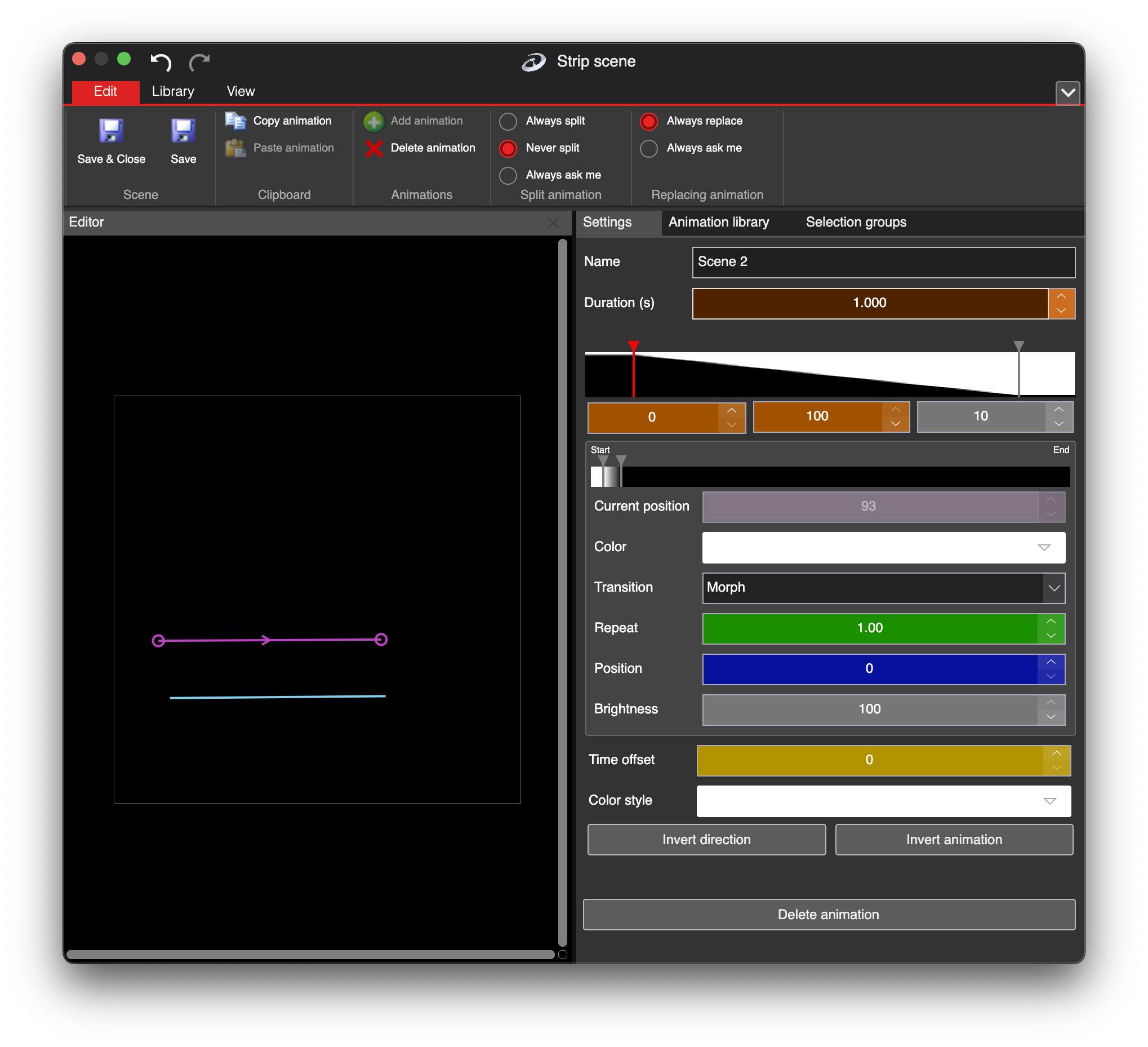
  • The Morph transition lights up the strip from first to last LED
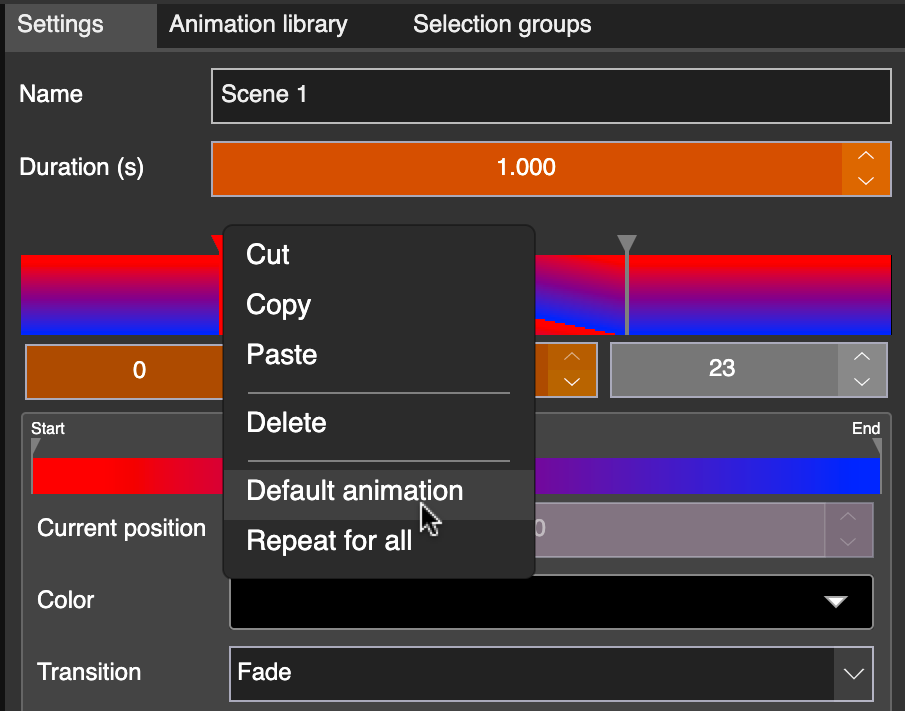
  • Default Animation for quick scrolling effect setup
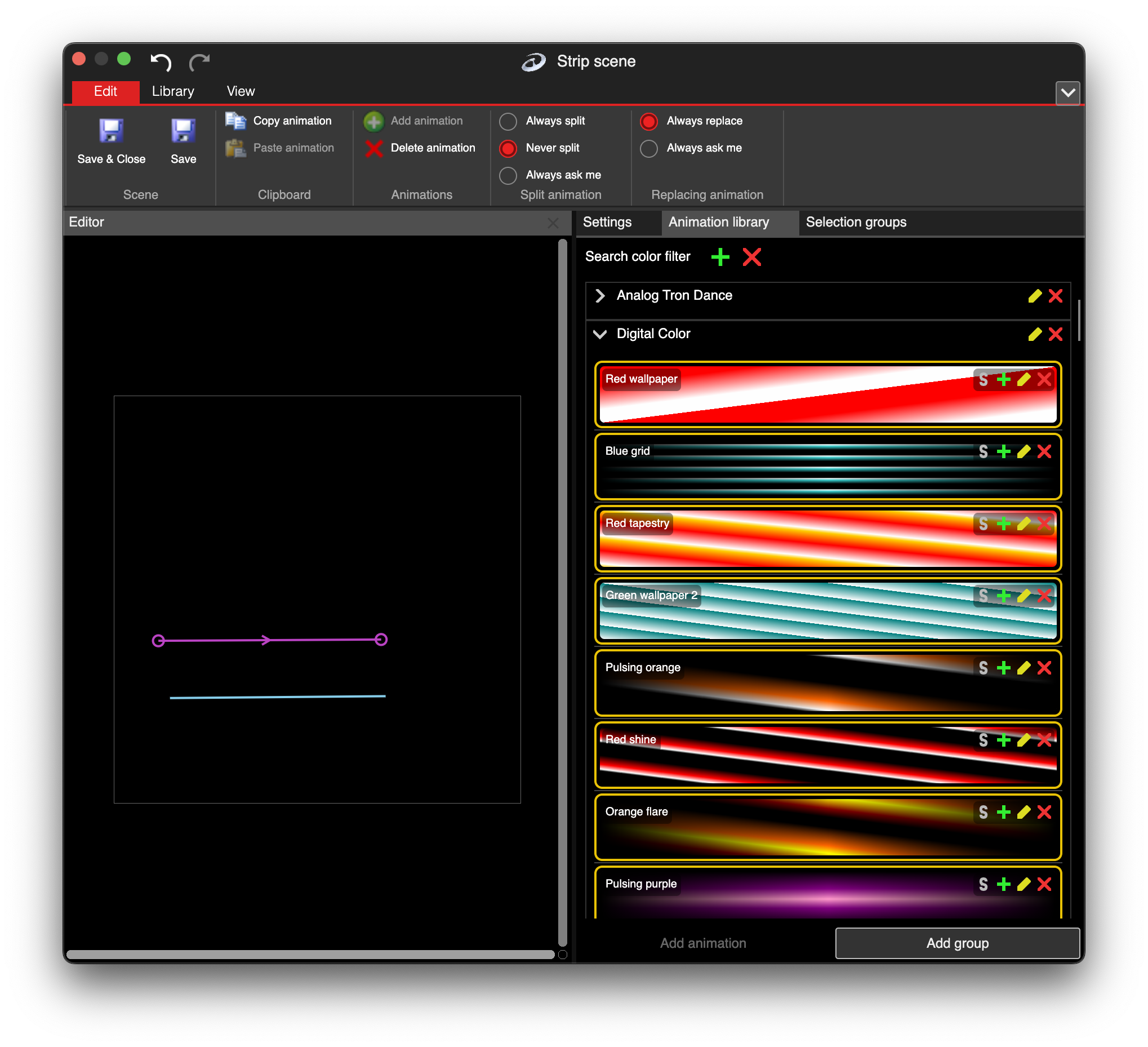
  • Animation library for saving and reusing effects

LSS4 color picker and palette tools

Shape-based effects: line, circle, rectangle, cone

For video scenes, LSS4 includes 2D color effects that let you create animated patterns in specific shapes — a pulsing circle, a sweeping linear gradient, a radiating cone, or a rectangular color wash. These effects work as independent layers in the video scene, composited with other video, image, and text layers.

The color effects system is like the Strip Scene animation editor but for 2D content — giving you the same palette and keyframe controls applied to shapes instead of linear segments. It's how you get animated backgrounds and overlays that aren't pre-rendered video files.

  • Linear gradient effects (horizontal, vertical, diagonal)
  • Circular/radial gradient effects for round glow effects
  • Rectangular color fill effects
  • Conical gradient effects for spotlight-style patterns
  • All 2D effects work as video scene layers
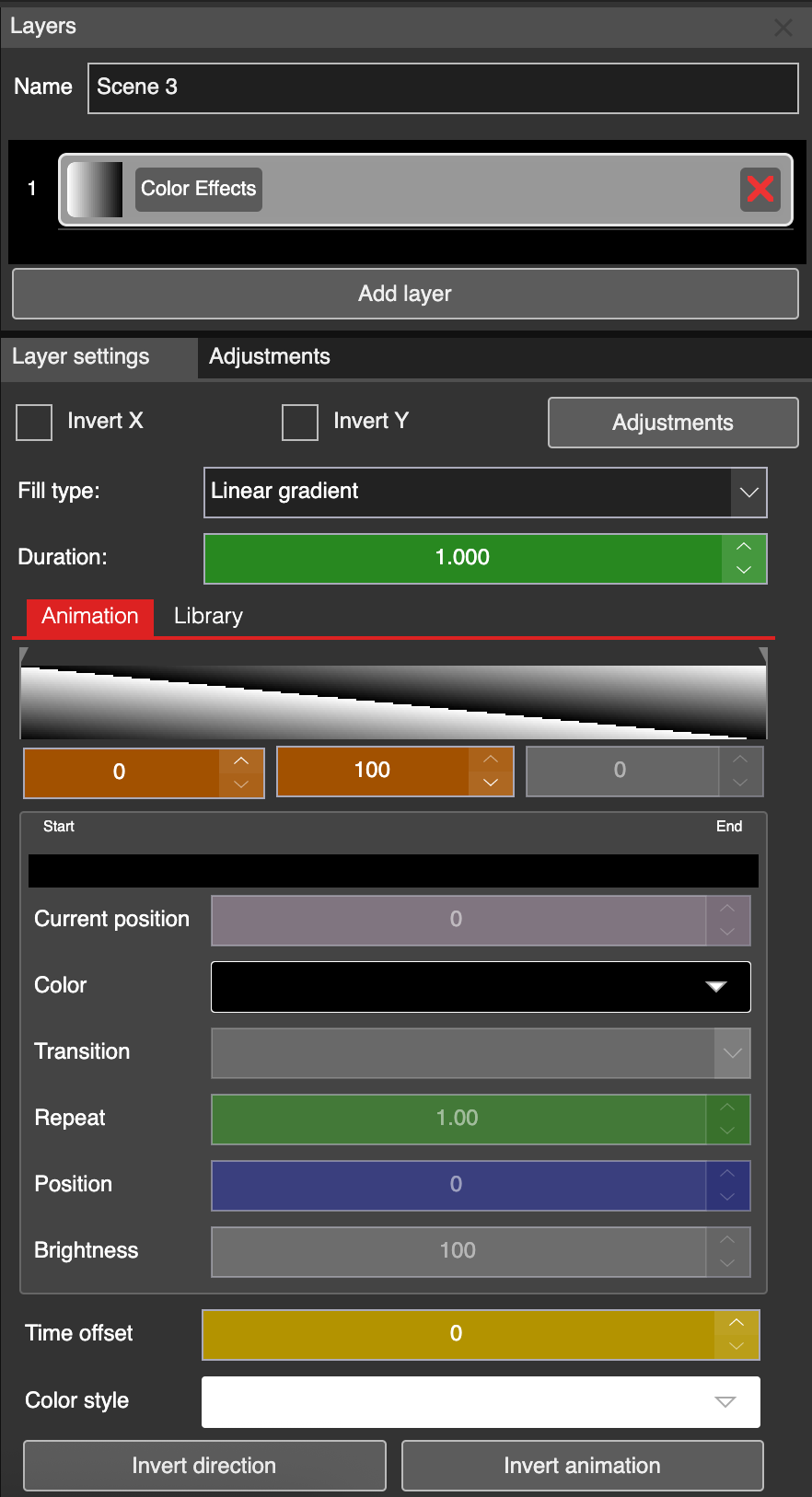
2D color effects in LSS4 video scene with gradient shapes
Default animation in LSS4 strip scene

Default animation setup

Morph transition in LSS4

Morph transition effect

Animation library in LSS4

Animation library

Effect creation questions

How do I create a custom LED color effect in LSS4?

In LSS4, you create effects in the Strip Scene window. Select a LED strip, click Add Animation, and you'll enter the animation editor where you can define keyframes. Each keyframe contains a color palette — multiple color stops positioned along the LED strip. The animation transitions between keyframes over time, creating smooth color animations. The Morph transition, palette scrolling, and time offset settings give you precise control over the resulting effect.

Can I create LED effects in the shape of circles or cones?

Yes, in the Video Scene. LSS4 includes 2D Color Effects layers that create animated gradient patterns in various shapes: linear (horizontal, vertical, diagonal), circular/radial, rectangular, and conical. These work as layers in the video scene and can be combined with other layers for complex visual compositions.

Can I save and reuse LED effects across projects?

Yes. LSS4 has an Animation Library where you can save your custom effects and load them into any project. This is a big time-saver when you work with multiple installations that use similar visual styles — create your effect once and reuse it across projects.

Contact & Support

Real people, real answers. Choose the channel that works best for you.

📧

Email

Send us your questions, project details, or feature requests. We reply with thorough answers.

[email protected]
💬

WhatsApp

Quick questions, photos of your installation, or a live voice call — WhatsApp works for all of it.

+421 948 280 393
📹

Zoom Consultation

Book a screen-share session with the team. Walk through your project, get hands-on guidance.

Book a Call
🎧

Talk to Support

Use the contact form to describe your issue or question in detail. We follow up promptly.

Contact Us
✈️

On-Site Support

For large-scale installations — stadiums, studios, architecture — we travel worldwide to assist on-site.

[email protected]
⬇️

Download Free Trial

Try LSS4 with full features. No credit card required. Windows and macOS.

Download Now

Create effects that stand out

Stop relying on pre-made patterns. LSS4's effect creation tools give you full control to design animations that match your creative vision.