Show Timeline

50 Tracks. 100 Tracks.
No Artificial Limits.

LSS4's show timeline supports as many tracks as your show requires — 50, 100, or more simultaneous layers of scene content running together, synchronized to music. Complex crossfades, parallel zone content, and layered animations are all possible without hitting an arbitrary track cap.

Layer scenes in parallel across the timeline

In the show timeline, each track is a horizontal lane where you place scene events. Events in different tracks play simultaneously — the output is a composite of all active events at any given moment, blended using the transparency (alpha) settings of each event. This is how you build smooth crossfades: place overlapping events in adjacent tracks with complementary opacity curves, and the transition is seamless.

With unlimited tracks, you're not forced to compromise your show structure to fit within a track count limit. A show with 20 zones each needing independent content, plus several transitional layers, can use exactly as many tracks as it needs. The timeline scrolls vertically to accommodate the full track list.

  • Unlimited tracks — add as many as your show requires
  • Events in multiple tracks play simultaneously and composite
  • Crossfades via overlapping events with transparency curves
  • 50+ tracks in a single show — fully supported
  • Vertical scroll to navigate large track counts
  • Name tracks for easy identification in complex shows
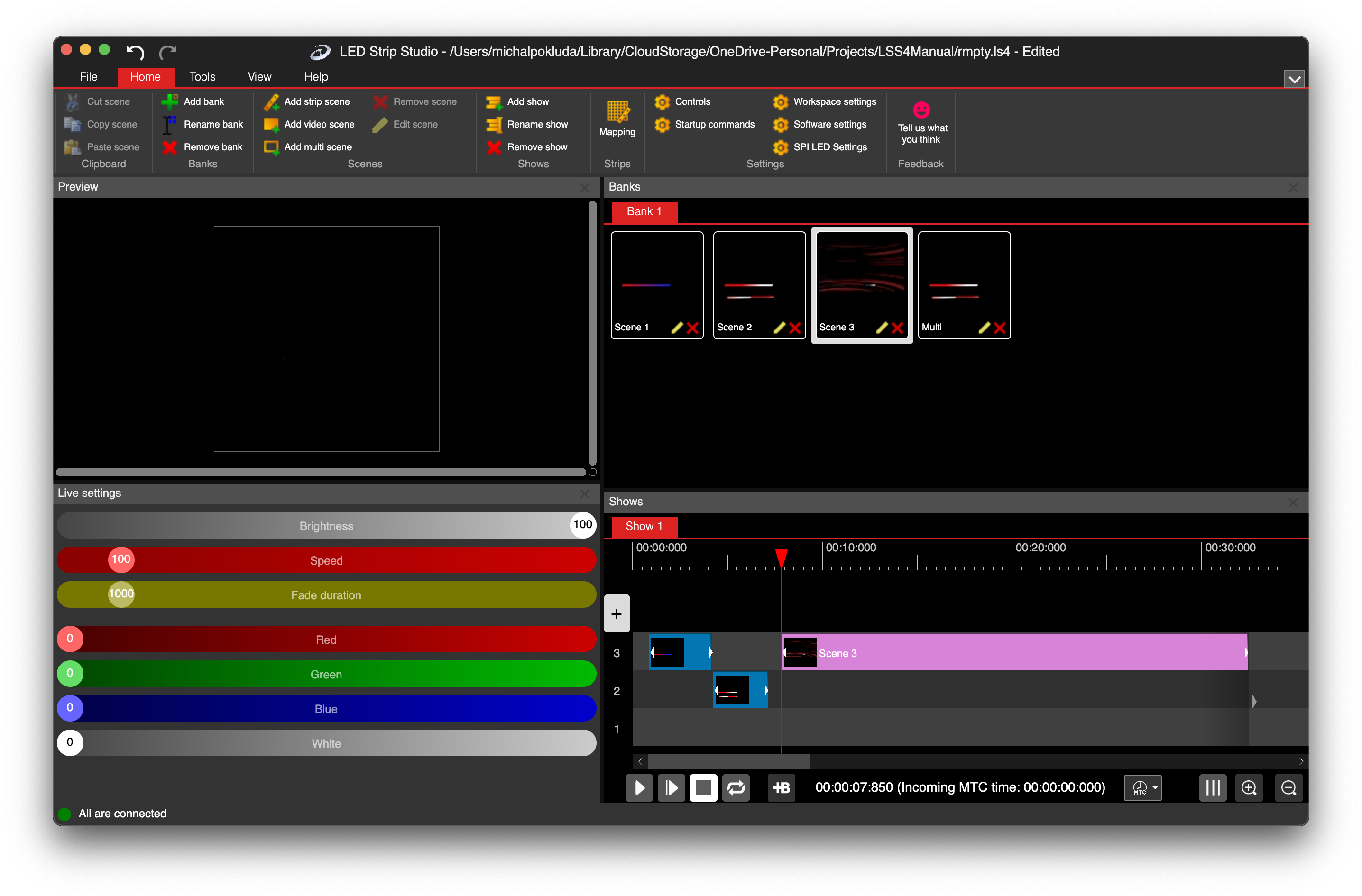
LSS4 show timeline with multiple tracks running simultaneously

Build show structures as complex as your venue

Large venues and broadcast productions have complex requirements. Different sections of the installation — stage wash, truss lighting, floor LED, screen surrounds, audience areas — often need independent content running in parallel. Managing this in a timeline with a 4 or 8 track limit means you're constantly doing workarounds: pre-compositing content, cutting shows into segments, or running multiple synchronized instances.

With unlimited tracks, you build the show in one timeline with each zone on its own track. The full structure is visible in a single view, timing relationships are clear, and editing one zone doesn't require re-touching others. It's the difference between working around a tool and working with it.

  • Independent tracks for each zone or section of the installation
  • Full show visible in one timeline — no pre-compositing required
  • Edit individual zone tracks without affecting others
  • Synchronized timing across all tracks automatically
  • Works with music waveform for beat-accurate placement
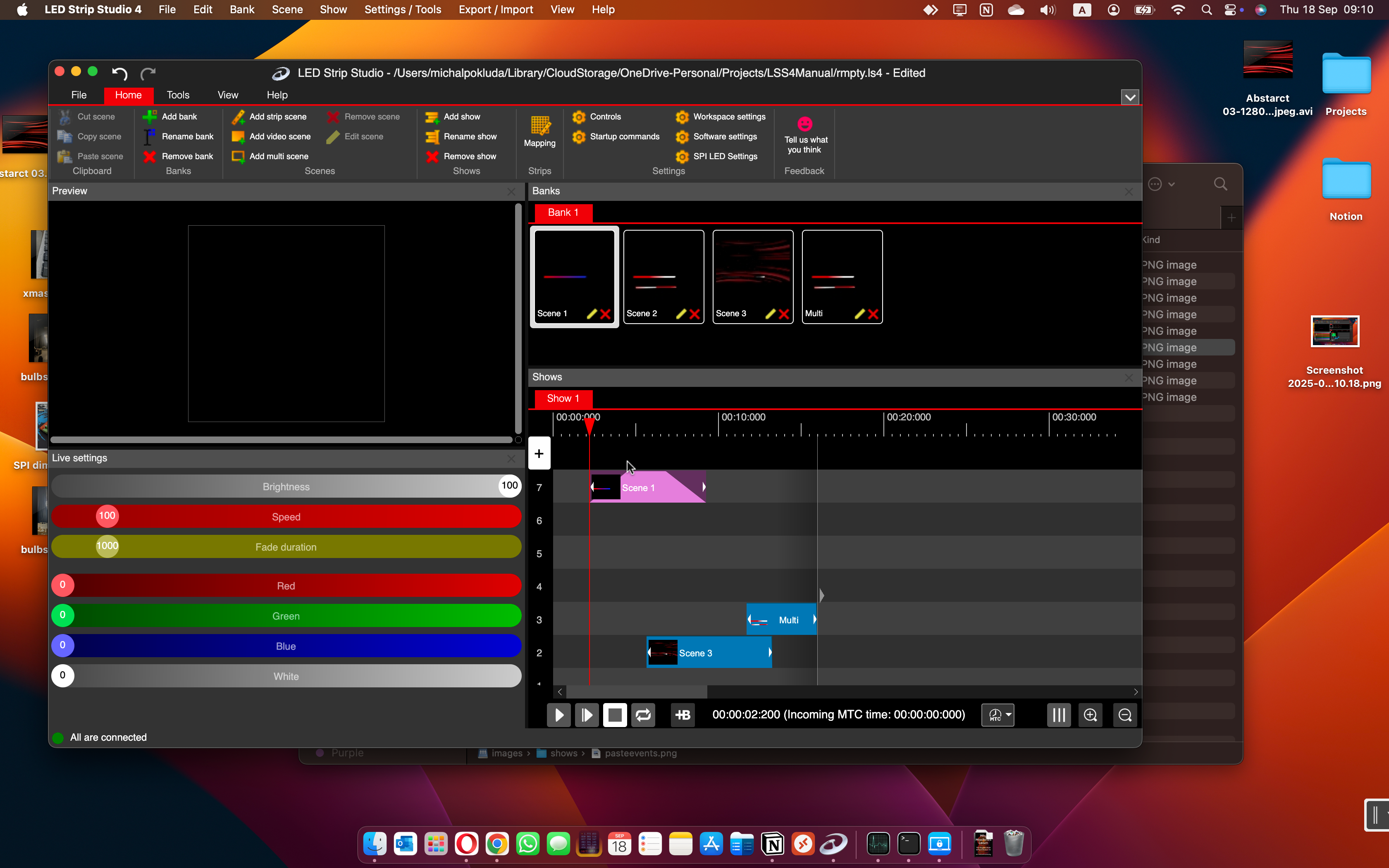
LSS4 multi-track show timeline with complex event structure

Unlimited tracks questions

How many tracks can I use in the LSS4 show timeline?

There is no enforced track limit in LSS4's show timeline. Practical users have run shows with 50 or more simultaneous tracks. The number of tracks you can run smoothly in practice depends on your computer's processing power and the complexity of each scene, but the software itself imposes no artificial cap.

How do multiple tracks composite together in the show timeline?

Events from all active tracks are composited using their transparency (alpha) values at each point in time. An event at 100% opacity in one track and an overlapping event at 50% opacity in another track will blend together — the second event is semi-transparent over the first. This is how crossfades work: one event fades out (opacity drops to 0%) while the overlapping event in another track fades in (opacity rises to 100%). The composite is calculated in real-time by the rendering engine.

Can I synchronize multiple tracks to the same music track?

Yes. All tracks in the show timeline are synchronized to the same timeline, which can be driven by a music track, MIDI MTC clock, or internal clock. Every event on every track is positioned relative to the same time reference, so all tracks stay in sync automatically. You only import the music once — it drives the timing for all tracks simultaneously.

Contact & Support

Real people, real answers. Choose the channel that works best for you.

📧

Email

Send us your questions, project details, or feature requests. We reply with thorough answers.

[email protected]
💬

WhatsApp

Quick questions, photos of your installation, or a live voice call — WhatsApp works for all of it.

+421 948 280 393
📹

Zoom Consultation

Book a screen-share session with the team. Walk through your project, get hands-on guidance.

Book a Call
🎧

Talk to Support

Use the contact form to describe your issue or question in detail. We follow up promptly.

Contact Us
✈️

On-Site Support

For large-scale installations — stadiums, studios, architecture — we travel worldwide to assist on-site.

[email protected]
⬇️

Download Free Trial

Try LSS4 with full features. No credit card required. Windows and macOS.

Download Now

No track limits. No compromises.

Build your show with as many tracks as it needs. Download LSS4 and see what's possible with unlimited layers.