Show Timeline

Build LED Shows That Move With the Music

Import your track, see the waveform in the timeline background, and place events exactly where the beat drops. LSS4's show timeline makes music-synchronized LED creation fast and intuitive — no guessing where the chorus starts.

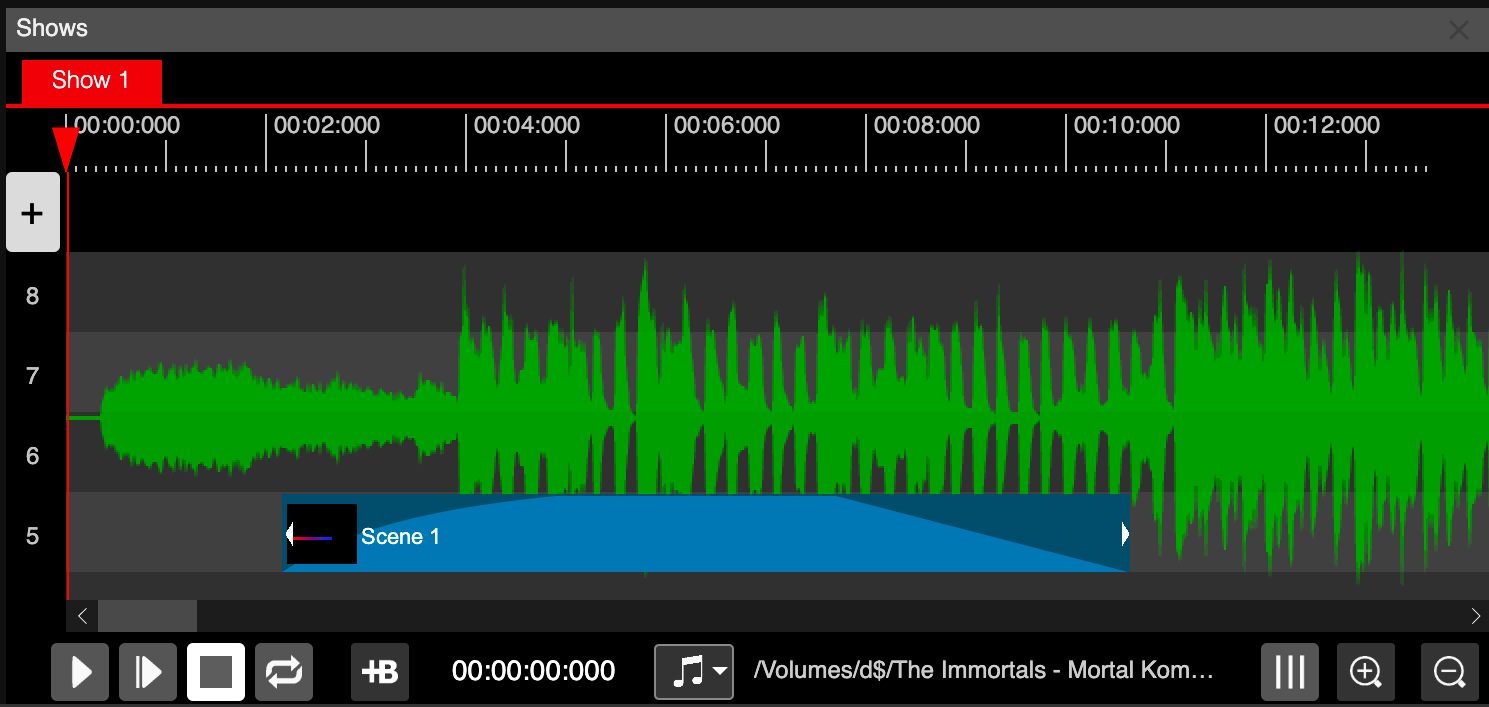
LSS4 show timeline with music waveform in background

See the waveform, place events precisely

Import your audio file (WAV, or MP3 which gets converted to WAV automatically) and LSS4 displays the waveform directly in the timeline background. This visual reference changes everything about how you create shows — instead of working by time code numbers, you can literally see where the beat hits, where the breakdown is, where the chorus builds.

Place scene events where the waveform peaks. Set transparent fade-ins on the quiet intro. Time your big color change to the drop. When the visual timeline matches the audio, the creative process feels natural instead of mechanical.

  • Import .wav files directly; .mp3 files auto-converted
  • Waveform displayed in timeline background for visual reference
  • Scroll and zoom the timeline for fine-grained event placement
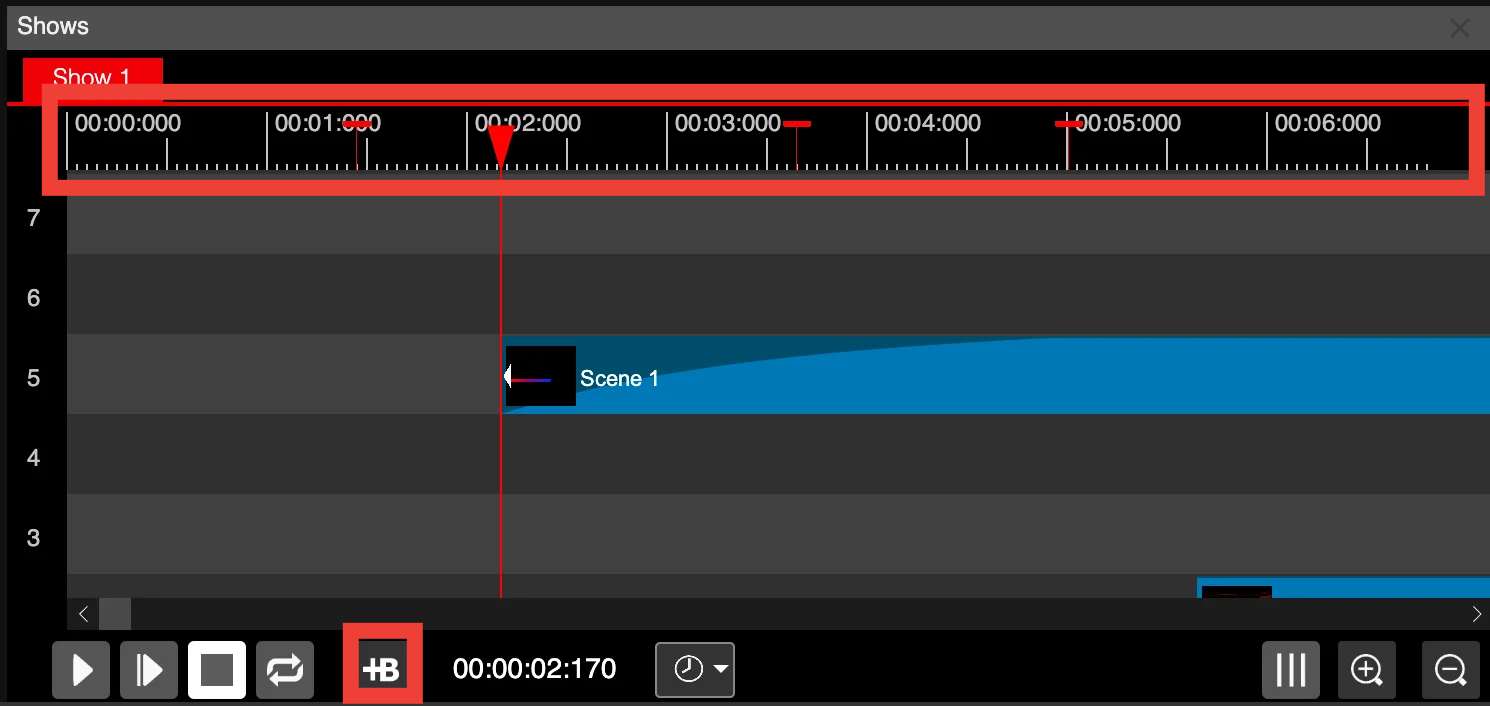
  • Bookmarks for quick navigation to key moments
  • Timeline playback with real-time LED preview
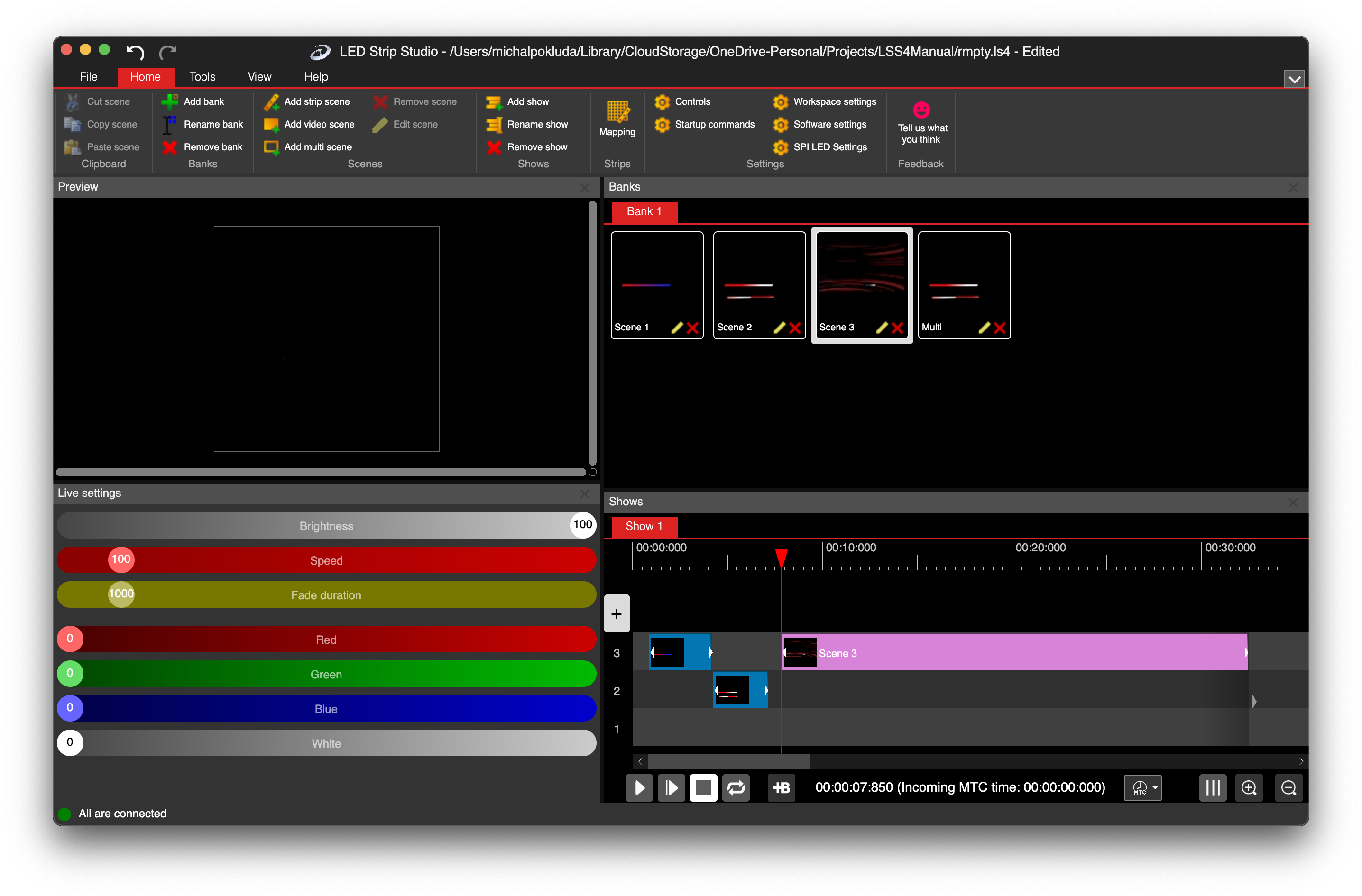
LSS4 show timeline main window with multiple tracks and events

Set every event to the exact millisecond

Each event in the timeline has a precise start time and duration. You can drag events to position them visually or enter exact time values — down to the millisecond. This level of precision matters for music-synced shows where a 50ms offset between the beat and the light change is perceptible to the audience.

Snapping keeps events aligned to other events or to musical grid lines. The zoom controls let you work at any scale — zoomed out to see the full show structure, or zoomed in to the frame level for tight timing adjustments.

  • Millisecond-precise event start time and duration
  • Drag events visually in the timeline
  • Snapping to other events and grid lines
  • Zoom in/out for any level of timeline detail
  • Multiple tracks for complex multi-scene shows
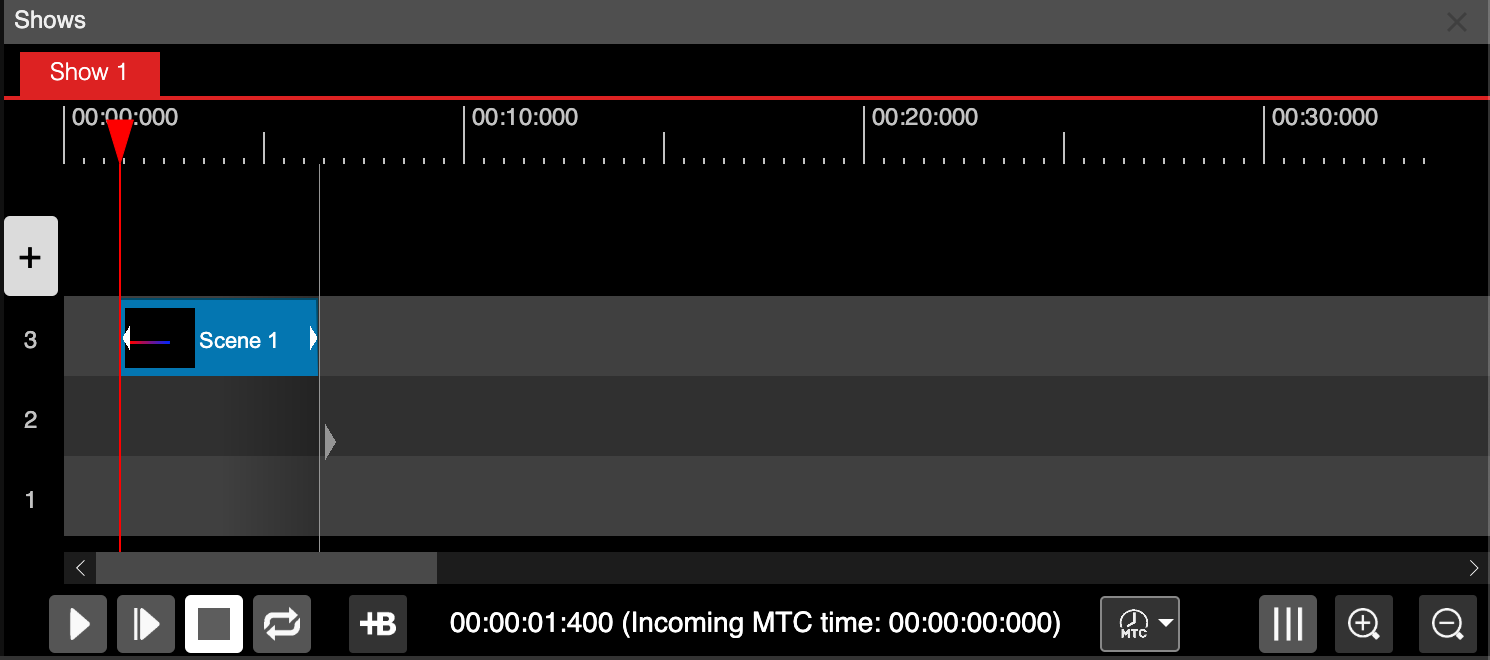
Events placed in LSS4 show timeline with precise timing

Three synchronization modes

LSS4 doesn't just play shows internally — it can synchronize to external sources. The three sync modes cover everything from simple standalone playback to tight integration with external show control systems.

  • Clock — internal computer clock for standalone operation
  • Music — plays with imported WAV audio, waveform visible in timeline
  • MIDI MTC — external timecode from video players, laser systems, or other stage gear. Set start time, choose action on lost signal (pause or stop)

MIDI MTC is the standard protocol for multi-device show synchronization in professional AV installations — allowing your LED installation to stay perfectly locked to video, audio, or automation systems.
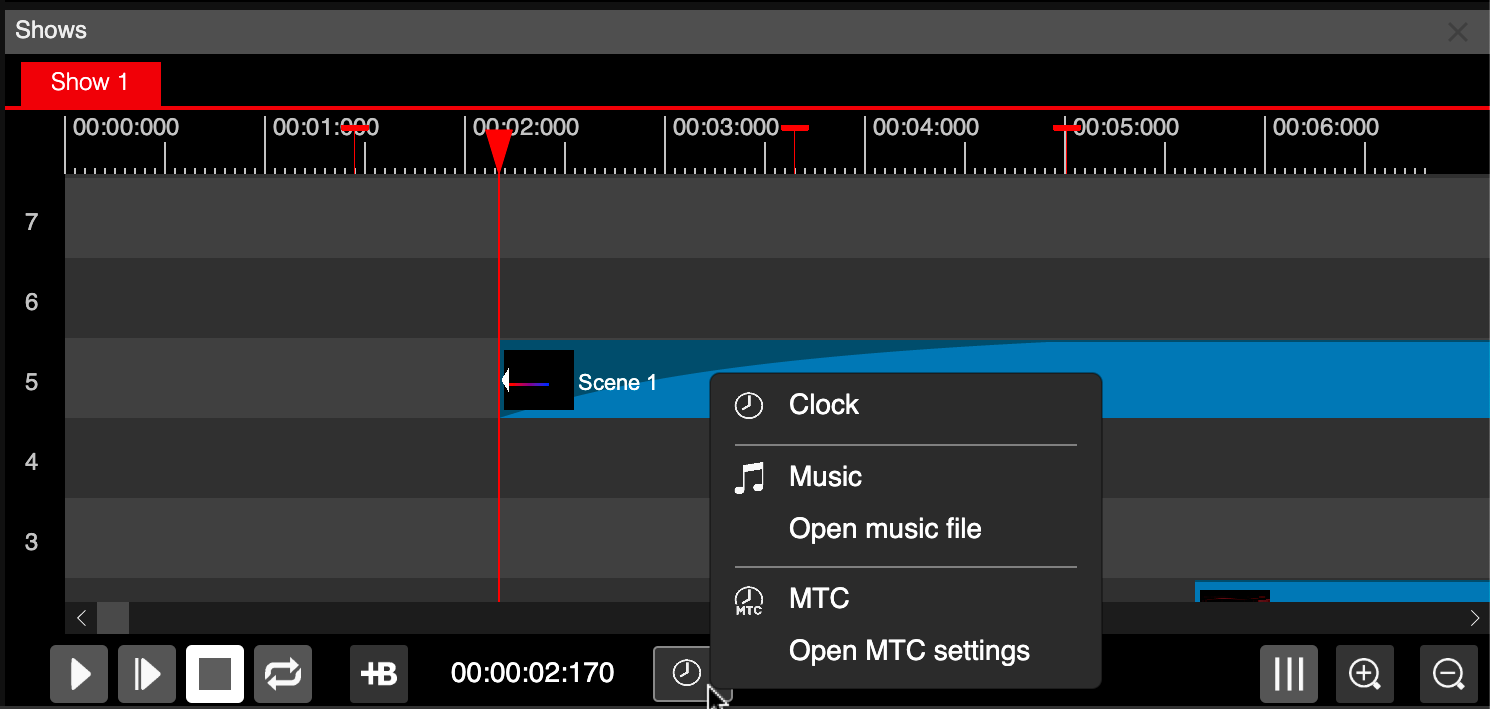

LSS4 synchronization source settings showing Clock, Music, and MIDI MTC options
LSS4 show playback controls

Show playback controls

Bookmarks in LSS4 show timeline

Timeline bookmarks

Zoom controls in LSS4 show timeline

Timeline zoom controls

Timeline questions

How do I synchronize an LED show to music in LSS4?

Import your audio file (WAV or MP3) into the show timeline. LSS4 displays the waveform in the timeline background so you can visually align events with musical moments. Select Music as the sync source and LSS4 will play the audio alongside your LED show, keeping everything in sync automatically.

Can I use effects I created in the show timeline?

Yes. Any scene from your scene banks — whether it's a strip scene animation, a video scene, or a multi-scene — can be added to the show timeline as an event. This lets you build a library of effects and use them in any combination within your show.

Does LSS4 support MIDI MTC for external show synchronization?

Yes. LSS4 supports MIDI MTC (MIDI Time Code) for synchronizing the LED show to external timecode sources like video playback systems, laser controllers, or DMX consoles. Select your MIDI MTC device, set the start time offset, and choose the behavior when the timecode signal is lost (no action, pause, or stop). This makes LSS4 compatible with professional multi-device show control systems.

Contact & Support

Real people, real answers. Choose the channel that works best for you.

📧

Email

Send us your questions, project details, or feature requests. We reply with thorough answers.

[email protected]
💬

WhatsApp

Quick questions, photos of your installation, or a live voice call — WhatsApp works for all of it.

+421 948 280 393
📹

Zoom Consultation

Book a screen-share session with the team. Walk through your project, get hands-on guidance.

Book a Call
🎧

Talk to Support

Use the contact form to describe your issue or question in detail. We follow up promptly.

Contact Us
✈️

On-Site Support

For large-scale installations — stadiums, studios, architecture — we travel worldwide to assist on-site.

[email protected]
⬇️

Download Free Trial

Try LSS4 with full features. No credit card required. Windows and macOS.

Download Now

Make your LED show move with the music

The waveform timeline makes music-synchronized show creation intuitive. Download LSS4 and build your first synchronized show today.