Show Production

Phase, Speed, Fade.
Total Event Control.

LSS4's show event editor gives you precise control over how each scene behaves in the timeline. The phase editor controls speed and acceleration. The transparency editor creates smooth fade-in and fade-out transitions. Together, they turn a sequence of scenes into a polished, professional show.

Control scene speed and acceleration

The Phase editor lets you define how a scene's animation plays during the event's duration in the show timeline. Instead of playing the scene at a fixed speed from start to finish, you can ramp up, slow down, or create complex speed curves — all within a single event.

This is particularly powerful for effects-heavy shows where you want the visual tempo of the lighting to match the energy of the music or performance. Accelerate into a drop, decelerate into a breakdown, hold steady during a verse. The phase editor gives you that choreographic control without needing separate scenes for each tempo.

  • Define speed and acceleration curves for each event
  • Speed up, slow down, or hold a scene at any point
  • Create complex velocity curves with multiple control points
  • Preview phase behavior before committing to the show
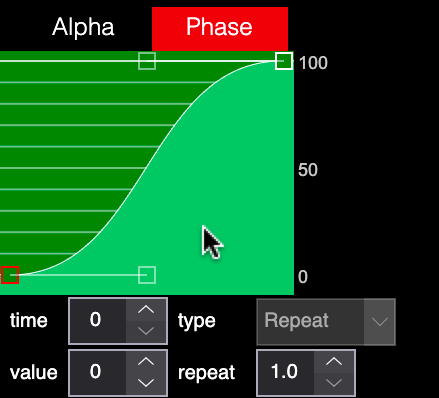
LSS4 phase editor showing speed and acceleration curve for show events

Smooth fade-in and fade-out animations

The transparency editor controls the opacity of a scene event over time in the show timeline. A simple fade-in at the start and fade-out at the end makes scene transitions feel smooth and professional instead of abrupt. But you can also create complex transparency curves — gradually revealing a scene, holding at partial opacity for a layered look, or creating pulse effects.

When combined with multiple tracks in the timeline, overlapping events with different transparency curves create beautiful crossfade transitions between scenes. It's the same technique used in professional video editing — applied to your LED show.

  • Define opacity over time for each event
  • Fade-in at event start, fade-out at event end
  • Complex transparency curves with multiple keyframe points
  • Create crossfades by overlapping events with complementary curves
  • Combine with phase editor for fully choreographed events
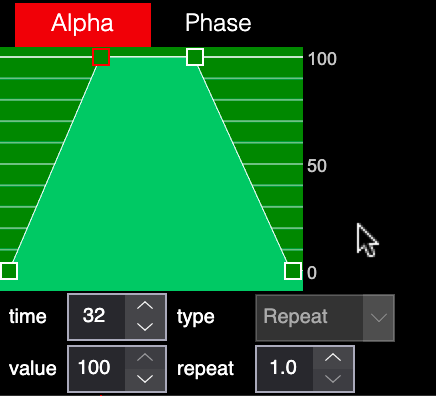
LSS4 transparency/alpha editor showing fade curve for show event

The complete event editing workflow

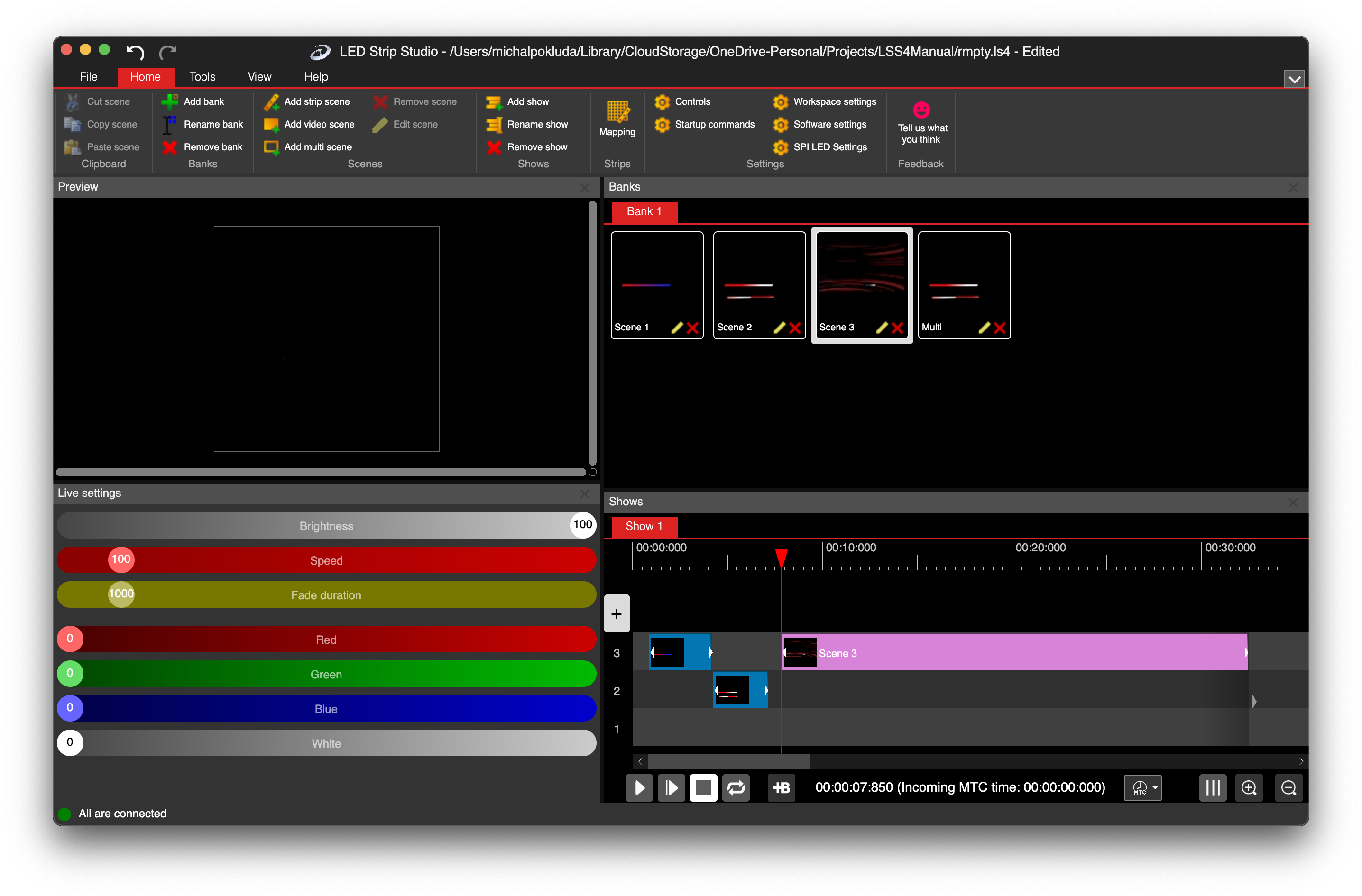
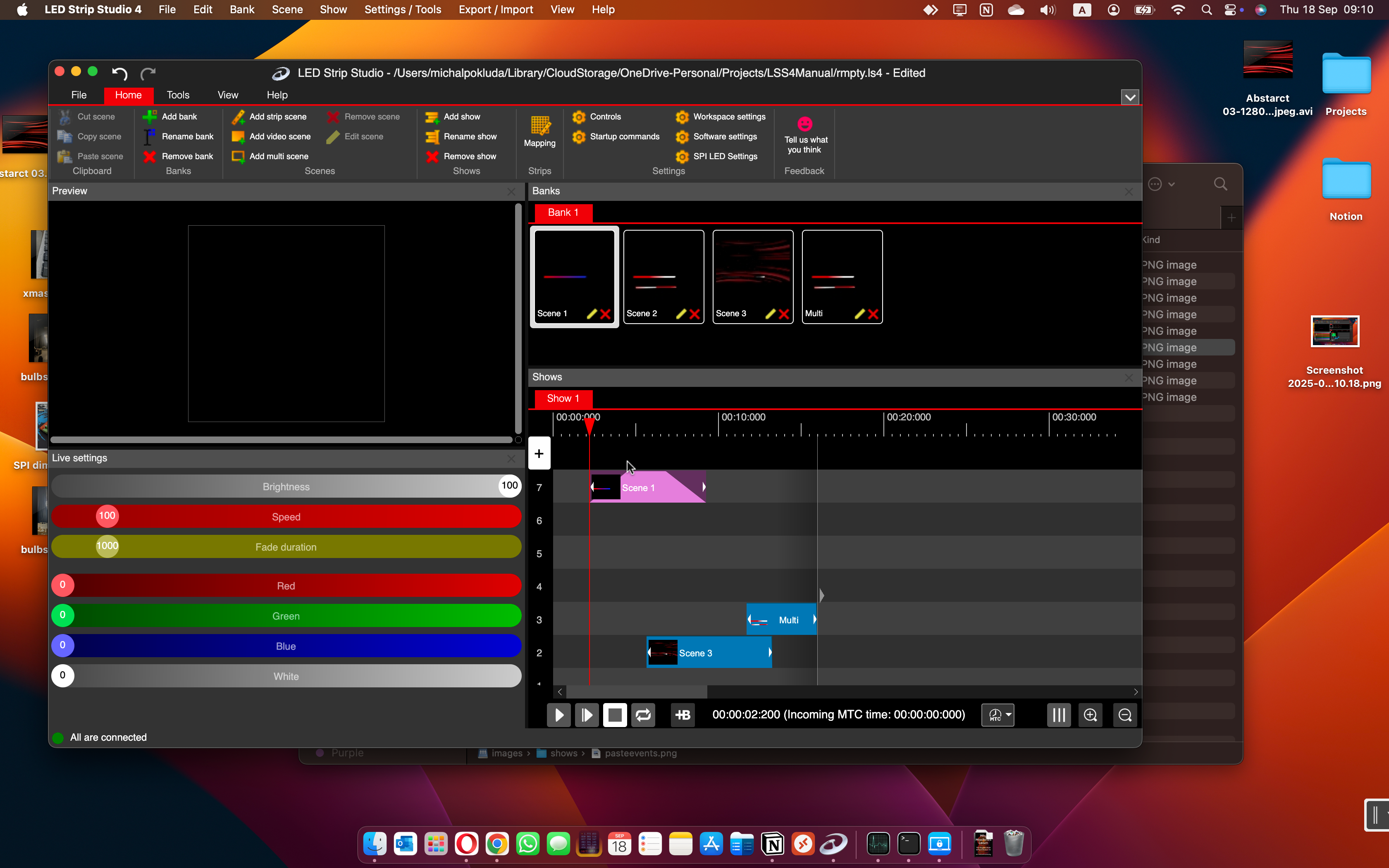
Each event in the show timeline represents a scene playing during a specific time window. Events can be added from the main menu, positioned by dragging, and resized by adjusting start/end handles. The event context menu gives you access to copy, paste, and duplicate operations for quickly building out complex show structures.

  • Add events from scene banks with a simple click
  • Drag to reposition, resize to adjust duration
  • Copy and paste events for repeated sections
  • Left and right triangle handles for fine-tuning event boundaries
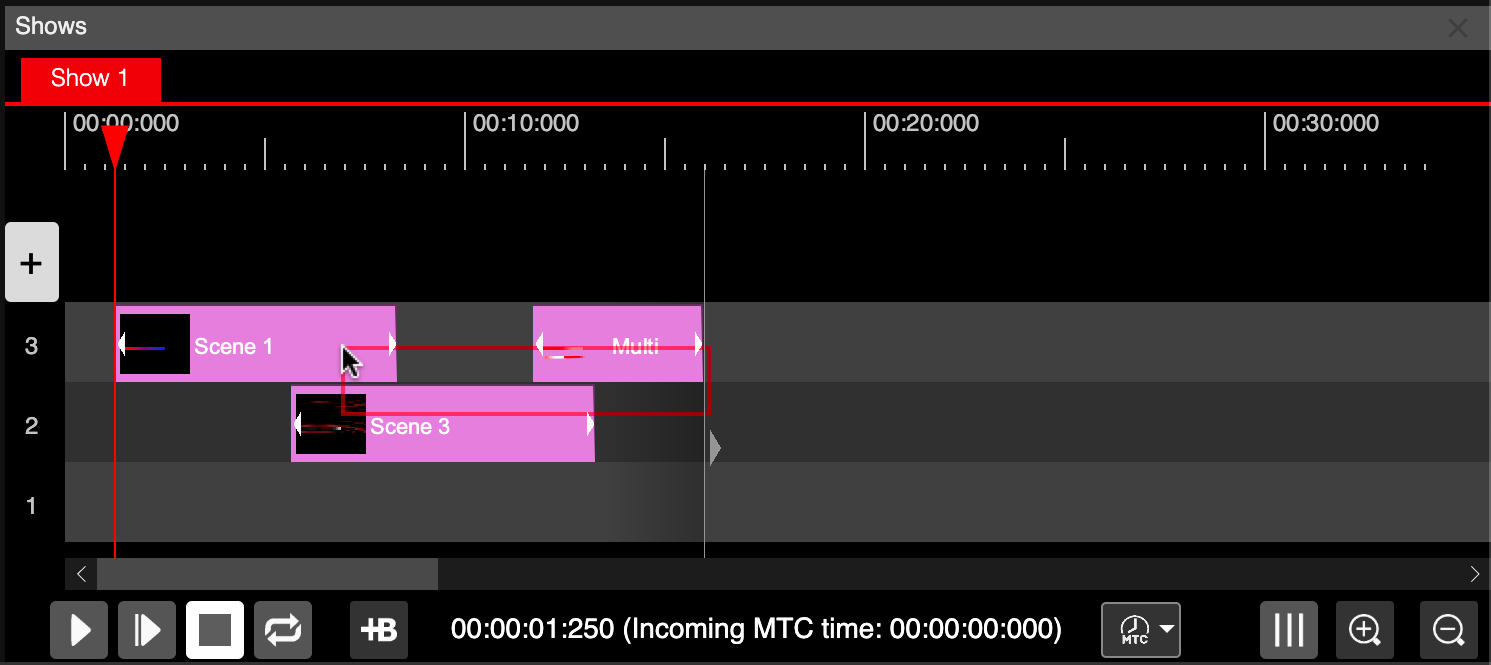
  • Select multiple events with a selection rectangle
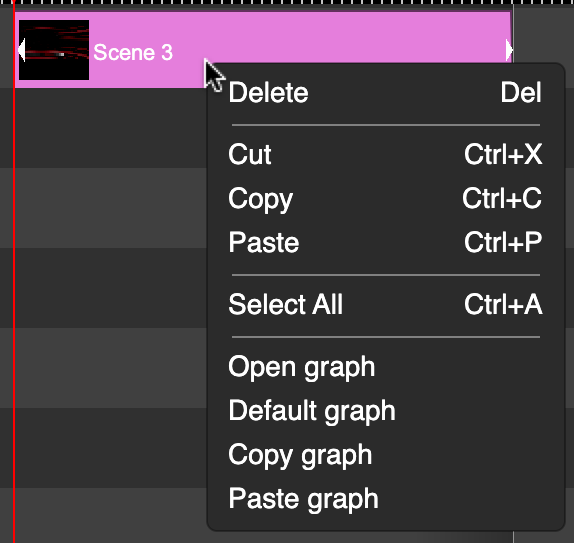
LSS4 show event context menu with editing options
LSS4 show main window

Show main window

Event alpha transparency settings in LSS4

Event transparency control

Selection rectangle for multiple events in LSS4

Multi-event selection

Show editor questions

What is the Phase editor in LSS4 and how does it work?

The Phase editor controls how fast a scene's animation plays during its time window in the show timeline. You define a speed curve: the scene can start slow and accelerate, play at constant speed, or decelerate toward the end. This lets you precisely control the visual tempo of each lighting event — matching the energy of the music without needing separate scene variations for different tempos.

How do I create smooth fade-in and fade-out transitions in an LED show?

Use the Transparency editor for each show event. You can define an opacity curve that starts at 0% (fully transparent), rises to 100% (fully visible), and returns to 0% at the end. When overlapping events use complementary transparency curves, you get smooth crossfades where one scene fades out as the next fades in.

Contact & Support

Real people, real answers. Choose the channel that works best for you.

📧

Email

Send us your questions, project details, or feature requests. We reply with thorough answers.

[email protected]
💬

WhatsApp

Quick questions, photos of your installation, or a live voice call — WhatsApp works for all of it.

+421 948 280 393
📹

Zoom Consultation

Book a screen-share session with the team. Walk through your project, get hands-on guidance.

Book a Call
🎧

Talk to Support

Use the contact form to describe your issue or question in detail. We follow up promptly.

Contact Us
✈️

On-Site Support

For large-scale installations — stadiums, studios, architecture — we travel worldwide to assist on-site.

[email protected]
⬇️

Download Free Trial

Try LSS4 with full features. No credit card required. Windows and macOS.

Download Now

Professional show production for LED lighting

Phase control and transparency animation are what separate a sequence of scenes from a real show. Download LSS4 and build something polished.