Layer Composition

Different Content on Every Section
of Your Installation

Complex LED installations often need different content running on different zones simultaneously. LSS4's layered scene system lets you put each layer where it belongs — driving separate pixel screens, zones, or segments from a single unified scene.

One scene, multiple sections

In LSS4, each layer in a video scene can be positioned over a specific section of your installation's canvas. Since the canvas maps to your physical LED layout, you can place a video layer over the left screen, an image with transparency over the center, and a color effect over the right — all in a single scene, running simultaneously.

This is how you handle installations with multiple physically separate LED screens or zones that need to show coordinated but different content. Instead of maintaining separate projects for each zone, everything is managed in one scene with independent layers per zone.

  • Place each layer over a specific section of the canvas
  • Each layer position maps to the corresponding physical LED zone
  • Multiple physically separate screens handled from one scene
  • Independent content on each zone — video, image, color effects
  • Layers composited together for overlapping zones
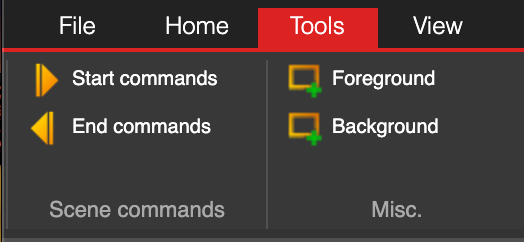
Layers panel in LSS4 showing foreground and background layer options

Transparency for beautiful overlays

Image layers in LSS4 fully support PNG alpha channel transparency. This means you can create images where parts are transparent, and the layers beneath show through — exactly like working in Photoshop or After Effects. Use it for logo overlays, text with transparent backgrounds, or any decorative element that should blend with the video content behind it.

The alpha channel support combined with layering makes it possible to create visually sophisticated scenes without pre-compositing everything into a single video file. Change the logo image without re-rendering the entire scene. Swap out the background video while keeping the overlay intact.

  • PNG images with full alpha channel transparency
  • Layer below shows through transparent areas
  • Create logos, text, and graphics with transparency
  • Modify individual layers without re-rendering the scene
  • Layer order control — drag to reposition in the stack
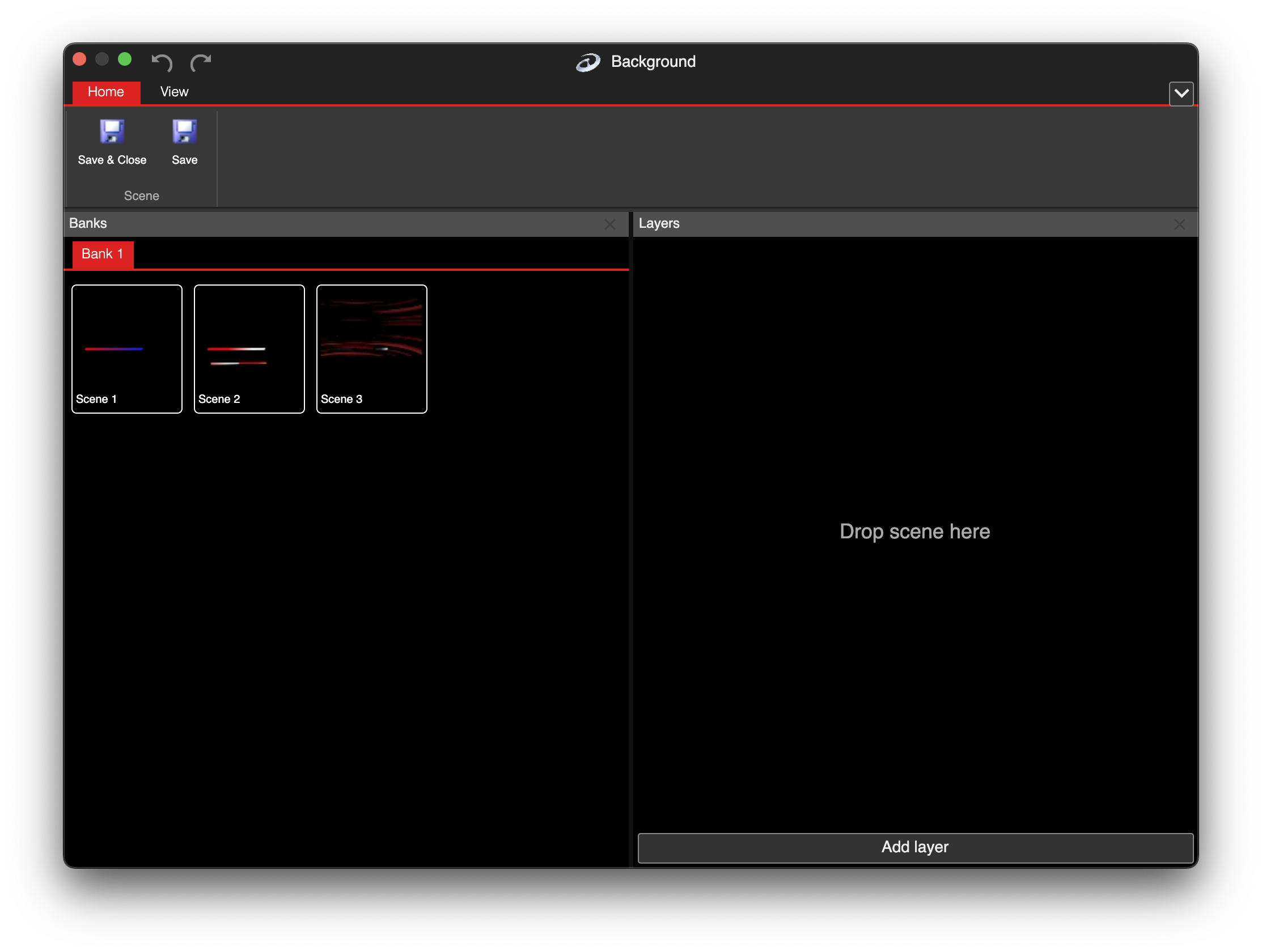
Layer settings in LSS4 showing position and transparency controls

What you can put in each layer

🎬

Video

Import MP4, MOV, or GIF videos. Set start/end frames for looping, adjust playback speed, flip horizontally or vertically.

🖼️

Images

Static JPG or PNG images, including PNG with alpha channel transparency for overlay effects.

✏️

Text

Static or scrolling text layers with font, size, and color control. Add titles, messages, or scrolling marquees.

🌈

Color Effects

Animated gradient patterns in linear, radial, rectangular, and conical shapes. Animated backgrounds and overlays.

Layered scene questions

How do I run different content on different sections of my LED installation?

In LSS4's video scene, each layer has position and size controls that define where it appears on the canvas. The canvas maps to your full LED installation layout, so positioning a layer in the top-left corner means that content plays on the physical LEDs in that zone. Add separate layers for each zone and set their positions accordingly. This way, different zones of the installation display different content from a single scene.

Does LSS4 support PNG images with transparency for overlays?

Yes. Image layers in LSS4 fully support PNG alpha channel transparency. Transparent areas in the PNG show the layers underneath, allowing you to create overlays like logos, text graphics, or decorative elements that blend naturally with video content behind them.

Can I have different video content on multiple separate LED screens from one LSS4 project?

Yes. Map each physical LED screen as a separate zone in the mapping workspace. In the video scene, create separate video layers positioned over each zone. Each layer can play a different video, image, or color effect. The scene drives all screens simultaneously from one project, with independent content on each zone.

Contact & Support

Real people, real answers. Choose the channel that works best for you.

📧

Email

Send us your questions, project details, or feature requests. We reply with thorough answers.

[email protected]
💬

WhatsApp

Quick questions, photos of your installation, or a live voice call — WhatsApp works for all of it.

+421 948 280 393
📹

Zoom Consultation

Book a screen-share session with the team. Walk through your project, get hands-on guidance.

Book a Call
🎧

Talk to Support

Use the contact form to describe your issue or question in detail. We follow up promptly.

Contact Us
✈️

On-Site Support

For large-scale installations — stadiums, studios, architecture — we travel worldwide to assist on-site.

[email protected]
⬇️

Download Free Trial

Try LSS4 with full features. No credit card required. Windows and macOS.

Download Now

Complex installations need layered control

Multiple zones, alpha transparency, independent content per section — LSS4 handles it all from one scene. Download and try it on your next project.