Technology
How Do You Set Up PSL2 Wi-Fi With AP Mode or WPS?
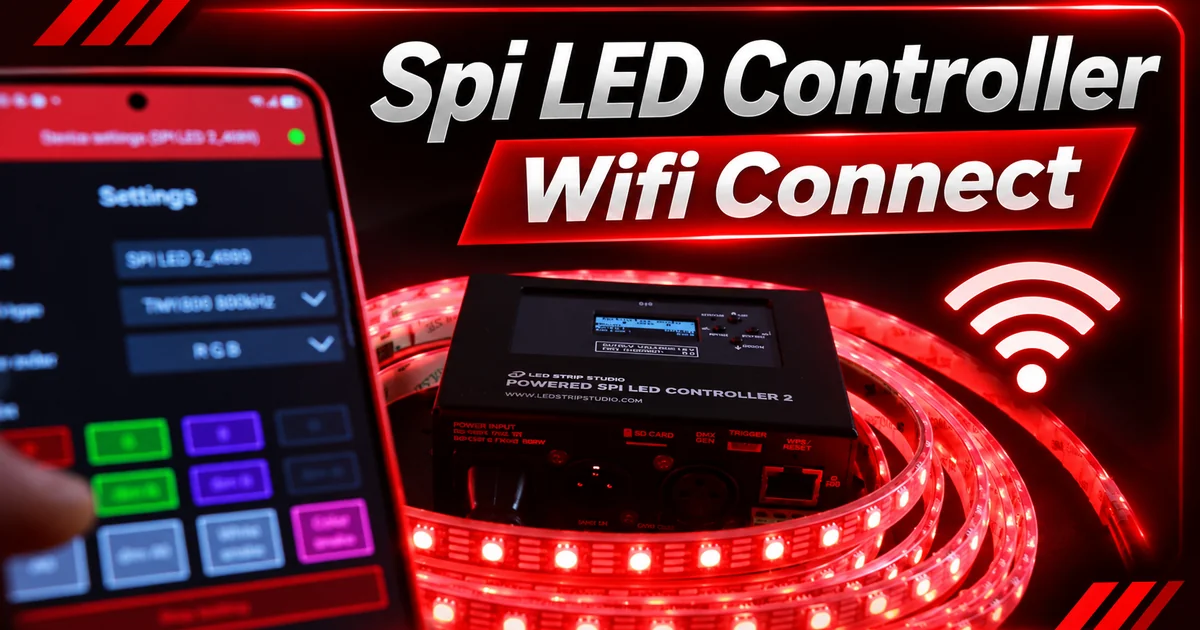
No router, no laptop, no cables. Just your phone talking straight to the controller. That is how PSL2 Wi-Fi setup starts, and for many installations it is all you need.
This is the third part of our Powered SPI LED Controller 2 (PSL2) series, after unboxing and wiring the LED strips. It is written for installers who set up the controller on site. You will learn both connection modes, how to secure them and how to find PSL2 again on a busy network.

What Is PSL2 Wi-Fi Setup and How Does It Work?
PSL2 Wi-Fi setup means choosing how the controller joins a wireless network: as its own access point or as a client on your router. The radio is 2.4 GHz Wi-Fi, 802.11 b/g/n, with an internal antenna.
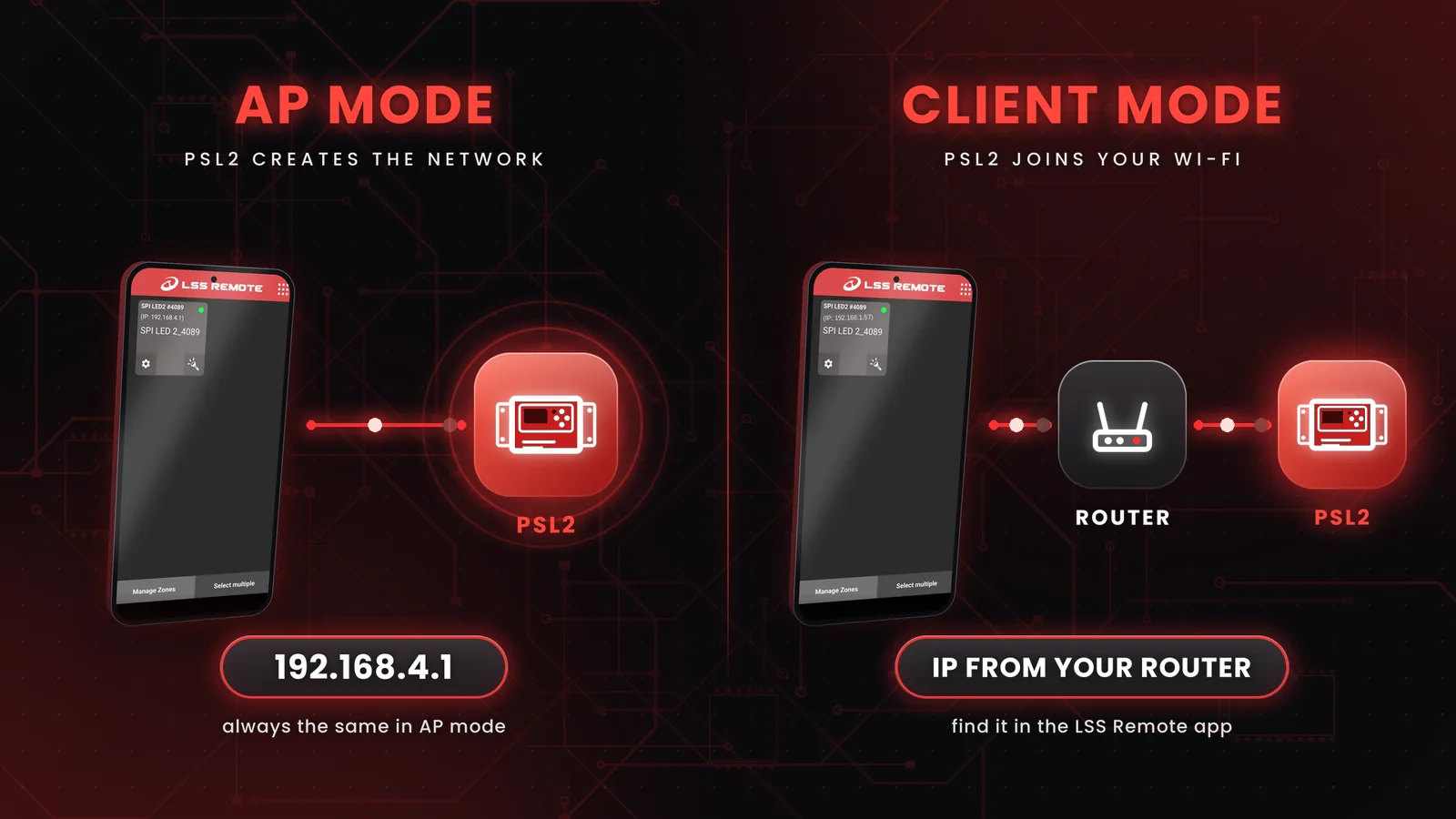
Once connected, you control PSL2 from the LSS Remote app or from a web browser. The two modes differ in who creates the network:
| AP mode | Client mode | |
|---|---|---|
| Who creates the network | PSL2 | Your router |
| Default | Yes, out of the box | No, set up with WPS |
| PSL2 address | always 192.168.4.1 | assigned by the router (DHCP) |
| Your phone keeps internet | No | Yes |
| Best for | Setup, events, a single unit | Permanent installations |
Where Should PSL2 Sit for a Stable Wi-Fi Link?
The Wi-Fi antenna sits almost in the middle of the device. Keep that area free of metal, conductive materials and cables while Wi-Fi is on. A PSL2 inside a metal cabinet or under a bundle of cables can lose the connection, so plan its place before you mount it.
How Do You Connect to PSL2 in AP Mode?
Connect your phone to the network PSL2 creates, then open 192.168.4.1 in the browser. AP mode is the default, so there is nothing to set up first. On the display, the status bar shows the AP icon.
The address never changes in AP mode, which makes it handy on site: you always know where to find the controller. Other PSL2 units can also join this network as clients.
Why Does Android Want to Disconnect?
Because the PSL2 network has no internet access. Android notices that and offers to switch to another network. Confirm the pop-up and choose to stay connected, otherwise the phone drops PSL2 after a few seconds. The manual lists this as an important step for Android devices.
How Do You Protect the AP With a Password?
Turn on Use password for AP in Settings → Network and set a password of 8 to 63 characters. Out of the box the password is off, so anyone nearby can join. That is fine on your desk, but not on a site open to the public.
How Do You Connect PSL2 to Your Wi-Fi With WPS?
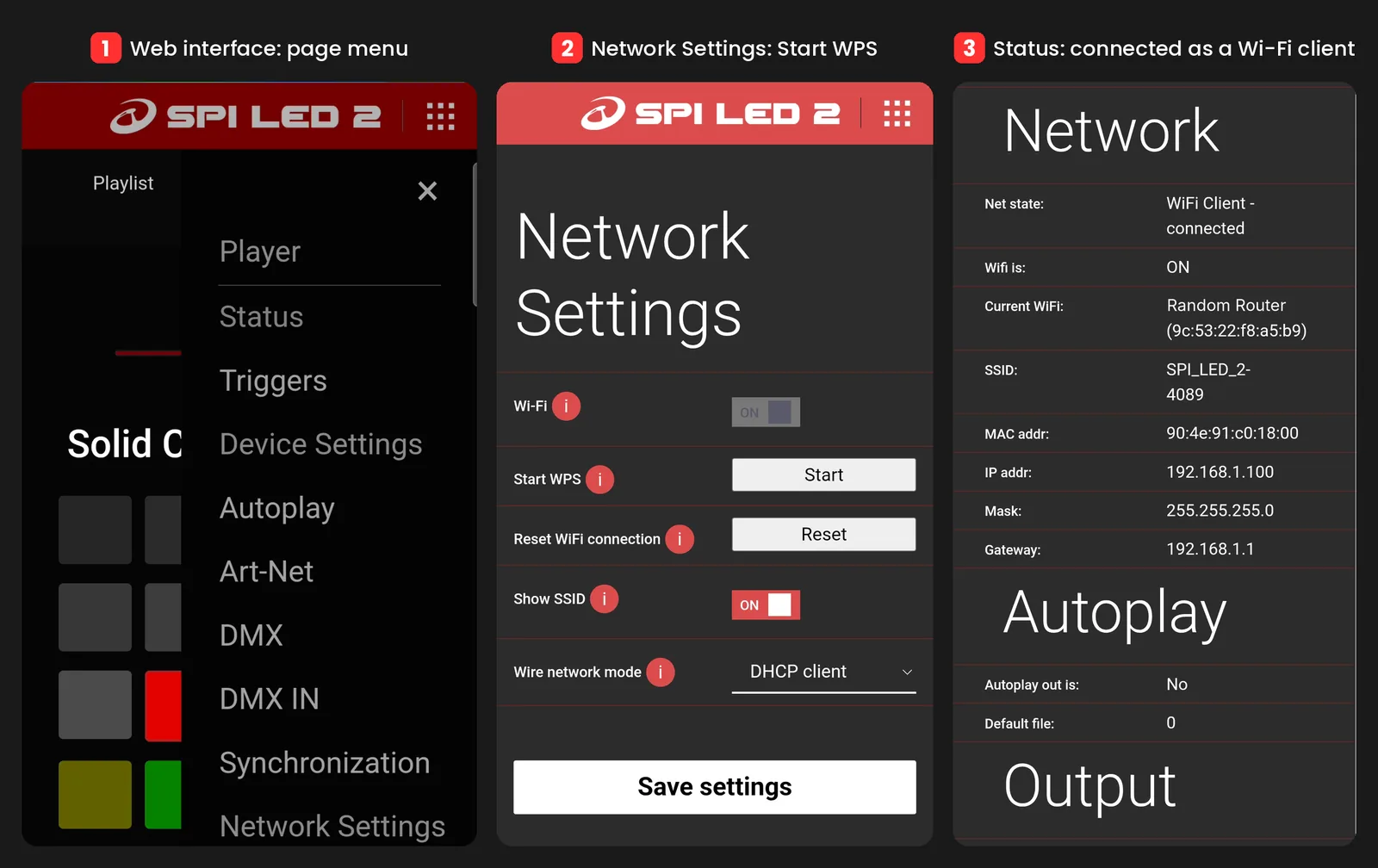
Press the WPS button on your router, then give the PSL2 Reset/WPS button a short press with a paper clip. The display shows WPS SEARCHING… and, once paired, the client icon. PSL2 is now in client mode and gets its address from the router.
In client mode PSL2 is always a DHCP client, so the router decides the address. Your phone stays on the same Wi-Fi with internet, and you control the lights over the local network. If the router assigns a different address later, look it up again in the app.
You can skip the button too. Settings → Network → Start WPS in the web interface does exactly the same thing. The web interface has no field for typing in a network name and password, so WPS is the way to join your Wi-Fi.
How Long Should You Press the Reset/WPS Button?
Under 3 seconds. The same button also resets settings, and the longer you hold it, the more it erases:
| Hold time | What happens | Blue LED |
|---|---|---|
| Short press, under 3 s | WPS pairing starts or stops | – |
| 3–10 s | Wi-Fi settings reset | blinks slowly |
| Over 10 s | All settings reset | blinks rapidly |
| Over 15 s during power-on | Factory reset, firmware updates deleted | – |
How Do You Find the New IP Address?
Use the LSS Remote app for Android and iOS. It searches the local network and lists every device it finds. LED Strip Studio and many Art-Net programs and consoles can find it too.
On the display, open Status → Network. It shows the connection state, the Wi-Fi name (SSID), and the IP address, mask and gateway.
With several units on one network, rename each one in the LSS Remote app, up to 18 characters. By default the name is the controller type and its serial number, for example PSL 2_1234.
What Can You Do in the App and the Web Interface?
The app is for quick control, the web interface for full control. In LSS Remote you switch animations and colours and set the brightness from your phone.
For everything else, type the PSL2 address into a browser on the same network. The web interface has pages for Player, Status, Triggers, Settings and Update. Player runs animations, playlists and colours, Status shows what the device is doing, and Settings holds the rest. Our page on mobile and web configuration shows how this works across our controllers.
Example: How Would You Set Up a Shop Window?
Say a shop window runs one PSL2 and the shop has its own Wi-Fi. On the first day you work in AP mode at 192.168.4.1 and set the animations. Then you press WPS on the shop router, give PSL2 a short press and look up the new address in LSS Remote, for example 192.168.1.57. The owner now changes colours from the shop phone, which stays online.
Which PSL2 Wi-Fi Setup Mistakes Should You Avoid?
Most Wi-Fi problems on day one come from a few habits, not from the hardware:
- Holding the button too long. Over 10 seconds and all settings are gone. A WPS press is under 3 seconds.
- Leaving the AP open. On a public site, set a password of at least 8 characters.
- Expecting changes to apply at once. Network settings take effect only after you save and restart.
- Plugging in Ethernet and looking for Wi-Fi. Once an Ethernet link is active, PSL2 switches Wi-Fi off.
- Pairing with a 5 GHz network. PSL2 uses 2.4 GHz only.
Not sure which control option fits your project? Our guide to PSL2 control options compares them, and you can book a free consultation for anything else.
Powered SPI LED Controller 2
Pixel LED controller with a built-in power supply and Wi-Fi, up to 1,024 RGB pixels.
Summary
PSL2 Wi-Fi setup has two modes. Out of the box PSL2 runs in AP mode: it creates its own network, and the web interface is at 192.168.4.1. Android phones must confirm that they stay connected without internet. For a real installation, add an AP password of 8 to 63 characters. For a permanent install, switch to client mode with WPS: press WPS on the router, then give the PSL2 Reset/WPS button a short press under 3 seconds. Holding it 3 to 10 seconds resets Wi-Fi, over 10 seconds resets all settings. Find the new IP in the LSS Remote app or on the display. Network changes apply only after save and restart, and Ethernet switches Wi-Fi off.