Set It Up From Your Phone. No App Needed.
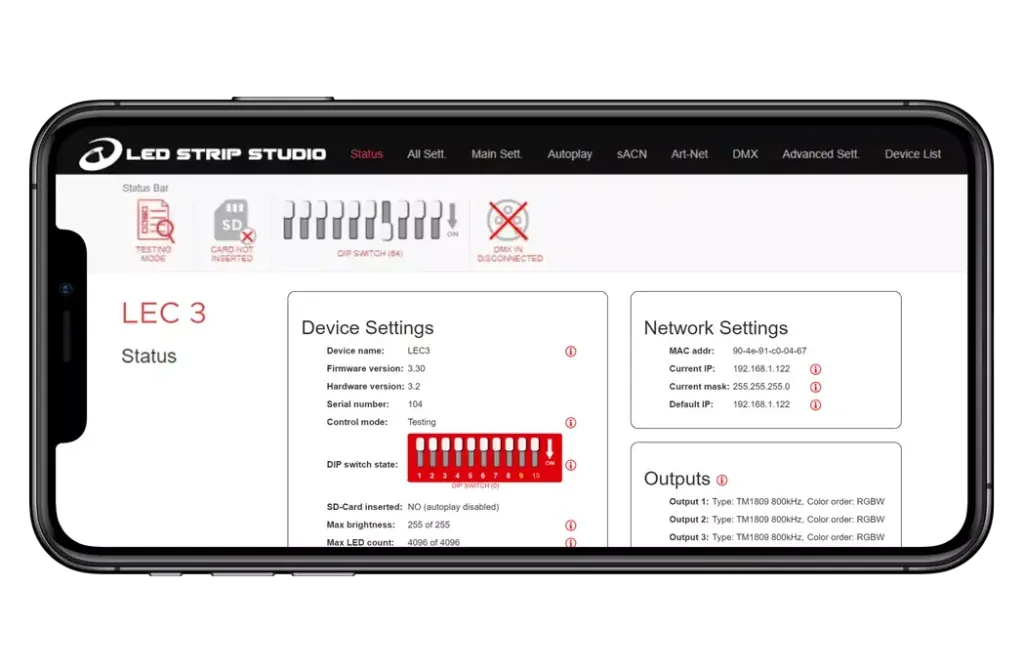
Every LEC3 and SPI Matrix runs its own web interface. Open the controller's IP address in any browser on a desktop, iPhone or Android phone and you get the full configuration: outputs, DMX, synchronization, playback and diagnostics.
Web Interface
Everything the device needs, in one browser tab
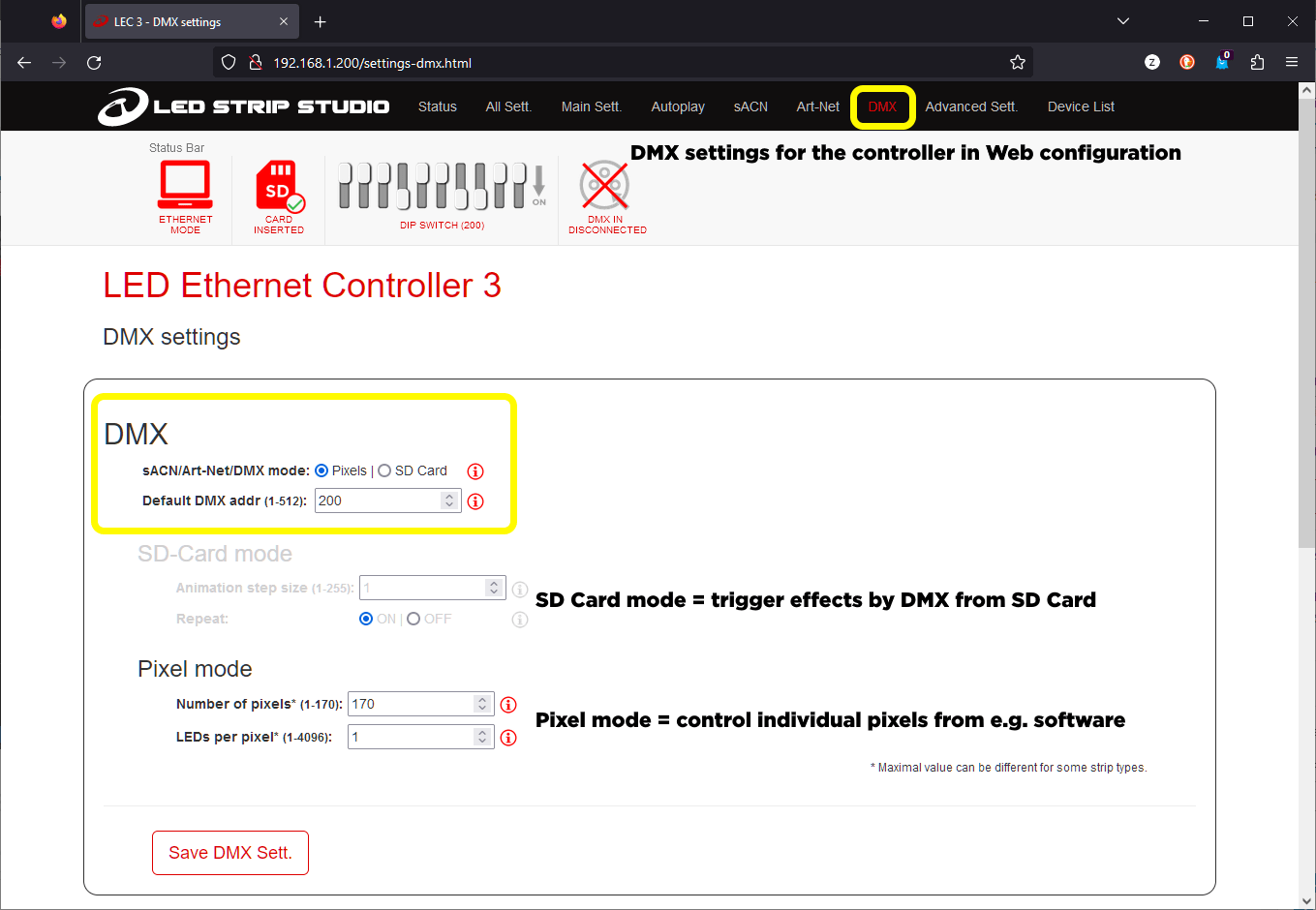
Connect the controller to the network, open its IP address in a browser and the configuration dashboard appears. No app to install, no drivers, no cables beyond the network connection already needed for Art-Net or sACN.
- Outputs: chip type and colour order for each output, see Wide LED Chip Support
- DMX tab: SD Card Mode or Pixel Mode, DMX address and the channels in use, see DMX512 Support
- Advanced settings: DMX Synchronization, Master/Slave roles, Hold DMX and passwords against unwanted changes
- Autoplay, Player and Playlist for effects on the SD card, see Standalone Playback & Sync
- Status tab: serial number, firmware version and live status
On Site
Why configure from a phone
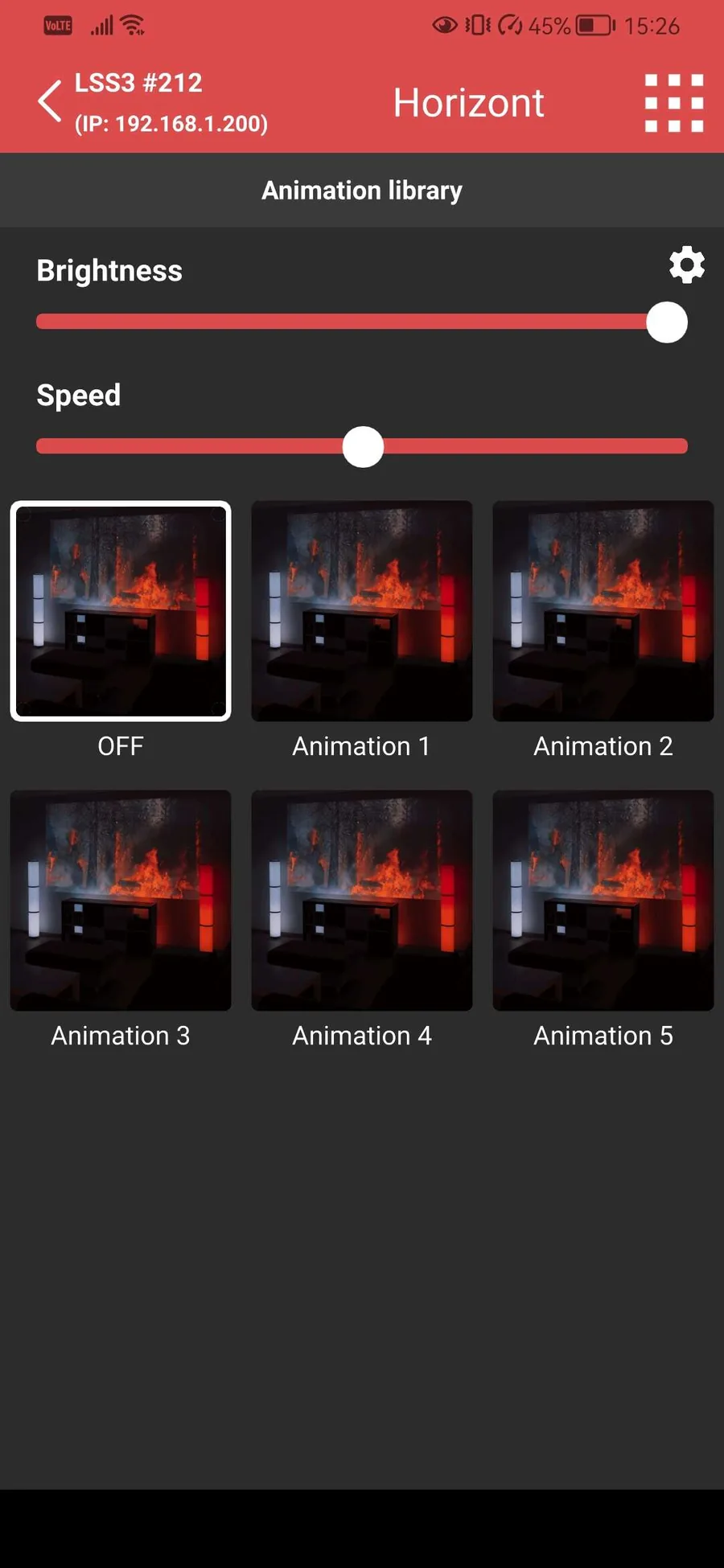
On site, a laptop isn't always practical, especially for a quick check during installation or a small adjustment during a show. Any phone on the same network can open the interface. It's the same page a desktop browser shows, resized for a smaller screen.
For everyday playback there is also the LSS Remote app: it finds the controllers on the local network and changes the effect, speed and brightness.
- Quick checks during installation without a laptop
- The same interface as on a desktop
- LSS Remote app for effect, speed and brightness
- HTTP triggers for iPhone Shortcuts and smart-home buttons
Large Installations
Configure one controller, copy it to the rest
Since firmware 3.70, LEC3 and SPI Matrix export their configuration to a JSON file: network, outputs, Autoplay, Playlist, Art-Net and sACN settings and more. Upload the file to the next device instead of setting it up by hand, see export and import the configuration.
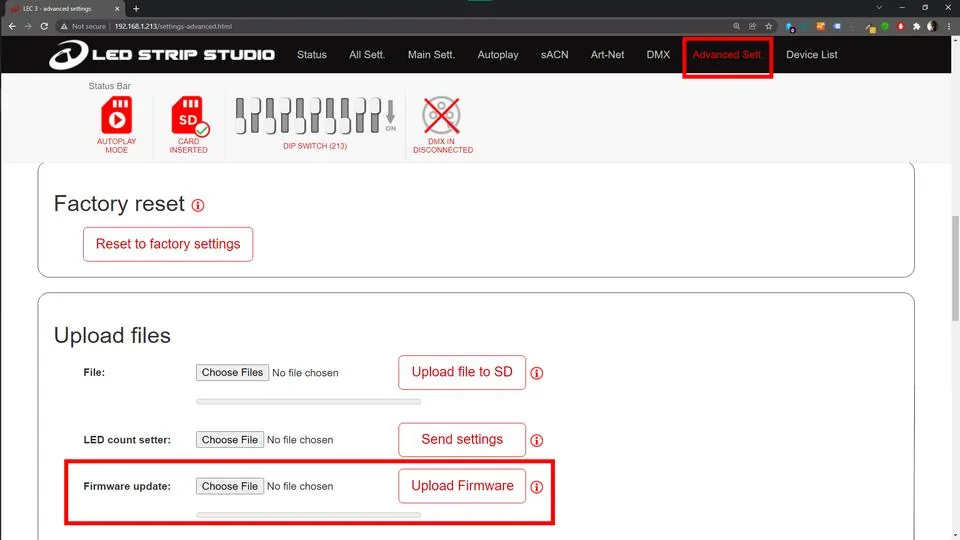
Firmware updates and new effects are uploaded through the web configuration too, so a controller mounted in a rack doesn't have to come out. See firmware update.
- Export Backup in Advanced settings saves a JSON file
- Upload it to another device and the settings apply automatically
- The JSON can be edited in any text editor
- Remote firmware update from the browser
FAQ
Web configuration questions
No, the two do different jobs. The web configuration handles device settings: network, outputs, DMX behaviour, synchronization roles and diagnostics. LED Strip Studio 4 is where you build the pixel map, design effects and control shows in real time. Most installations use both.
No. The interface runs on the controller itself and opens in any browser. The LSS Remote app is optional and only covers everyday playback.
Yes. Advanced settings let you set a password that protects the configuration from unwanted changes.
In the Status tab of the web configuration. You need the serial number when you order a pixel upgrade or contact support. More in LEC3 & SPI Matrix Firmware Update Guide.
Need Help Planning a Multi-Device Setup?
Book a free consultation and we'll help you configure the controllers for your installation.
Book a Free Consultation →