Technology
How Do You Set Up PSL2 DMX With Pixel or SD Card Mode?
You already have a DMX console on the job, and now an addressable LED strip has to follow it. PSL2 DMX setup takes a few minutes, but one early decision shapes everything else: should the console drive every pixel, or just pick ready-made animations? This guide is for integrators and event technicians who want PSL2 in an existing DMX line without extra converters.
You will learn how DMX IN and DMX OUT work, how pixel mode and SD card mode differ, and which one fits your project. We also cover hold mode and the mistakes we see most often. If you are new to the Powered SPI LED Controller 2, start with our PSL2 setup from unboxing to first light.
What Is PSL2 DMX Control and Who Needs It?
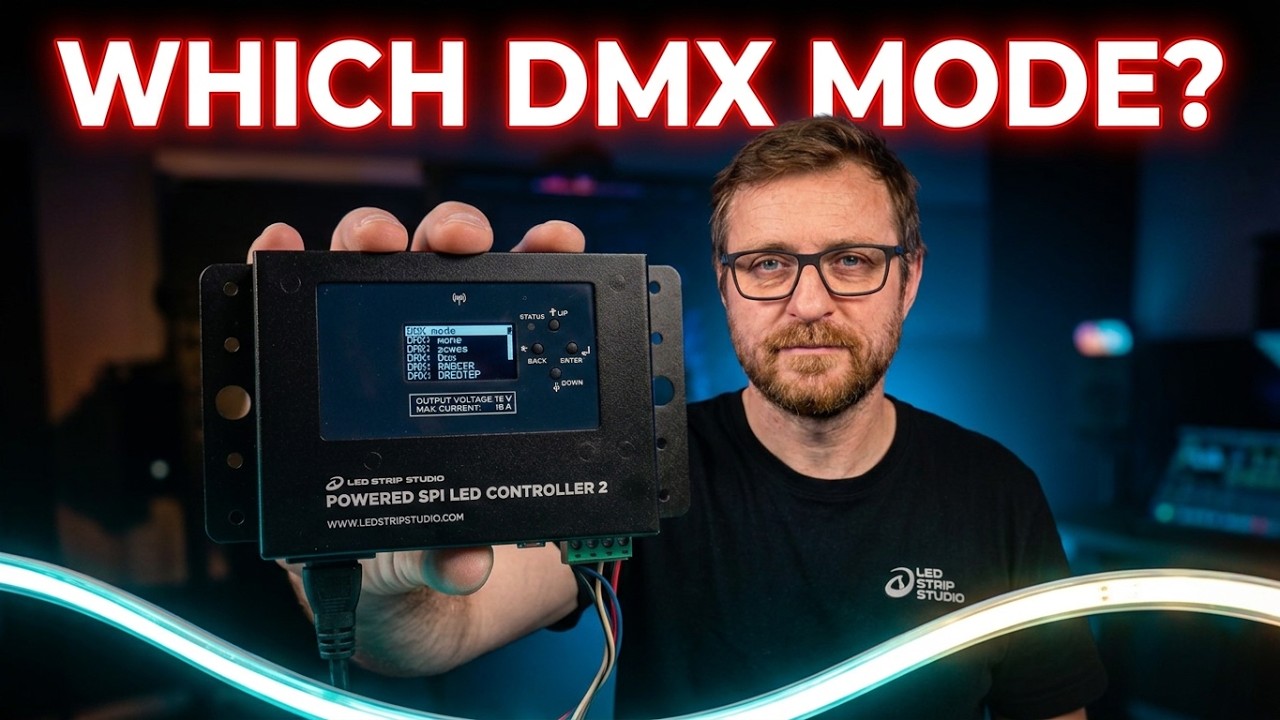
PSL2 DMX control means a DMX512 console or interface sends channel values to PSL2, and PSL2 turns them into data for the LED strip. It works in two ways. In pixel mode, the console sets the colour of each pixel. In SD card mode, it selects and adjusts animations stored on the card inside PSL2.
DMX is one of several ways to control PSL2. Our overview of PSL2 control options compares it with the app, Art-Net and LED Strip Studio 4.
How Do You Connect PSL2 to a DMX Console?
Plug the console into DMX IN with a standard 3-pin XLR DMX cable. DMX IN is a male 3-pin XLR socket and DMX OUT is a female one. Both sit on the same connector panel as power, Ethernet and the LED output.
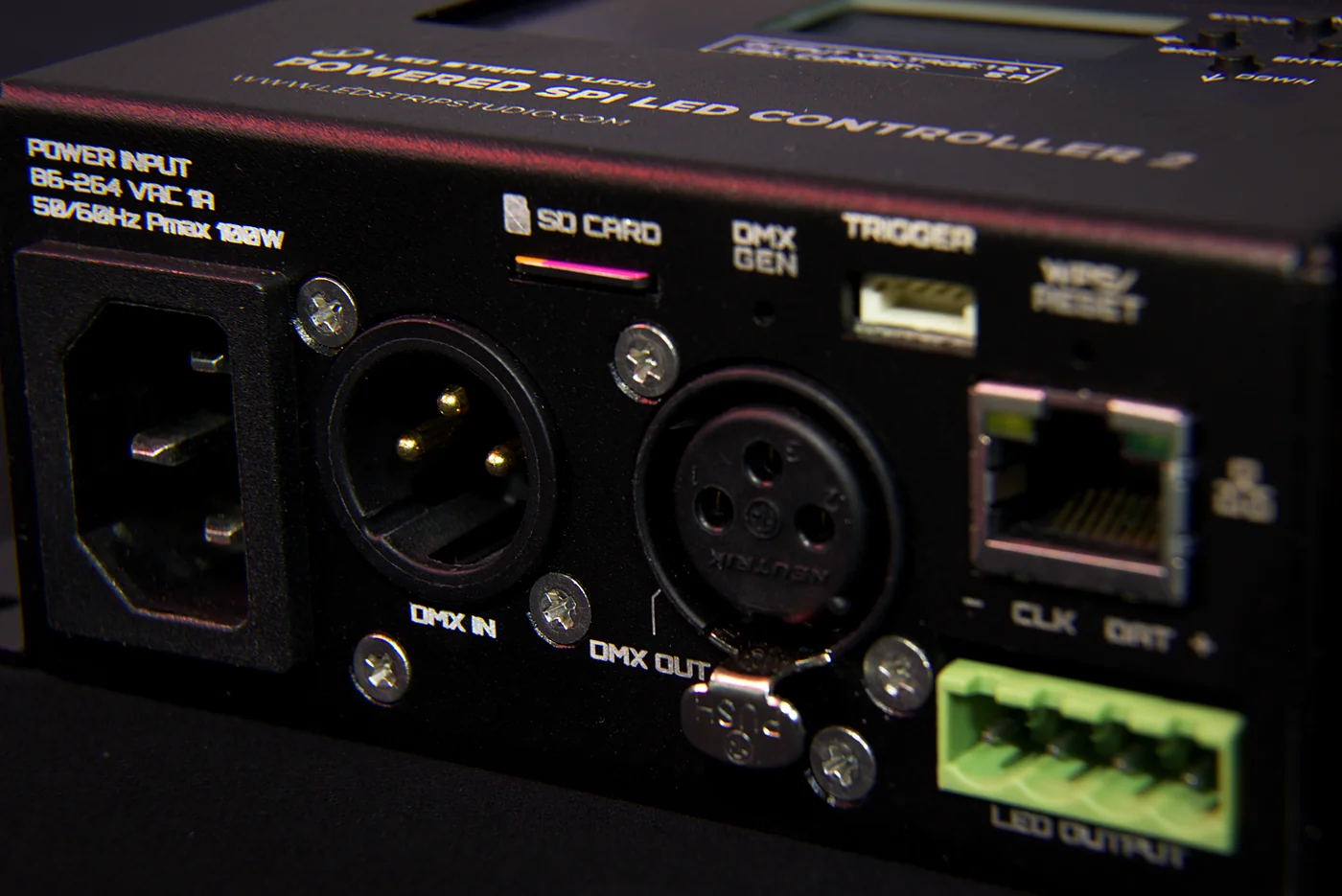
Make all connections with the unit switched off. Then choose the DMX mode, either in the web interface or directly on the PSL2 display.
Can You Daisy-Chain Several PSL2 Units?
Yes. DMX OUT passes the incoming signal through, so a second PSL2 or any other DMX fixture can follow on the same line.
Keep in mind that a daisy chain carries one universe of 512 channels. Every unit in the chain needs its own start address, and together they share those 512 channels. Our page on DMX512 input and output covers the wiring in more detail.
How Does PSL2 DMX Pixel Mode Work?
In pixel mode, every pixel takes three DMX channels for RGB, or four for RGBW. You set the start address and the number of pixels, and PSL2 reads the following channels pixel by pixel. The console or pixel mapping software then decides the colour of each pixel in real time.
How Many Pixels Fit in One DMX Universe?
One universe holds up to 170 RGB pixels or 128 RGBW pixels. DMX carries 512 channels, and 512 ÷ 3 leaves 170 full RGB pixels. The table shows what that means in practice.
| Strip type | Channels per pixel | Max. pixels per universe | Channels used |
|---|---|---|---|
| RGB | 3 | 170 | 510 |
| RGBW | 4 | 128 | 512 |
PSL2 can drive 1,024 RGB or 768 RGBW pixels, far more than one universe. To use all of them pixel by pixel, you need Art-Net. Our Art-Net universe calculator shows how many universes a project needs.
What Does LEDs per Pixel Change?
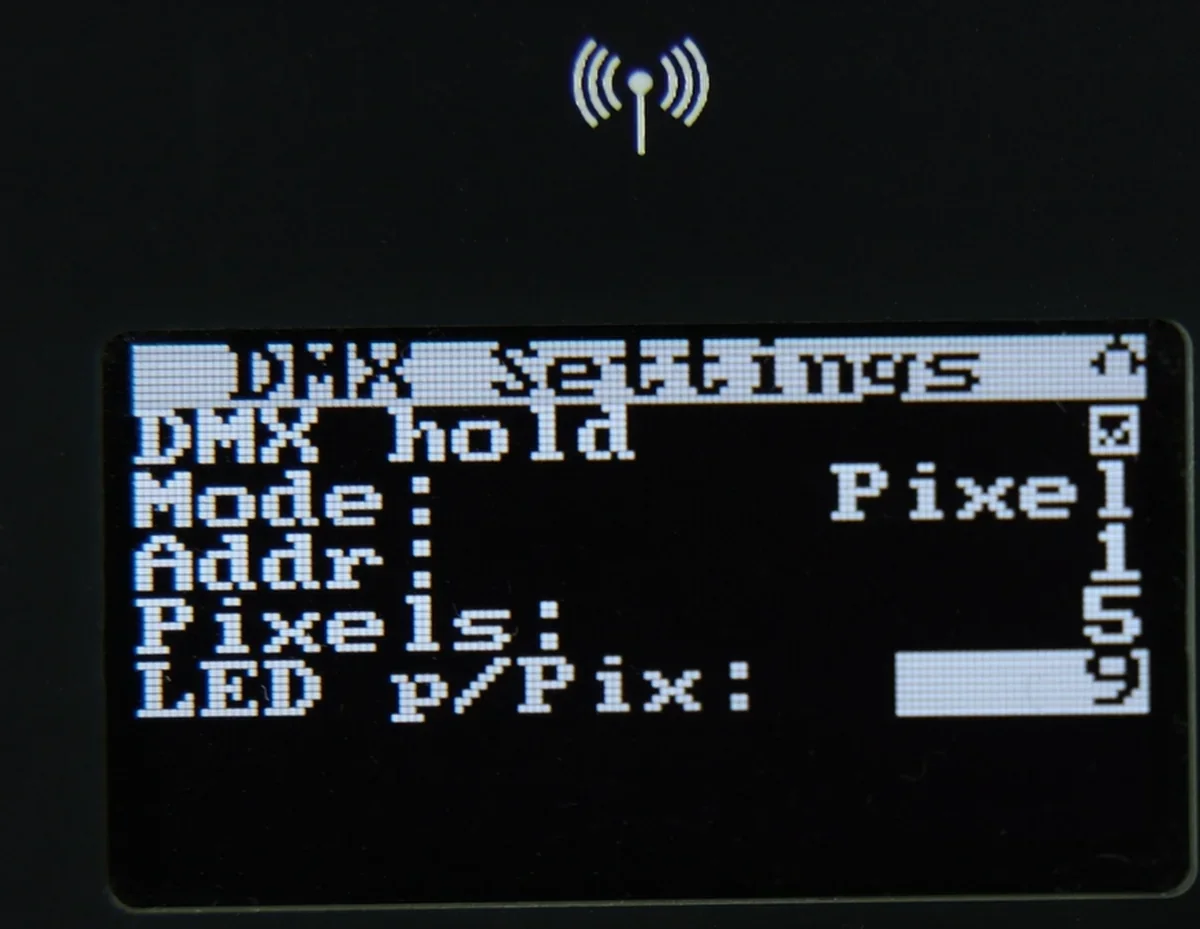
LEDs per pixel (LED p/Pix on the display) groups several physical LEDs so they shine as one DMX pixel. With a value of 2, each incoming pixel lights two LEDs on the strip. The strip gets longer, the channel count stays the same, and the resolution drops by half.
How Does SD Card Mode Work Over DMX?
SD card mode plays animations from the micro SD card in PSL2, and the console only steers them. Seven channels cover all the control. That is how seven faders can run a strip with up to 1,024 pixels.
You can use the animations on the card or design your own in LED Strip Studio 4. Copy the exported files onto the card, and the console can call them by number.
Which Seven Channels Control the Animations?
The seven channels follow from the start address in a fixed order.
| Channel | Function |
|---|---|
| 1 | Brightness |
| 2 | Animation number |
| 3 | Speed |
| 4 | Recolour red |
| 5 | Recolour green |
| 6 | Recolour blue |
| 7 | Recolour white |
The recolour channels let the operator shift the animation colour live, for example to match the stage wash.
How Do You Stop a Touchy Animation Fader?
Lower the sensitivity in the DMX settings while SD card mode is selected. On a short fader, a small move can jump several animations at once. With a lower sensitivity, each animation gets a wider range of values and the operator hits the right one.
Which PSL2 DMX Mode Fits Your Project?
Choose pixel mode when software draws every pixel, and SD card mode when an operator just picks animations. The rule of thumb from our installations:
- Pixel mode: pixel mapping software such as MADRIX or Resolume renders content live.
- SD card mode: a simple console, a few faders, ready-made animations.
- SD card mode: few free channels left in the universe.
- Pixel mode: the strip must sync pixel by pixel with other fixtures.
Planning Example: A 4 m Bar Counter Strip
Take a 4 m RGB strip with 60 LEDs per metre, so 240 LEDs. In pixel mode that would need 240 × 3 = 720 channels, more than one universe. Set LEDs per pixel to 2, and the strip becomes 120 DMX pixels using 360 channels. With start address 1, PSL2 occupies channels 1–360, and 152 channels remain for other fixtures.
In SD card mode the same strip uses 7 channels, for example 1–7. A second PSL2 on DMX OUT can then start at channel 8.
What Happens When the DMX Signal Drops?
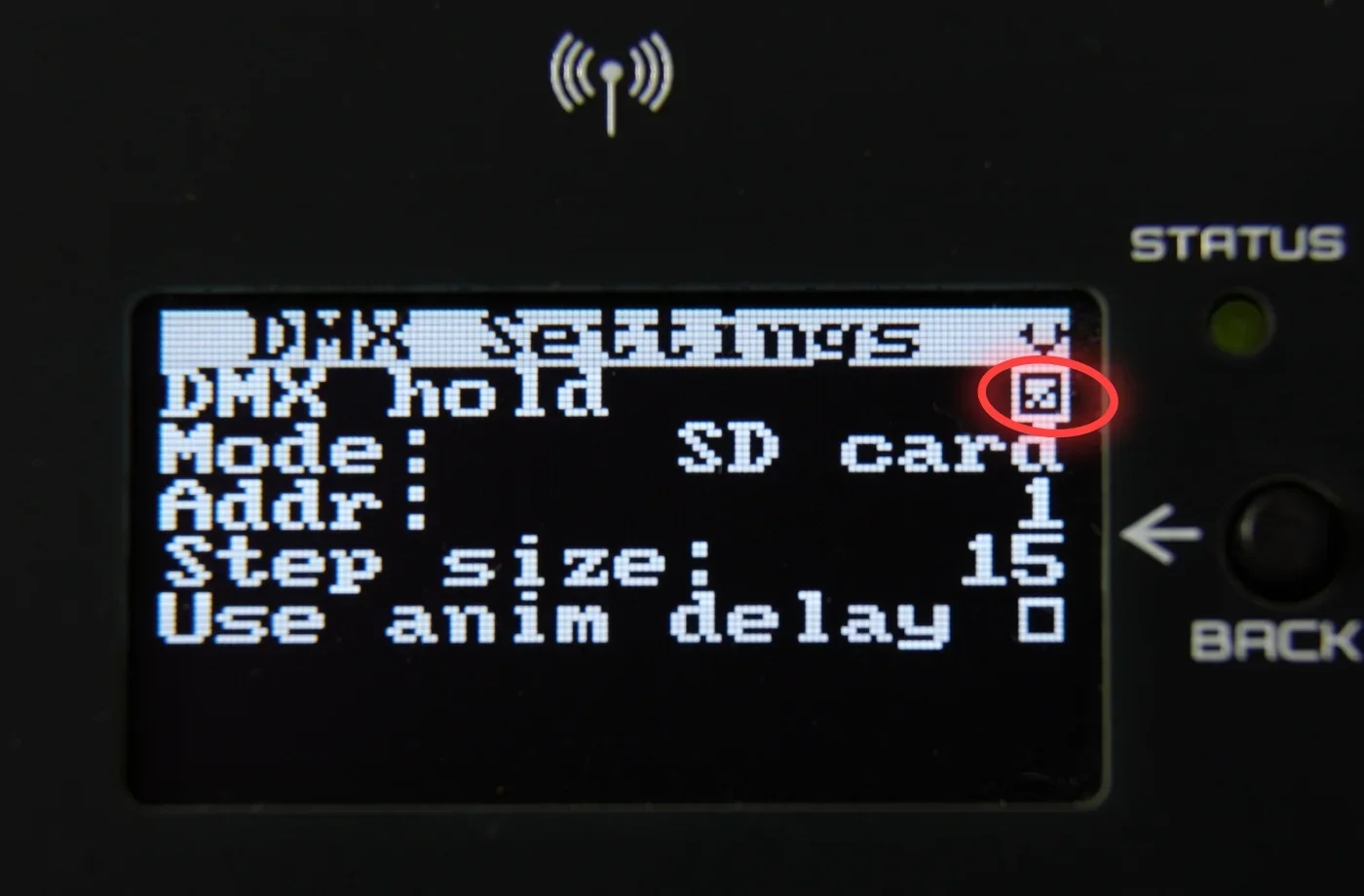
With hold mode on (DMX hold on the display), PSL2 stays in DMX mode when the signal disappears. Without it, PSL2 switches to autoplay from the SD card. Turn hold mode on when the strip must never play something on its own, for example in a TV studio or during a show.
Which PSL2 DMX Mistakes Should You Avoid?
Most DMX problems on day one are addressing problems, not hardware faults. These are the ones we meet most often:
- Overlapping addresses. Two devices on the same channels react to each other’s faders.
- Wrong fixture profile. RGB patched as RGBW shifts colours along the strip.
- Expecting 1,024 pixels from one universe. Pixel mode stops at 170 RGB pixels.
- Hold mode left off. A pulled cable starts autoplay in the middle of a show.
If you want the general picture first, our guide on controlling LED strips over DMX and Art-Net explains universes and start addresses step by step. In the next part we connect PSL2 over Ethernet and Art-Net, with up to 1,024 pixels and sync.
Powered SPI LED Controller 2
Controller with a built-in power supply, DMX IN and OUT, SD card playback and up to 1,024 RGB pixels.
Summary
PSL2 DMX setup starts with two 3-pin XLR sockets: DMX IN is male, DMX OUT is female and passes the signal on to the next controller. In pixel mode every pixel takes 3 channels for RGB or 4 for RGBW, so one 512-channel universe drives up to 170 RGB or 128 RGBW pixels. LEDs per pixel groups LEDs to cover longer strips. In SD card mode seven channels control animations stored on the card: brightness, animation number, speed and four recolour channels for R, G, B and W. Pick pixel mode for pixel mapping software, SD card mode for a simple console. Hold mode keeps PSL2 in DMX mode when the signal drops.