Technology
How Does a DMX Decoder for LED Strips Work?
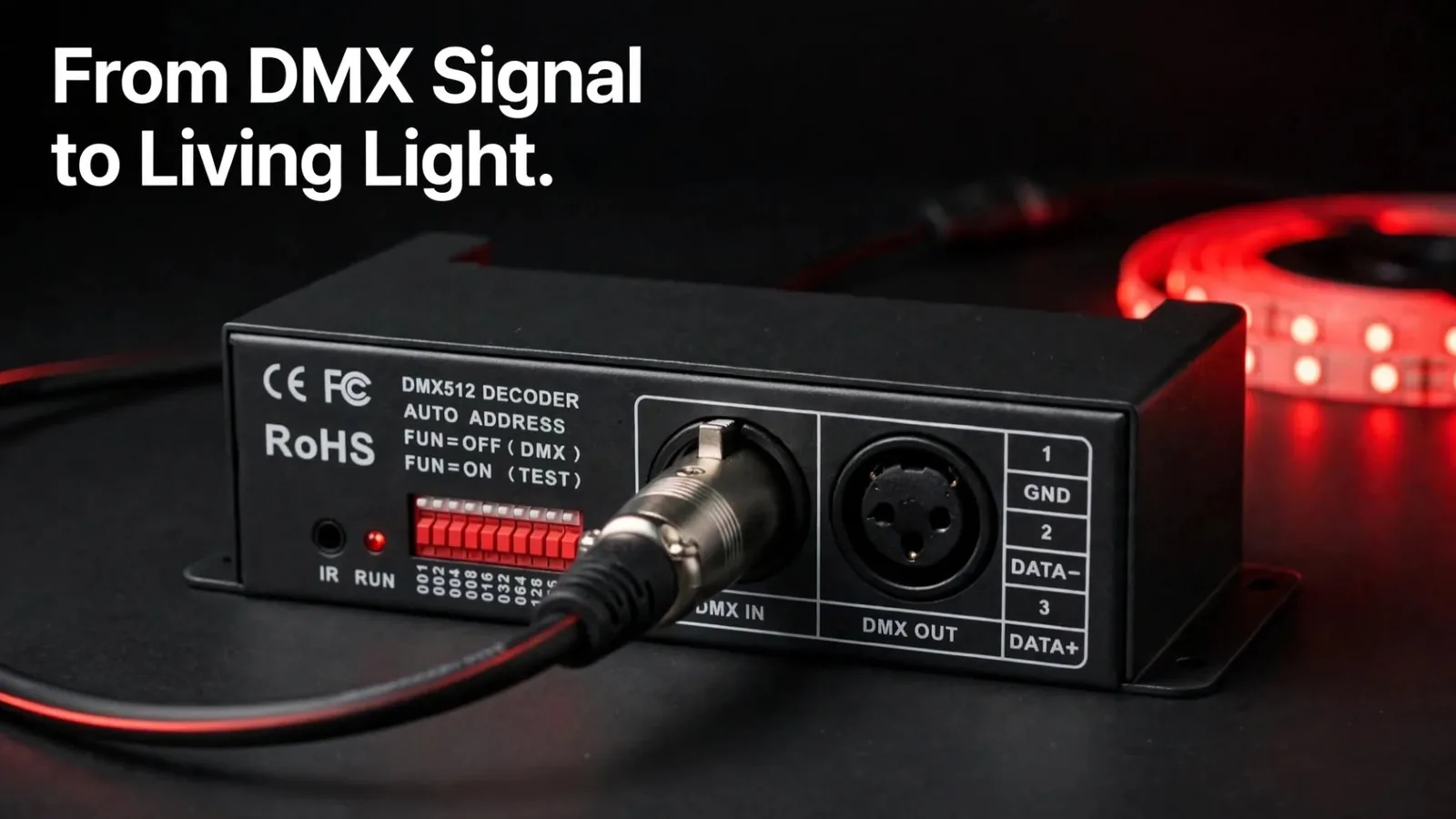
Analog LED strips carry no chip inside them, so they can’t be addressed pixel by pixel. To dim one or change its colour from a lighting desk, you need a DMX decoder for LED strips. The decoder converts DMX control data into the output the strip actually runs on. DMX is the same signal used to control club and stage lighting, which is why an ordinary RGB strip can join the show as just another fixture.
This article explains how 3-channel and 24-channel decoders differ, how to address them, and how to drive them from a console or from software. It’s written for DIY builders, event technicians, integrators, and venue operators alike.
What Is a DMX Decoder for LED Strips?
A DMX decoder for LED strips is a device that receives DMX512 data and converts it into a dimmed output for an analog LED strip. The console sends a value between 0 and 255 on a given channel, and the decoder turns that value into brightness on one colour output. Nothing else in the chain needs to understand lighting—the strip only sees power.
Manufacturers call the same box a DMX decoder, a DMX driver, or simply a DMX unit. We use decoder consistently, because the word describes what it does: it decodes a control protocol into light.
Which LED Strips Actually Need a DMX Decoder?
Analog strips need one; addressable pixel strips do not. On an analog strip the whole run shares three colour channels, so every metre shows the same colour at the same instant. If you want individual pixels to differ, you’re in a different technology, described in our article on how to control LED strips over DMX and Art-Net.
That distinction decides the whole design. Analog plus decoders gives you colour and dimming per zone; addressable pixels give you movement inside a single strip.
How Do 3-Channel and 24-Channel Decoders Differ?
The difference is how many strips one unit can drive independently. A 3-channel DMX decoder controls one RGB strip. A 24-channel decoder controls eight strips, each of them separately. Both spend three channels per strip—only the packaging changes.
By convention, channel 1 is red, channel 2 green, and channel 3 blue. Nothing in the protocol enforces that order, since the decoder simply dims whatever colour is wired to each output. Keep the same order on every unit in the installation, so the next technician can trace a fault without re-reading the whole patch.
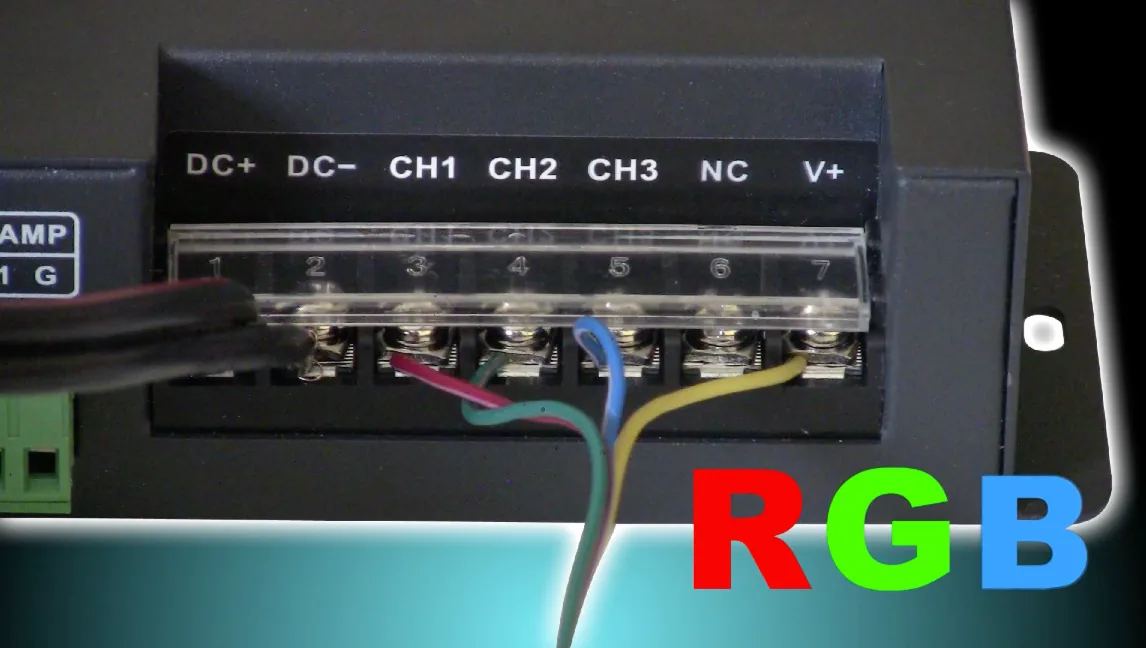 Source: LED Strip Studio
The rule that follows is short. If two strips must show different colours at the same moment, each needs its own set of three channels—which means a separate 3-channel unit per strip. Decoders are then daisy-chained with DMX cables, exactly like conventional fixtures.
How Many Decoders Fit Into One DMX Universe?
One DMX universe carries 512 channels, and that ceiling applies here just as it does to pixel installations. Divided by three, it holds 170 three-channel decoders, using 510 channels and leaving two spare. Divided by 24, it holds 21 twenty-four-channel decoders, using 504 channels and leaving eight spare.
Those 21 units drive 168 separate strips from a single universe. In practice, the limit you hit first is power and cable routing, not channels.
Which Decoder Type Should You Choose?
| Criterion | 3-channel decoder | 24-channel decoder |
|---|---|---|
| Strips per unit | 1 RGB strip | 8 RGB strips, independently |
| Channels used | 3 | 24 |
| Units for 8 strips | 8 | 1 |
| DMX addresses to set | 8 | 1 |
| Units per universe | 170 | 21 (= 168 strips) |
| Best for | A single zone, small or added-on runs | Multi-zone builds, clubs, stages |
| Cabling | One DMX link per unit | One point for eight outputs |
For one strip or one late addition to an existing rig, a 3-channel unit is the cleanest answer. From roughly three strips upward, a 24-channel unit removes most of the cabling and nearly all of the addressing work.
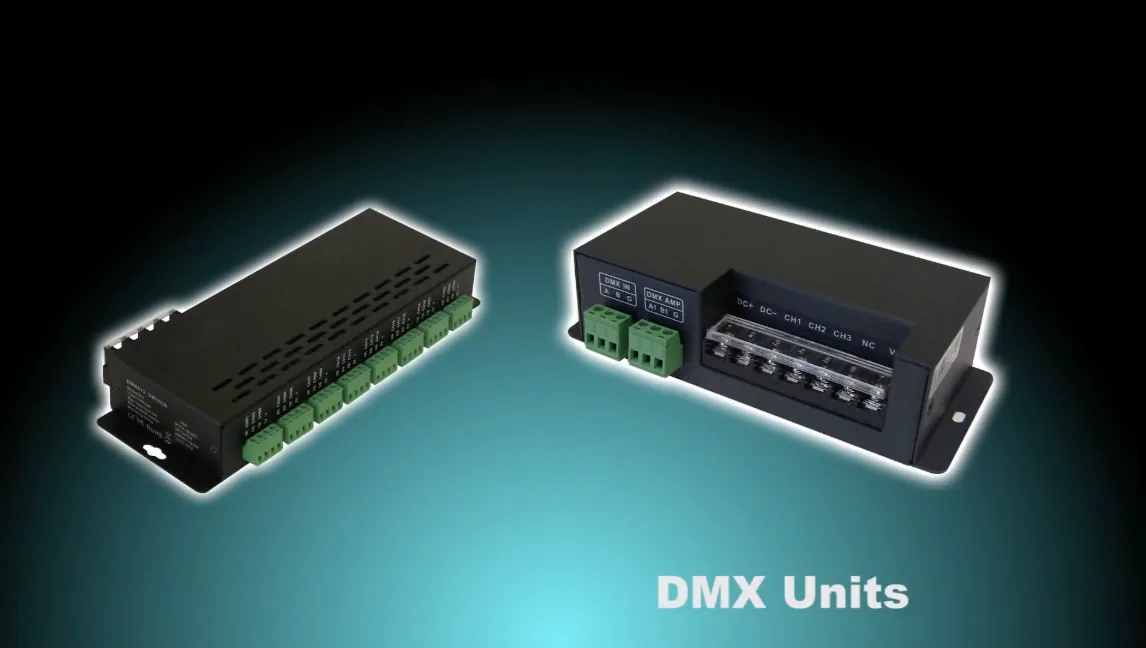 Source: LED Strip Studio
Project Example: How Do You Address Eight Strips in a Club?
Take eight analog RGB strips behind a bar, each needing its own colour. Both builds consume exactly 24 DMX channels—the difference is how many devices you configure and maintain.
| Build | Units | Start addresses | Channels used |
|---|---|---|---|
| 8 × 3-channel decoder | 8 | 1, 4, 7, 10, 13, 16, 19, 22 | 1–24 |
| 1 × 24-channel decoder | 1 | 1 | 1–24 |
With eight separate units you set eight start addresses, and one wrong address shifts a whole strip onto a neighbour’s colour. With one 24-channel unit you set a single address, and strip 5 is simply channels 13–15. Strip lengths and power feeds still need their own calculation in both cases, against the current and voltage rating of the specific decoder and strip you choose.
How Do You Control DMX Decoders—Console or Software?
Two control paths are common, and both are standard practice. A DMX lighting console is the traditional one: physical faders, a patch, and a technician who already knows the desk. DMX software on a computer is the second, and it’s what most of our own installations use.
The choice usually follows who operates the system every day. A touring or theatre crew already lives on a console. A bar, a showroom, or an event company is better served by software, where scenes are recalled by name rather than by fader position.
What Does LED Strip Studio Software Add?
We use our own LED Strip Studio 4 software to drive DMX decoders, for three reasons that come up on every project.
- It’s simple enough for untrained staff. Bar and venue personnel can operate it after a short handover, without a lighting background.
- It visualises the project on screen. You build the layout of your own installation and watch the effects run on the monitor before anything is mounted.
- Decoder setup is clear. Addressing and channel assignment for each unit are configured in one readable place instead of a row of individual units.
The visualisation matters more than it sounds. Approving a colour scheme on screen removes most of the on-site revisions that make installation days long. Comparable builds are collected in our project portfolio.
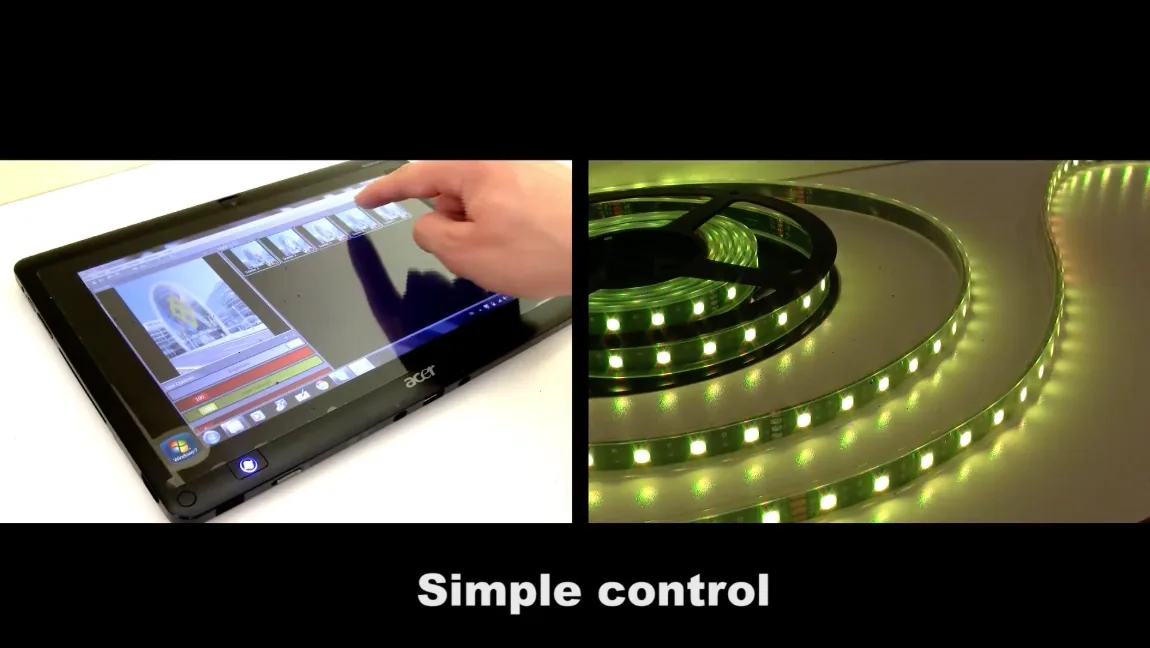 Source: LED Strip Studio
Which DMX Decoder Mistakes Cost You Most?
Most decoder problems are addressing and planning mistakes, not hardware faults. These are the ones we see repeatedly.
- Expecting per-pixel effects from analog strips. One decoder output colours the entire strip; a chase along one run needs addressable pixels.
- Overlapping start addresses. Two decoders set to the same address will always move together, which looks like a broken unit.
- Wiring colours in a different order per unit. Red on channel 3 on one decoder and channel 1 on the next makes every later change a guessing game.
- Buying eight 3-channel units for a multi-zone build. One 24-channel decoder does the same job with one address and far less cable.
- Leaving no spare channels. Plan the patch with room for the zone that gets added next season.
- Choosing the control layer last. Decide on console or software before the strips are cut, since it shapes the whole patch.
Planning an analog RGB installation and unsure how many decoders it needs? Book a free consultation with our team.
Summary
A DMX decoder for LED strips converts DMX512 data into a dimmed output for analog RGB strips, which have no per-pixel control of their own. A 3-channel decoder drives one strip; a 24-channel decoder drives eight strips independently, three channels each. One 512-channel DMX universe holds 170 three-channel decoders or 21 twenty-four-channel decoders—up to 168 separate strips. Strips that must show different colours at the same moment always need their own three channels, which is why multi-zone builds favour 24-channel units over a rack of single-strip ones. Decoders are controlled from a DMX console or from DMX software; LED Strip Studio adds on-screen visualisation and single-screen decoder setup instead of per-unit DIP switches.