
SD Card Mode – Trigger animations with DMX
SD Card mode is the single most used solutionq whenever working on an installation or projects which does not require a software running on the PC. You simply create effects beforehand and is then using 7 DMX channels to trigger specific animations.
What devices can utilize SD Card Mode? #
Any SPI Matrix or LED Ethernet Controller 3 will do the job pretty well.
DMX settings in web configuration #
You can locate the settings for SD Card mode in the Web configuration, specifically the DMX tab.

Animation step size #
There are some DMX controllers, where you can’t set exact value of DMX channel (or it’s very hard). Using this feature, you can set size of the step for one animation. E.g. when set to 4, animation channel’s value 0-3 will turn off animation, 4-7 will play first animation, 8-11 second, etc.
Repeat #
Do you want to trigger your animation and let it play indefinitely? Leave Repeat ON. Do you only want to play it once? Tick OFF.
Advanced settings #
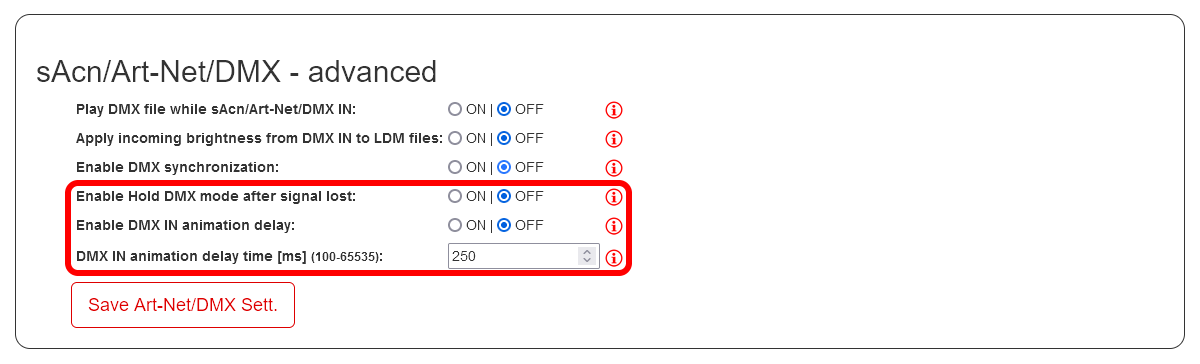
Further tweaks can be done in Advanced settings:
DMX IN delay is perfects for those using software to send out DMX . When you set in the program to jump to specific channel, e.g. selecting an animation, it usually does so by scrolling through all the previous values, unnecessary scrolling through the animations. Delay will force the controller to hold and trigger after set time.
Hold DMX will keep playing the last animation when the controller looses signal unexpectedly.
What channels are you using? #
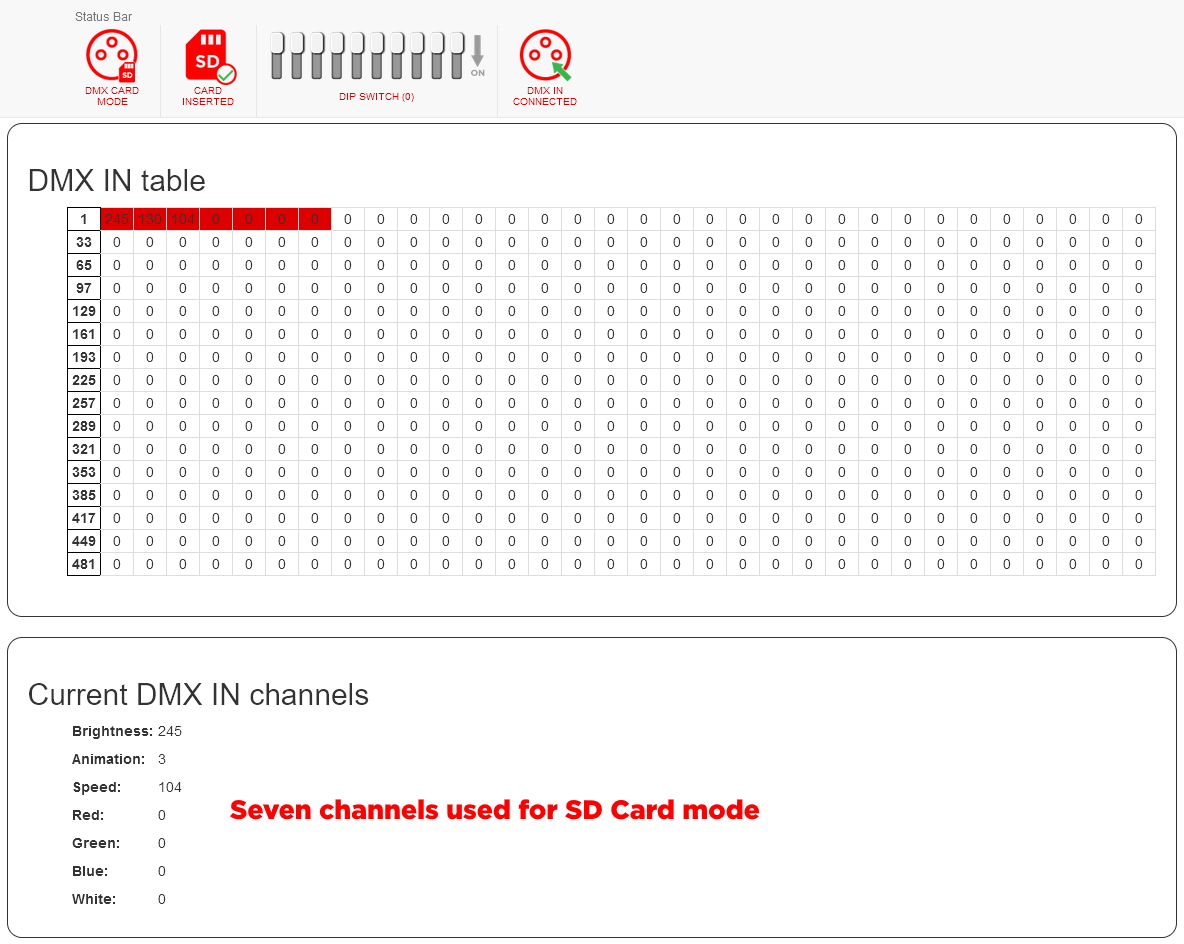
You always need to setup 7 channels in order to use SD Card Mode. How to check which channels are currently used? You can visit the DMX In table in the DMX tab in Web configuration. There you are looking at the values in red. These are the 7 channels used for the SD Card mode. To change this, you need to setup the DMX address of the device – either by DIP switch or in DMX settings.
DMX/TRX #
If you are looking for a simple solution how to trigger effects without a console or a PC, check out this simple board in our eshop. You can connect up to 8 buttons to it and trigger specific effects.

