Many Controllers. One Synchronized Show.
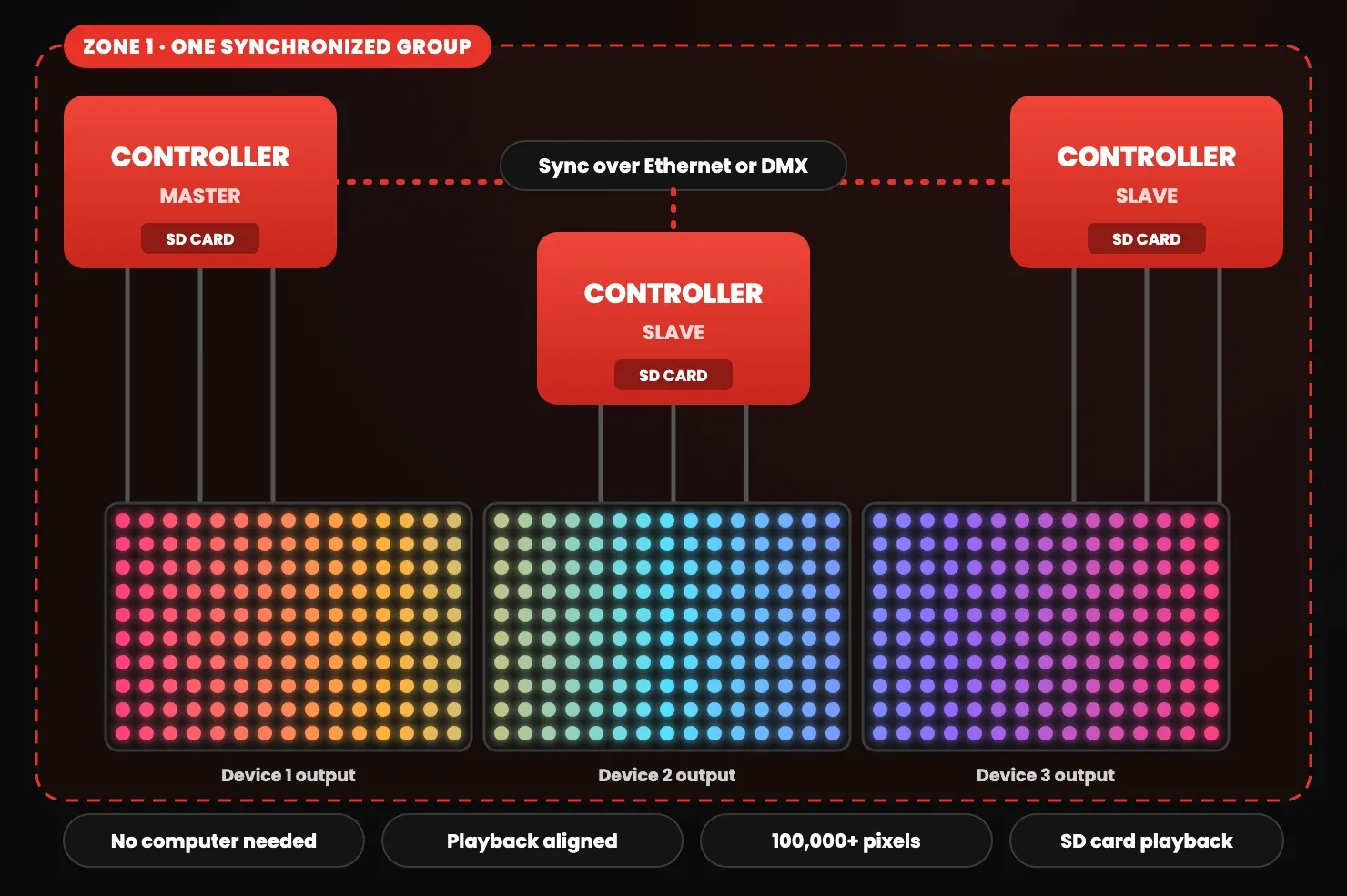
When one controller is not enough, ours work as a team. LEC3, SPI Matrix, Reactivo 2 and Powered SPI LED 2 synchronize over Ethernet, and LEC3, SPI Matrix, Powered SPI LED 2 and SPI LED Controller over DMX. Every unit plays its part from its own SD card while one Master keeps them on the same frame, with no computer on site.
How It Works
One Master sets the pace
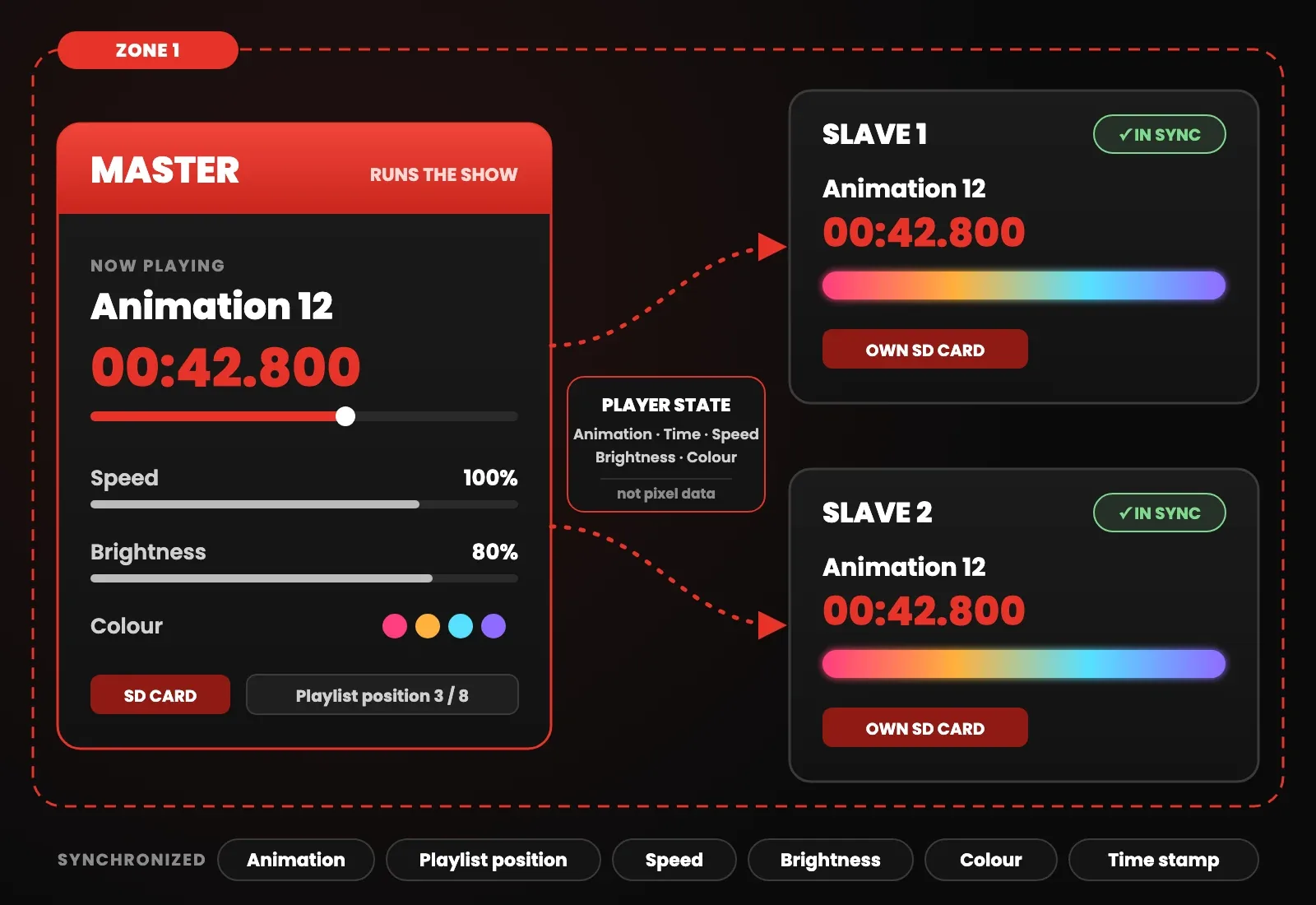
A synchronized group of controllers is called a zone. One controller in the zone is the Master, the others are Slaves. The Master runs the show and sends out its player state; every Slave plays the same animation from its own SD card, following the Master's time stamp.
Only the playback state travels between the devices, not the pixel data, so the controllers stay aligned even on long video content. Change the speed or brightness on the Master and the Slaves follow.
- One Master per zone, the other controllers are Slaves
- Up to 255 zones can share one network
- Synchronized: animation, playlist position, speed, brightness and colour
- Each controller plays its own part of the show from its SD card
Ethernet
Sync across the local network
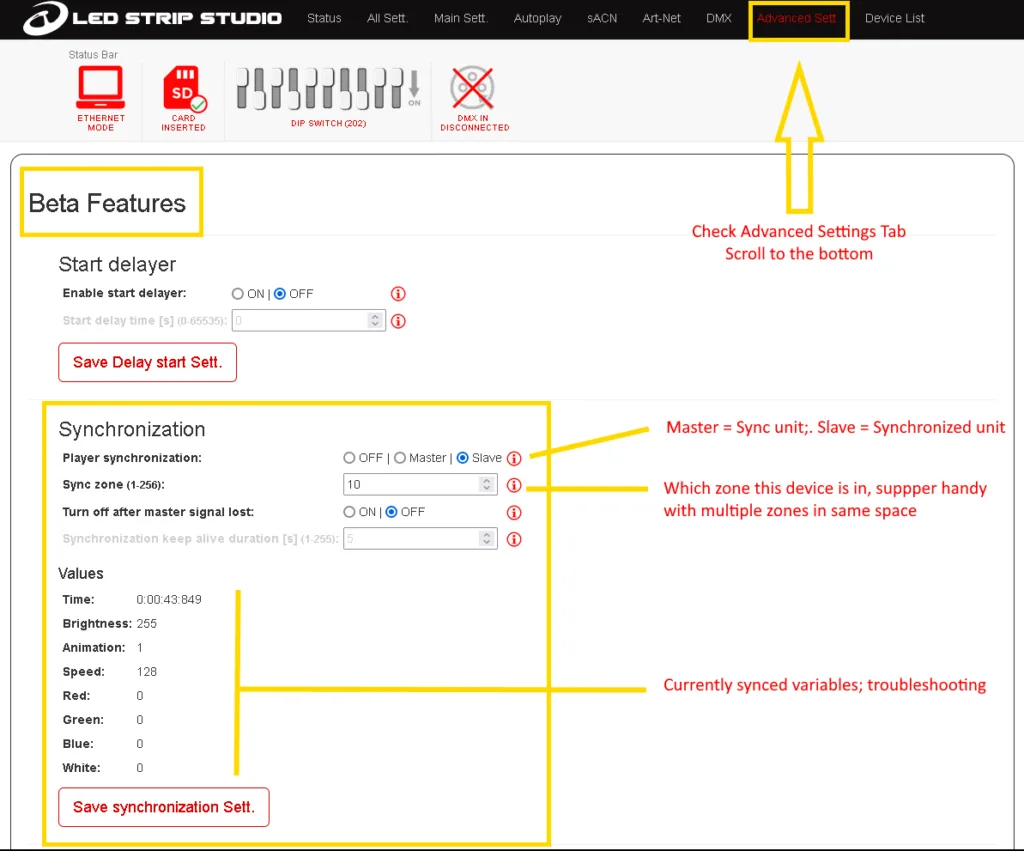
LEC3, SPI Matrix, Reactivo 2 and Powered SPI LED 2 synchronize over Ethernet. The controllers sit on the same local network, connected through a switch or router, and the Master's sync signal reaches every Slave in its zone.
LEC3 and SPI Matrix have two Ethernet ports with a built-in switch, so several units can be chained on one cable run. Reactivo 2 and Powered SPI LED 2 can also synchronize over Wi-Fi. Sync accuracy depends on the network, so use a fast, low-latency network. Setup steps are in Ethernet Synchronization.
- LEC3 and SPI Matrix: two Ethernet ports with a built-in switch
- Reactivo 2 and Powered SPI LED 2: Ethernet or Wi-Fi
- 10 controllers tested through the built-in switch
- The best choice for large installations
DMX
Sync over a DMX cable
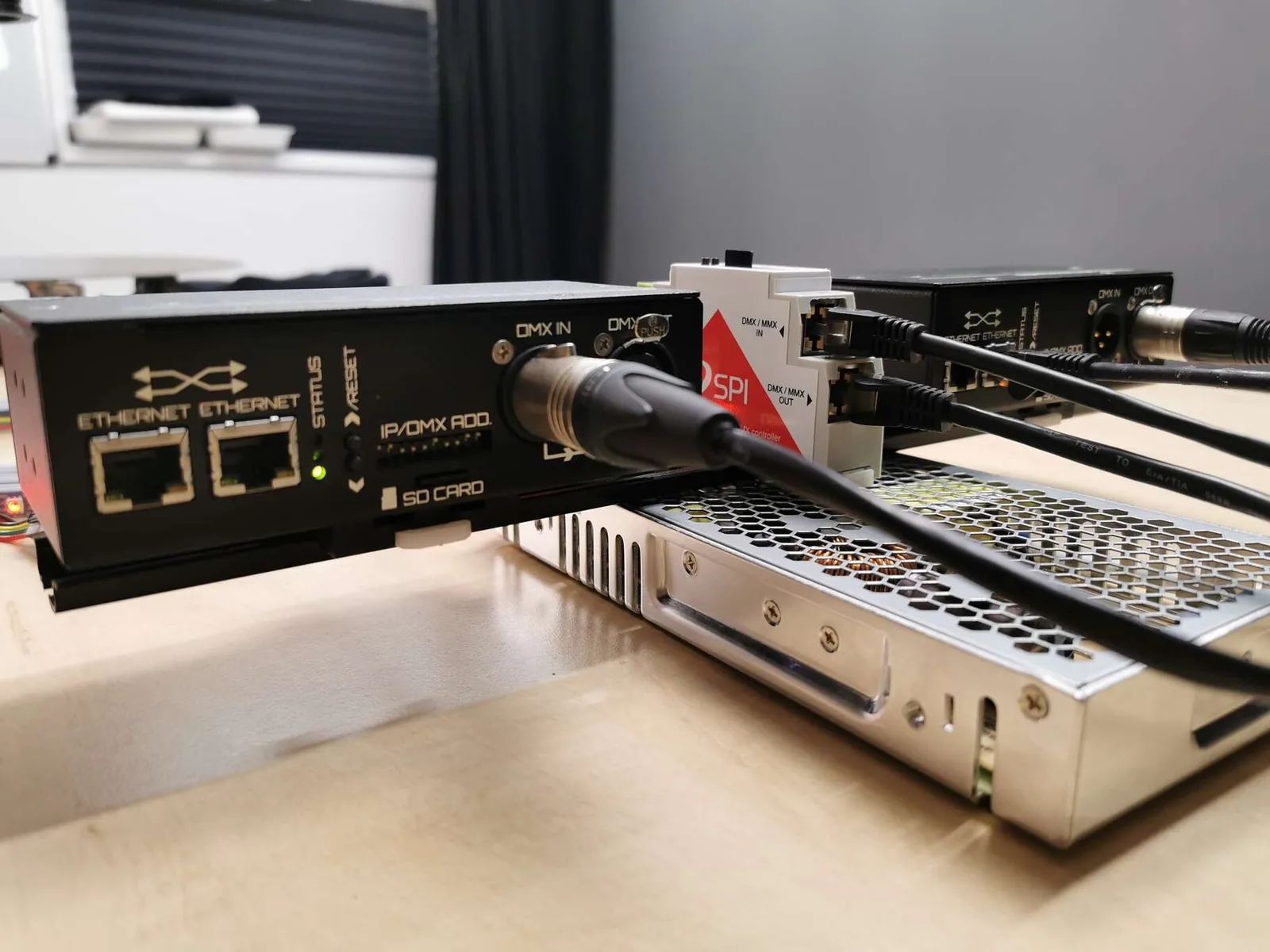
DMX synchronization links the controllers through their DMX ports, so no network is needed. An LEC3 or SPI Matrix acts as the Master and the other controllers follow along the DMX chain. Powered SPI LED 2 supports DMX synchronization too.
SPI LED Controller has no Ethernet port, but it can join a DMX chain led by an LEC3 or SPI Matrix. Its sync settings are exported from LED Strip Studio to the SD card, and it connects with an RJ-45 to XLR cable. Setup steps are in DMX Synchronization.
- Master: LEC3 or SPI Matrix, 3-pin XLR
- SPI LED Controller joins the chain over RJ-45
- Recommended limit: 32 devices per DMX line
- For bigger systems, Ethernet synchronization is recommended
Control
Trigger the whole zone from one place
You only control the Master. Start animations from a DMX desk, over Art-Net in SD card mode, with HTTP commands, buttons, the web player or the LSS Remote app, and every Slave in the zone follows.
- DMX desk or Art-Net in SD card mode
- HTTP commands and smart buttons
- Web player on a phone or tablet
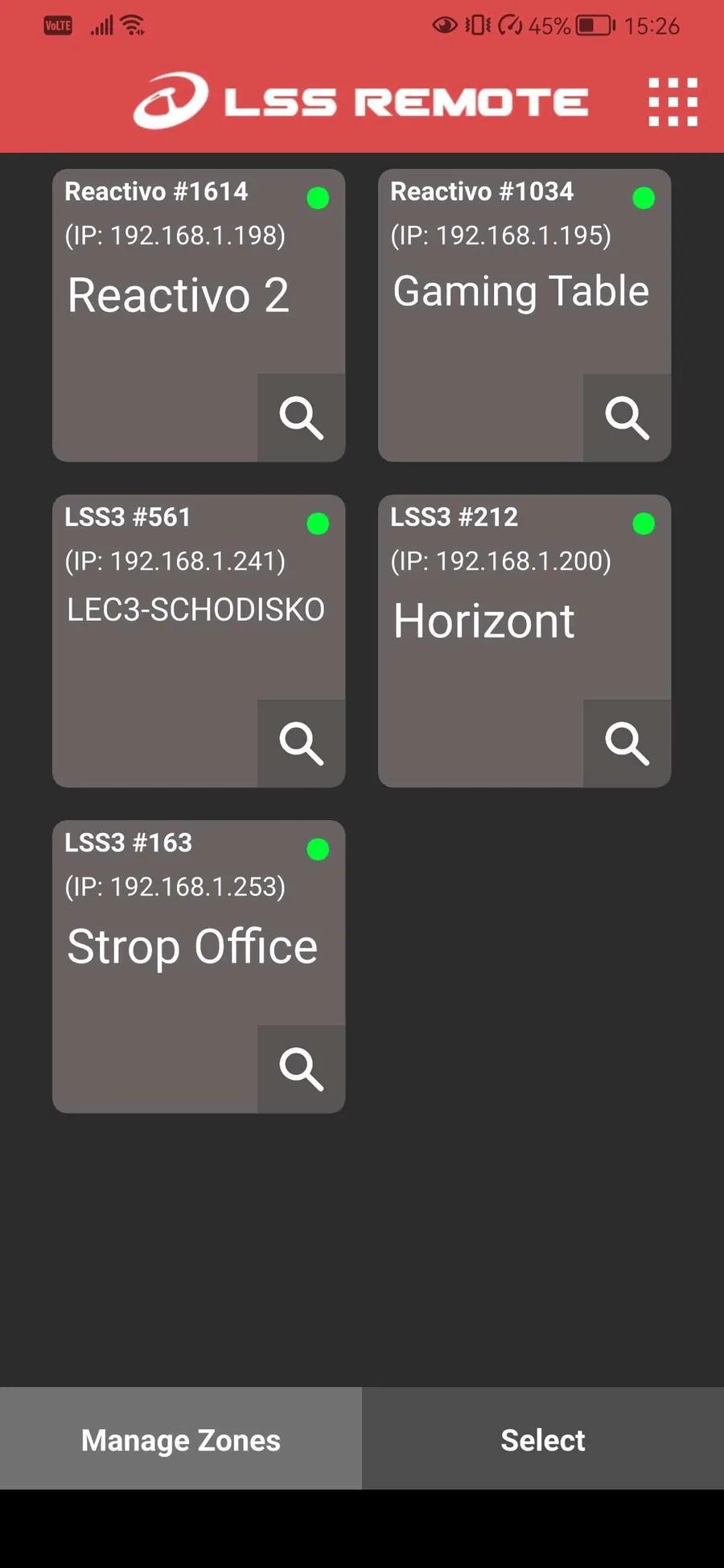
- Zones in the LSS Remote app for Reactivo 2, see Synchronization with Zones
Compatibility
Which controllers sync, and how
LEC3, SPI Matrix, Reactivo 2 and Powered SPI LED 2 synchronize over Ethernet. DMX synchronization works on LEC3, SPI Matrix and Powered SPI LED 2, and SPI LED Controller can join a DMX chain.
FAQ
Synchronization questions
No. You need LED Strip Studio only to build and export the show. The controllers then play from their SD cards and the Master keeps them in sync on its own.
Over DMX, the standard recommendation of 32 devices per DMX line applies. Over Ethernet the limit is mainly your network: we have tested 10 LEC3 and SPI Matrix units through their built-in switches. Tell us about your setup and we can test it before you buy.
No. The Slaves follow the Master's time stamp, so even long videos stay aligned. Accuracy depends on the network, so use a fast, low-latency one.
Yes. Each group is a zone with its own Master, and up to 255 zones can share one network.
No, it has no Ethernet port. It can join a DMX synchronization chain led by an LEC3 or SPI Matrix.
No, Reactivo 2 has no DMX port. It synchronizes over Ethernet or Wi-Fi, and zones can be set up in the LSS Remote app.
Planning a Multi-Controller Installation?
Tell us about your installation and we'll help you choose the controllers and the right sync setup.
Book a Free Consultation →