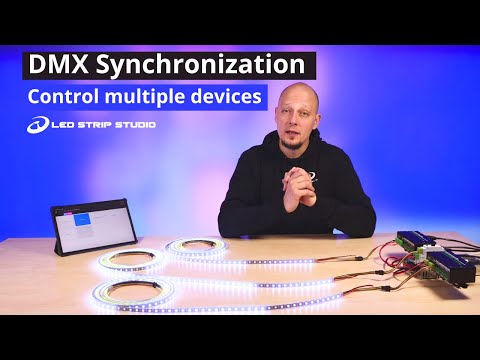
What type of customer can benefit from this solution?
DMX synchronization is ideal for installations that don’t require a dedicated PC on-site. The solution allows you to “synchronize multiple controllers that can each control from 1000 to 4000 pixels” using pre-loaded SD card animations in a standalone, offline configuration.
How can I play animations using DMX synchronization?
You have several triggering options:
- Send HTTP commands to trigger scenes
- Use Smart controllers (such as Shelly switches) with wall-mounted buttons via Wi-Fi
- Access a web-based player from mobile phones or tablets on the same network
- Since firmware version 3.54, “you can use DMX as trigger while still utilizing DMX Synchronization”
Mapping
Create pixel mapping by setting up the number of pixels each device controls and their position in your installation. Upload a background photo to trace LED strip positions in your real environment.
Export effects
Export effects separately for each controller since each has multiple outputs with different pixel counts. For SPI LED controllers, follow the animation creation tutorial. For LEC3 and SPI Matrix, upload effects directly without physically inserting SD cards.
DMX Patch cables
Connect devices using DMX channels. “The content playing from your controllers is synchronized with help of bunch of DMX channels and magic.” When using SPI LED Controllers, you’ll need RJ45 and XLR cables.
Which controllers are capable of utilizing DMX synchronization?
The master device must be either:
- SPI Matrix
- LED Ethernet Controller 3
You can also combine these with an SPI LED Controller in the chain.
How many pixels can I use with DMX synchronization?
The “standard recommended limit of 32 devices per single DMX line can also be applied in this case.” However, Ethernet synchronization is recommended for larger setups to avoid capacity limitations.
What is the limit for animations I can play from the devices?
Maximum of 255 animations per SD card. The LED Strip Studio software includes various chases and effects, and you can also use any video file format.
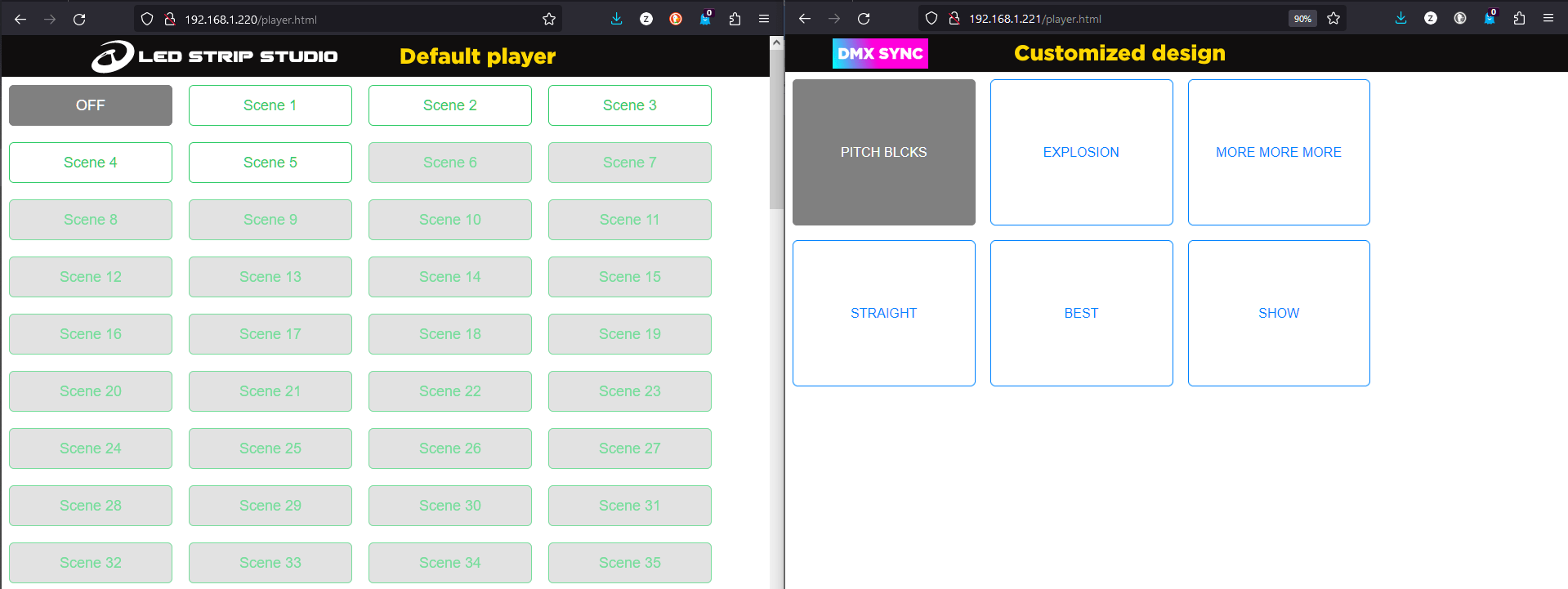
How can I customize the web based animation player?
Custom player design is available as a paid feature on request. The default player allows you to select animations and works perfectly fine.
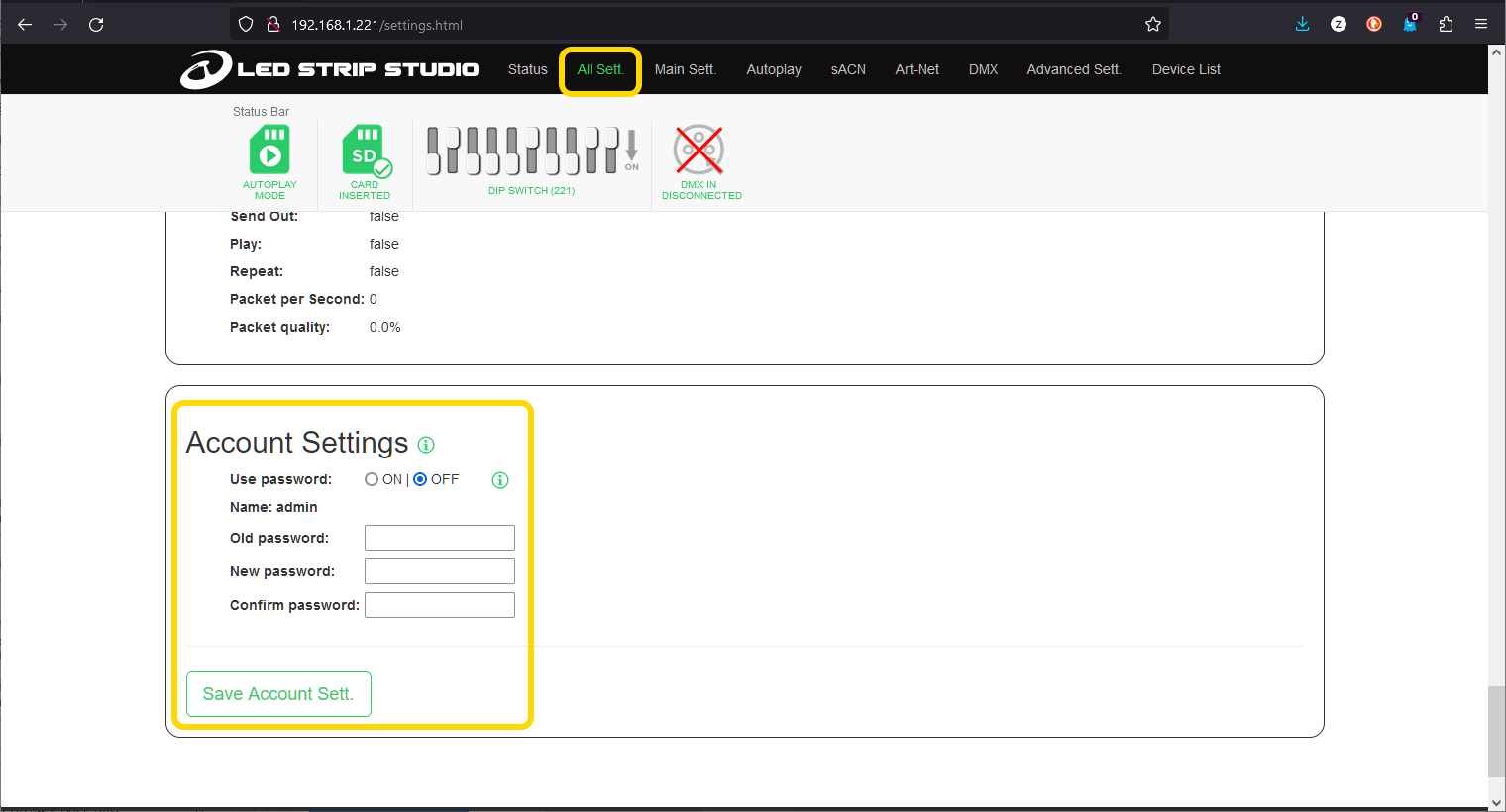
Password locked settings
Protect web configuration by enabling the password option in the All Settings tab and setting login credentials to “prevent unwanted change of settings.”
What can I customize in the web player?
You can modify:
- Logo
- Tile or button sizes
- Animation display names
- Total number of displayed effects
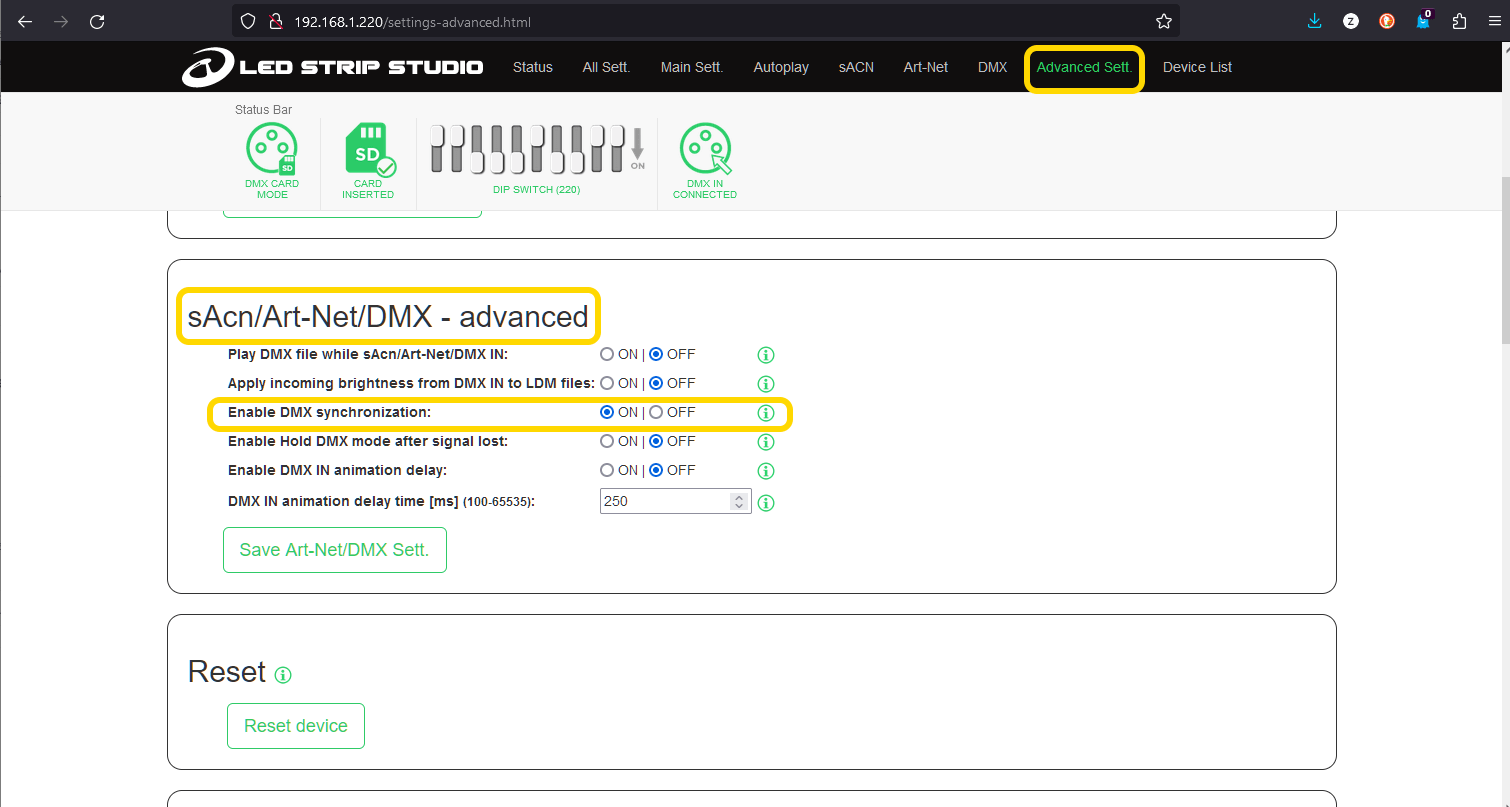
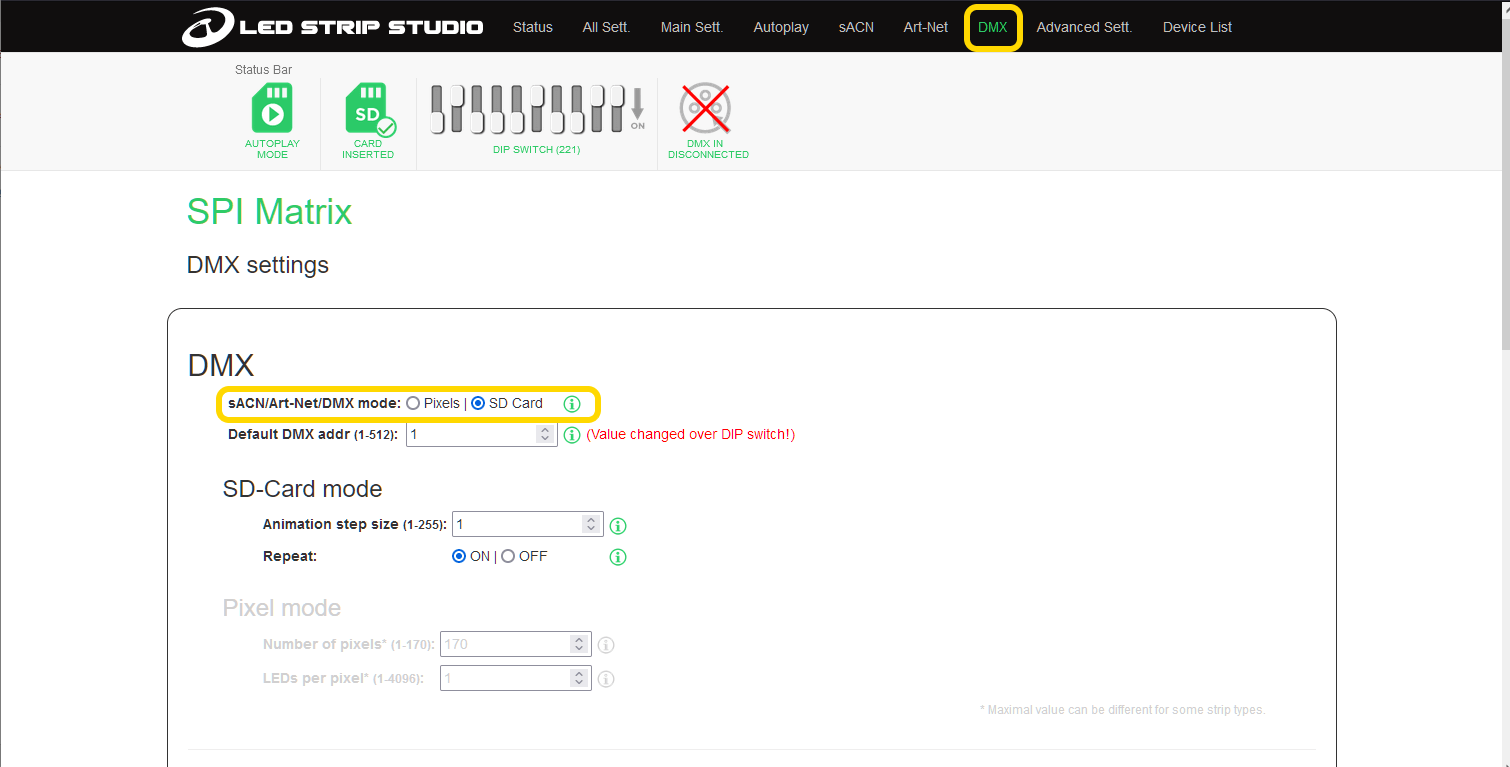
Web configuration for LEC3 and SPI Matrix
- Enable DMX synchronization in the Advanced settings tab
- In the DMX tab, set DMX mode to “SD Card” for all devices
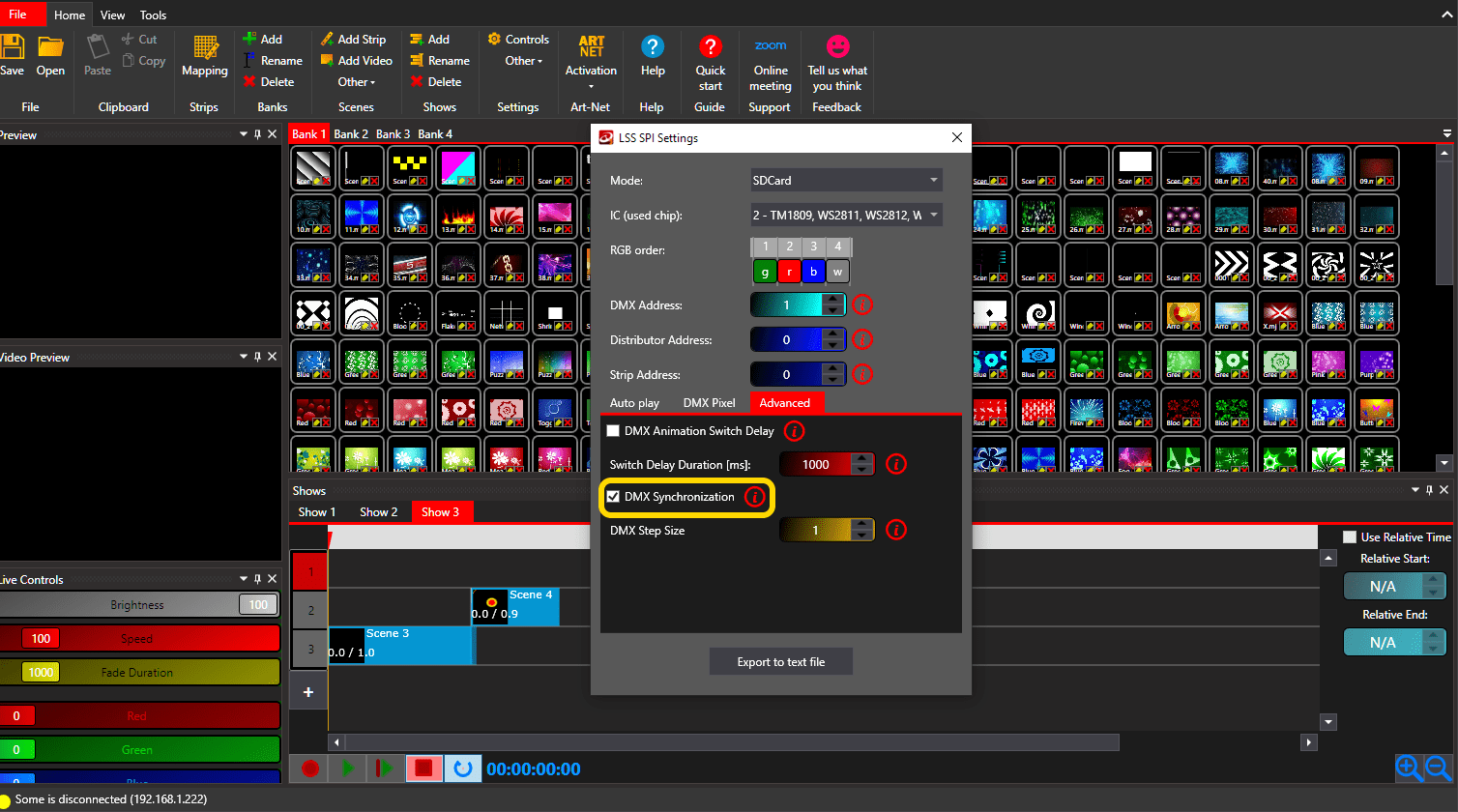
Settings file for SPI LED Controller
Since this device lacks Ethernet connectivity, export a Settings or Configuration file (.txt) containing all necessary information. In the LED Strip Studio Software, select “LSS SPI Settings” from the Other menu in Settings, then enable DMX Synchronization in the Advanced features section.
Hardware connection
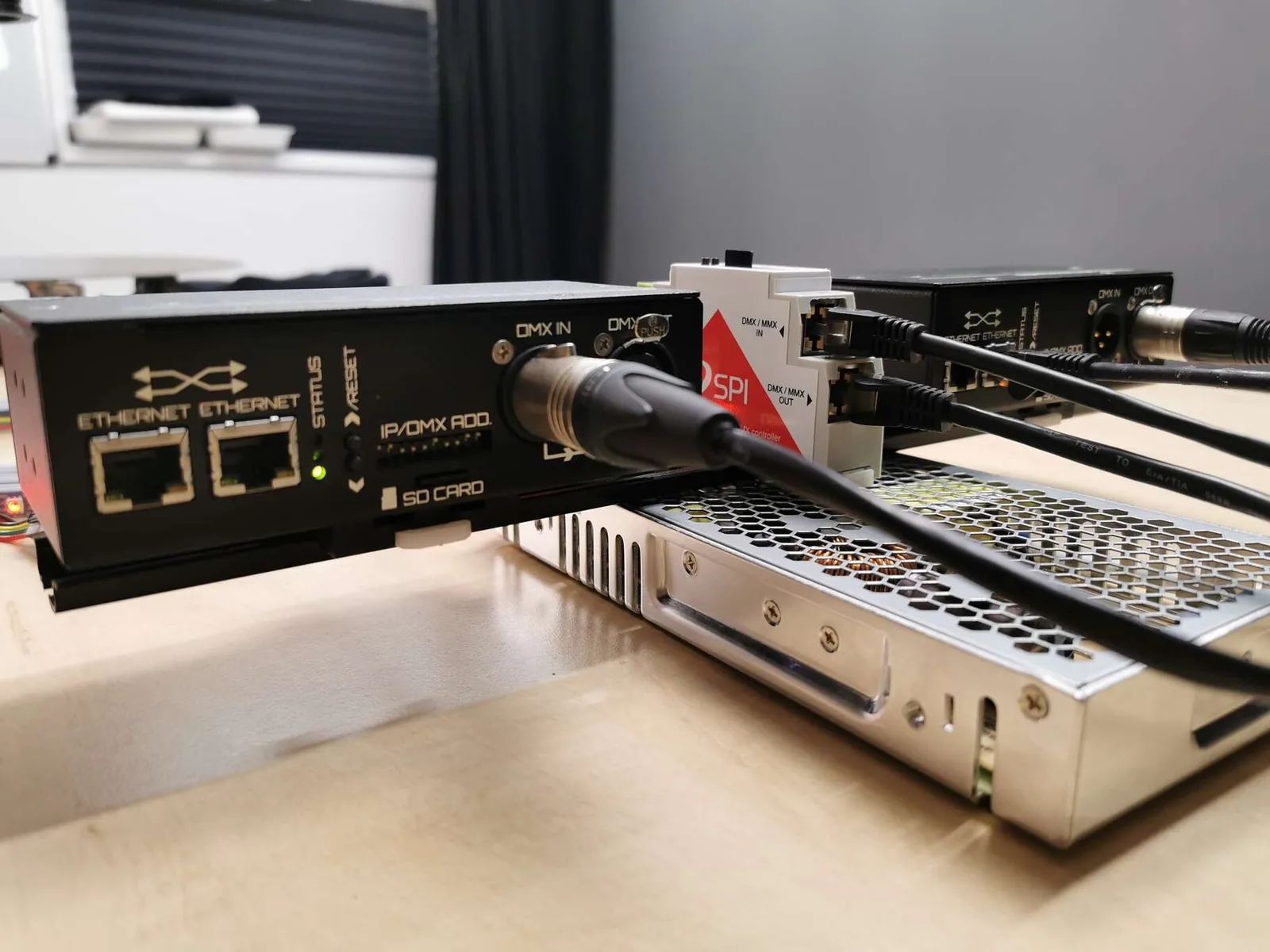
Connect devices using their DMX ports:
- SPI Matrix and LEC3 use 3-pin XLR connectors
- SPI LED Controller uses RJ45 on one end and XLR on the other
Connect controllers in a chain using appropriate “RJ45 Male + XLR 3 PIN Female” cables.
Images
Videos