Reactivo 2 works with 5, 12 and even 24 V pixel LED strips, and wiring it takes a few minutes. The controller itself accepts 5–24 V DC, so the only question is how you want to power the strip. In this guide we go through both options, step by step.
Watch the video
Prefer to see it in action? We show both setups in a short video on our YouTube channel.

Before you start
- Reactivo 2 accepts 5–24 V DC on its DC jack (5.5/2.1 mm).
- The strip connects to the green LED output connector. Its four pins are GND, CLK, DAT and +POWER.
- Always wire everything with the power switched off.
Option 1: One power source for everything
This is the simplest setup. One power source feeds both the controller and the strip.
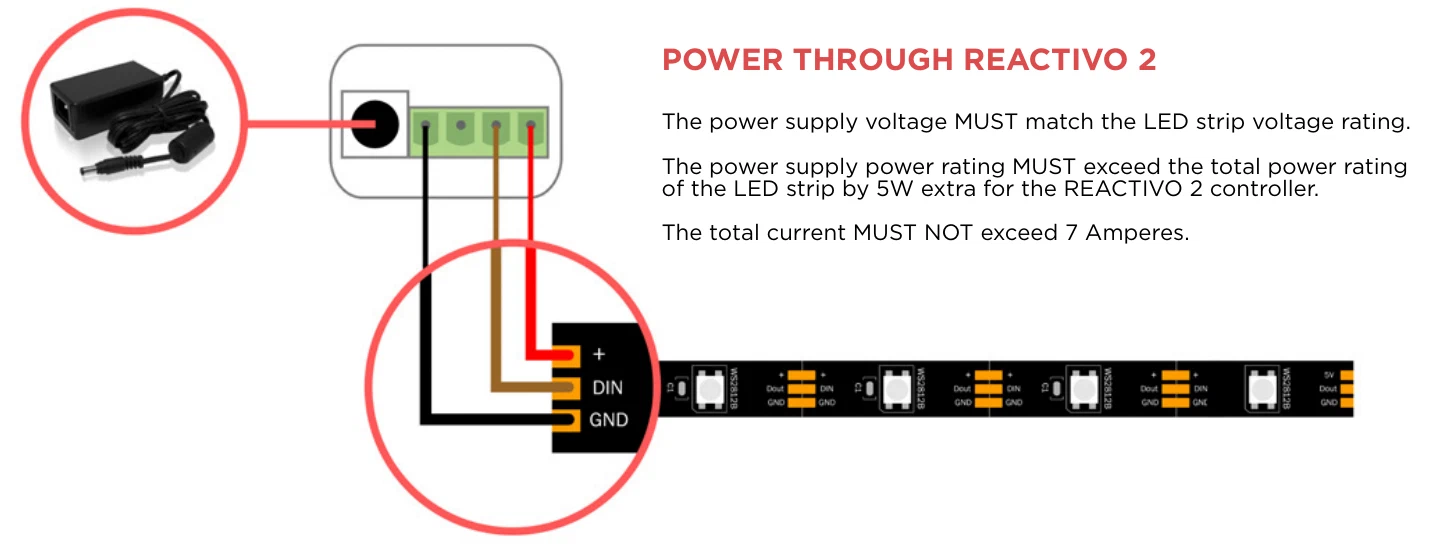
- Check that the voltage of the power source matches your strip.
- Make sure the power source can deliver at least 5 W more than the strip needs. The controller can carry up to 7 A.
- Plug the power source into the DC jack of Reactivo 2.
- Connect the strip to the green connector: ground to GND, the data wire to DAT and plus to +POWER. Screw the wires in.
That is all. The strip gets its power through the controller.
Option 2: Separate power sources for Reactivo 2 and the strip
Sometimes the strip needs a different voltage than the controller, for example a 12 V strip with Reactivo 2 running from 5 V. In that case give the strip its own power source.
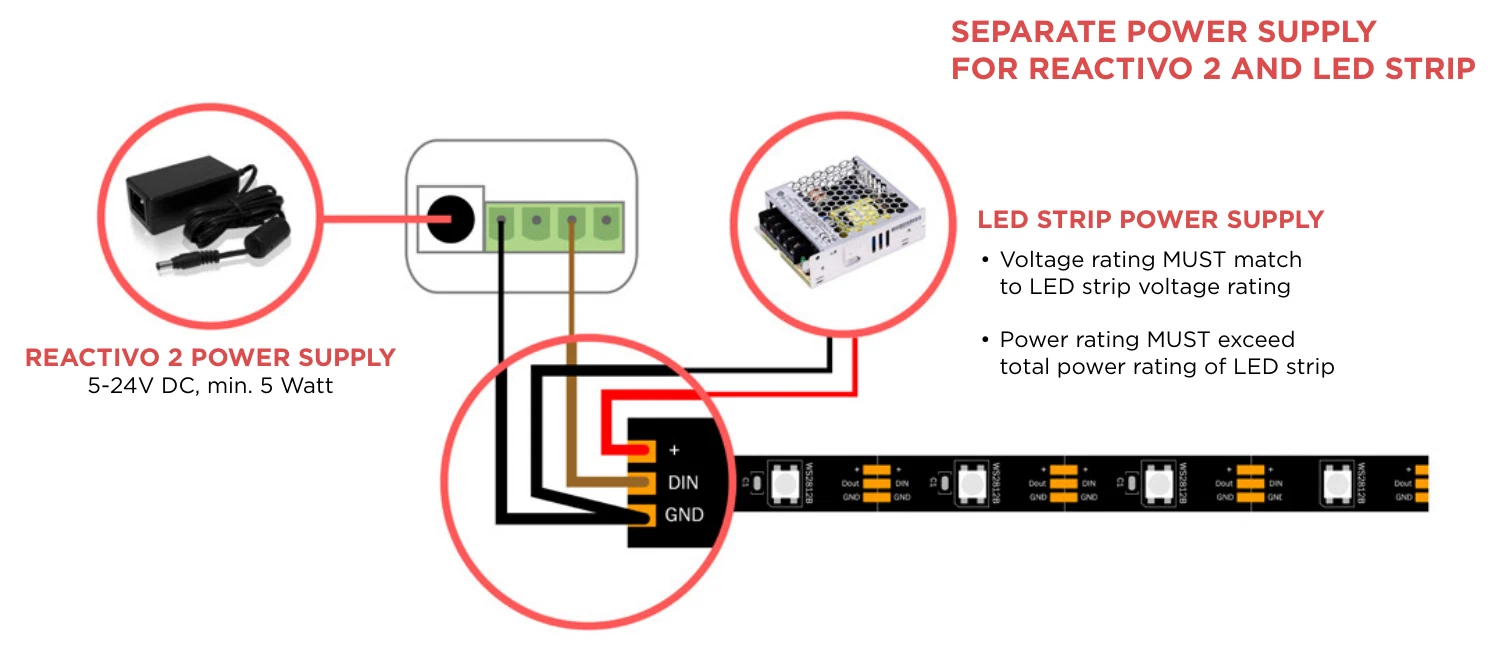
- Power Reactivo 2 from its own power source, for example 5 V.
- From the green connector, connect only two wires to the strip: GND and DAT. Leave +POWER empty.
- Connect plus and GND of the strip’s own power source to the strip.
- Run a wire from the GND of Reactivo 2 to the GND pin of the strip, and connect the GND (−) of the strip’s power source to the same pin.
The shared ground is what lets the data signal reach the strip, so do not skip it.
A note on backup lines
Many strips today have a backup data line. If yours does, connect the backup input wire to the GND of Reactivo 2.
One rule to remember
Never connect two different power sources to the power input and the LED output at the same time. Pick one of the two options above.
Summary
| Setup | Power sources | Wires from the green connector |
|---|---|---|
| One power source | 1, same voltage as the strip | GND, DAT, +POWER |
| Separate power sources | 2, for example 5 V for Reactivo 2 and 12 V for the strip | GND, DAT only |
All you need for your LED pixel installation: LED Strip Studio.