Set the Address. No Software.
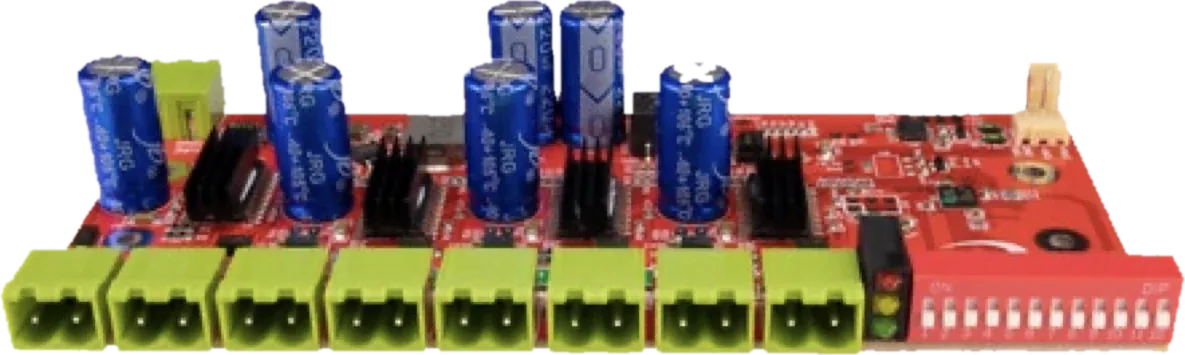
The DMX start address is set directly on the device with a DIP switch. No PC, no app, no configuration file—flip the switches and Xmas Dimmer listens to its 16 channels from that address.
How to Set It
Add up the switches
Each address switch adds a fixed value when it is ON: switch 1 adds 1, switch 2 adds 2, switch 3 adds 4, and so on up to switch 9, which adds 256. The sum is the DMX address.
Example: for DMX address 17, turn on switch 1 (+1) and switch 5 (+16). Xmas Dimmer then uses the 16 channels from 17 to 32, so the next dimmer starts at 33.
- Switches 1–9 set the DMX address
- Switches 10–12 are reserved for future use
- 16 channels are used from the set address
- Dimmers at 1, 17, 33 … never overlap
Status LEDs
See power and DMX at a glance
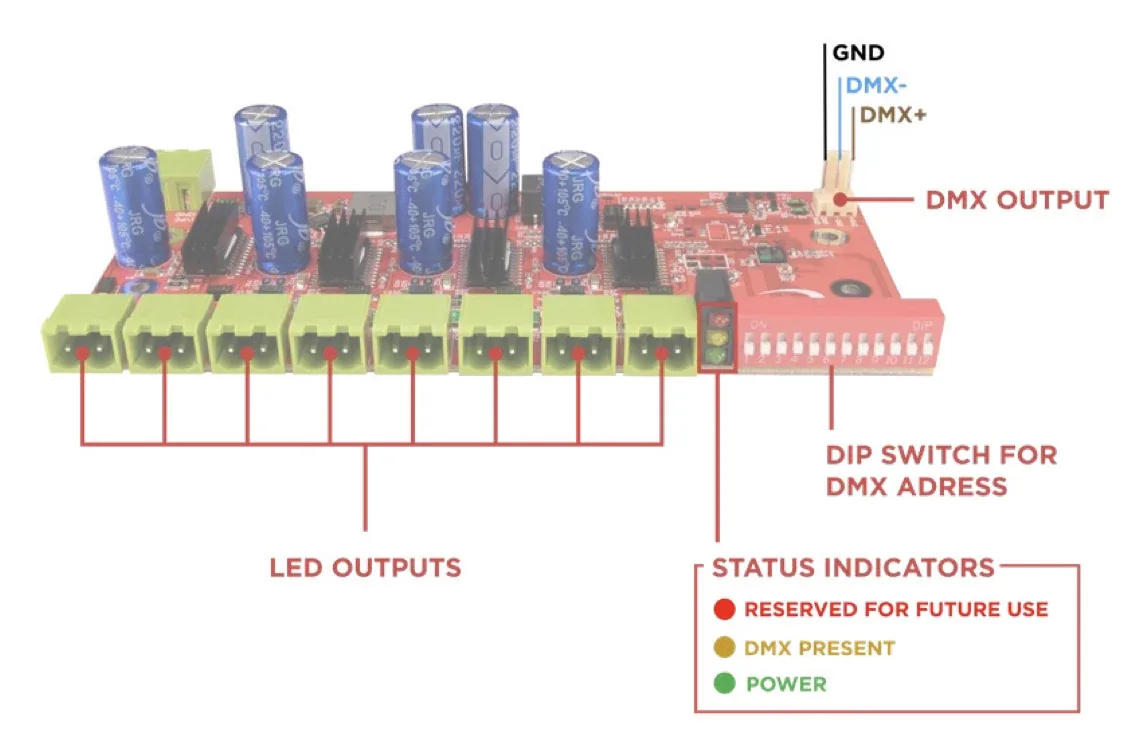
Next to the DIP switch, status LEDs show what the dimmer is doing: green for power, yellow when a DMX signal is present. The red LED is reserved for future use.
- Green: power
- Yellow: DMX present
- Red: reserved for future use
DIP Switch Table
Address value per switch
Turn on the switches whose values add up to the DMX address you want.
FAQ
DMX address questions
No. The address is set only with the DIP switch on the device.
Sixteen channels starting at the set address, two per output. The full list is on Two Channels per String.
Green shows power, yellow shows that a DMX signal is present, and the red LED is reserved for future use.
Planning a Christmas Light Show?
Tell us about your installation and our support team will help you plan the DMX addressing before you order.
Book a Free Consultation →