Drag, Drop, and Deploy. 255 Animation Slots.
LSS4's SD card export lets you create a complete standalone configuration for your LEC3, SPI Matrix, or Reactivo 2 device. Drag scenes and shows onto any of 255 animation positions, export, and hand off the SD card — no computer needed for playback.
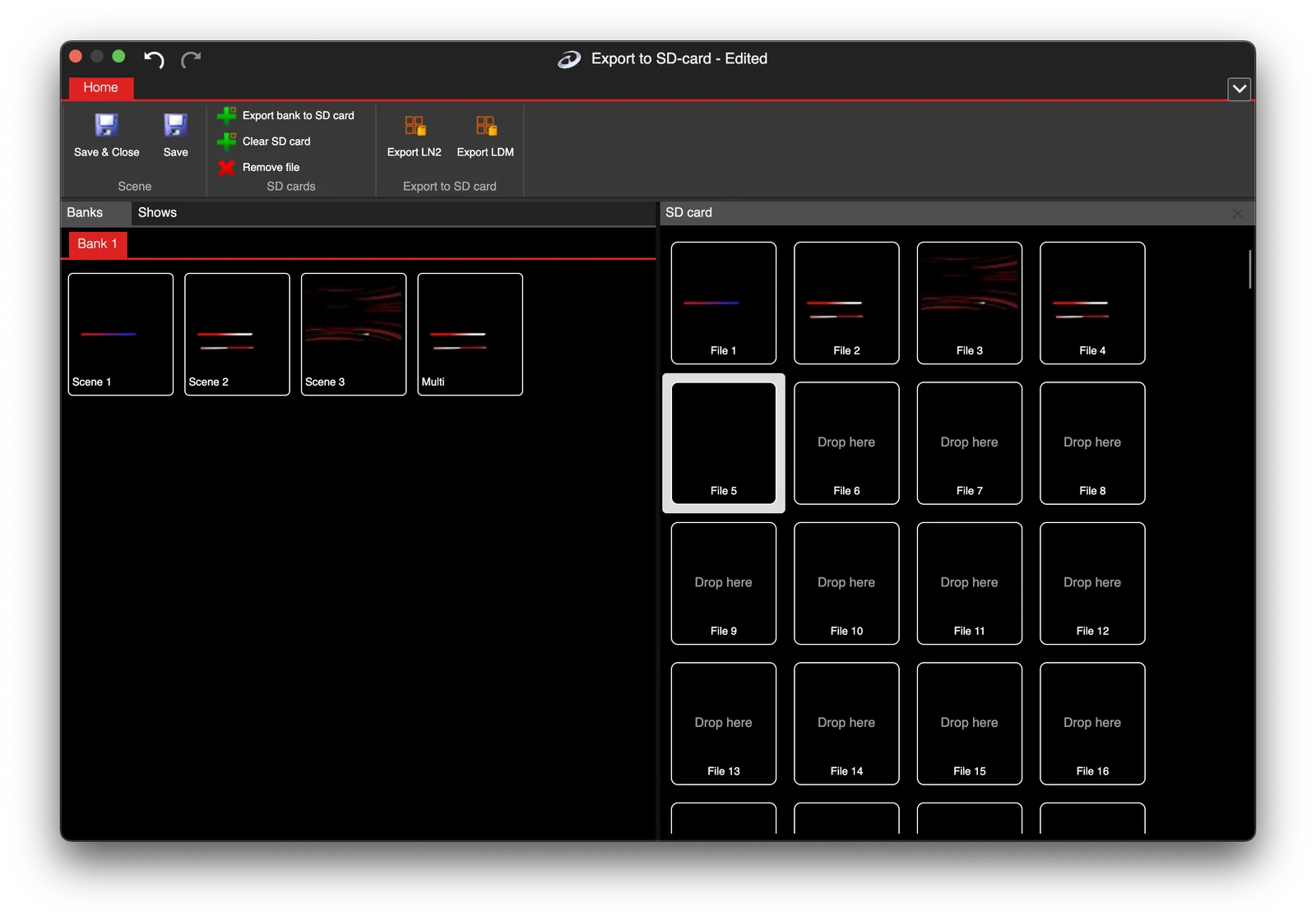
Drag & Drop Interface
Build the SD card layout visually
The SD card editor shows your scene banks and shows on the left, and the 255 animation slot positions on the right. To assign content to a slot, drag a scene or show from the left panel and drop it onto the target slot position. It's the same intuitive interaction you'd expect from a modern file manager.
You can define multiple SD card configurations in the same project — useful for installations that need different content sets for different occasions, or for managing multiple devices with different programming.
- Drag scenes and shows from banks to SD card slots
- 255 animation positions per SD card configuration
- Mix individual scenes and full shows on the same card
- Multiple SD card configurations per project
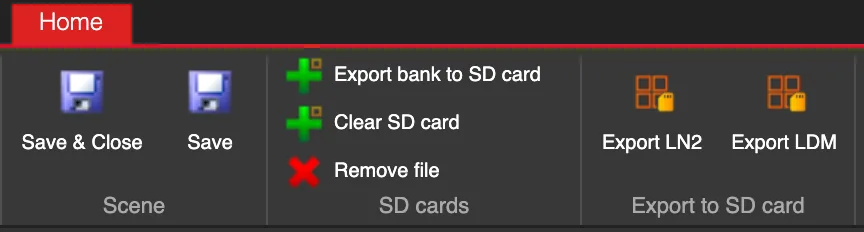
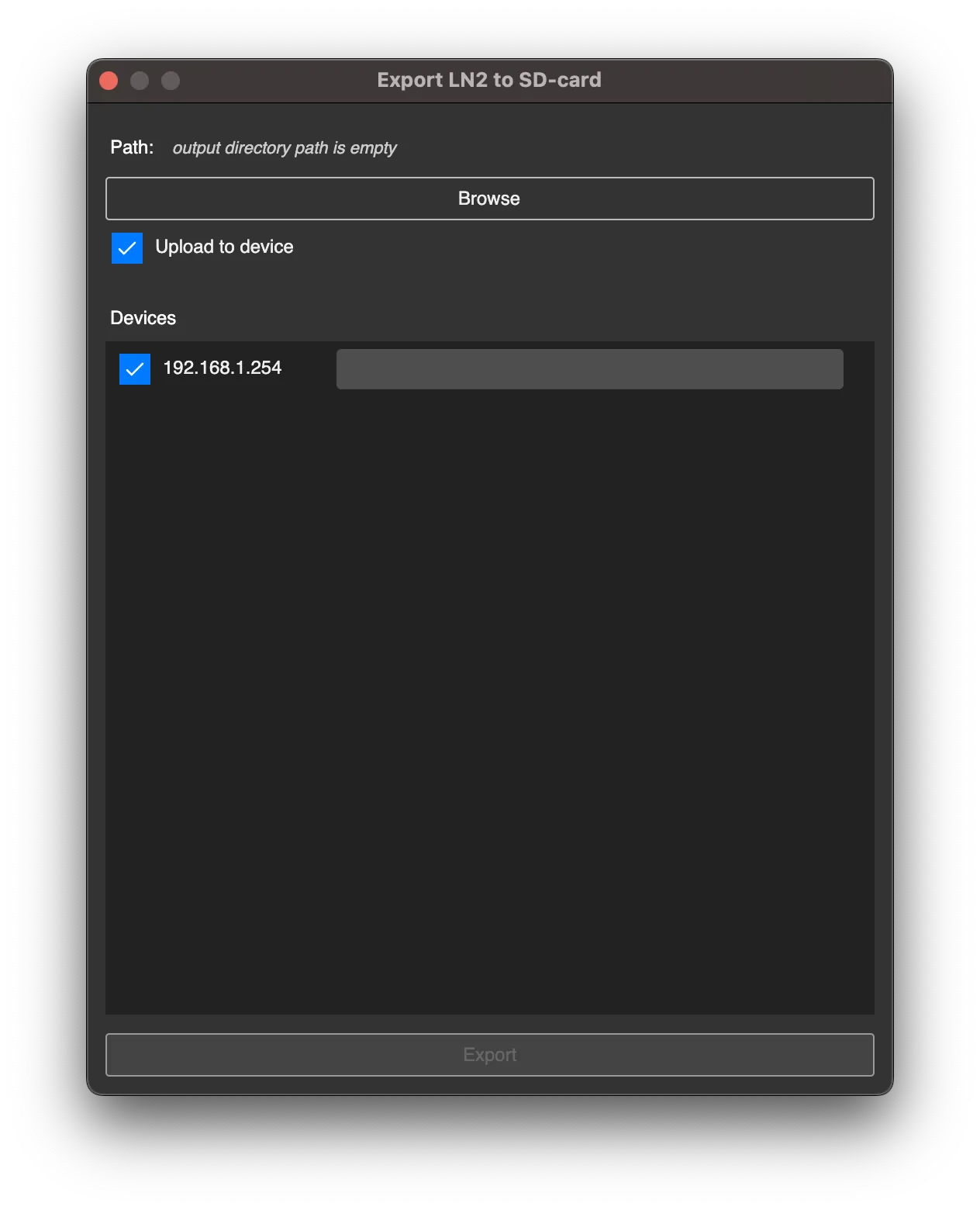
- Export to disk or directly to a connected device
Supported Devices
Works with LEC3, SPI Matrix, and Reactivo 2
The SD card export feature works with the full range of supported hardware. The software automatically exports only the content belonging to each configured device — so if you have multiple LEC3 controllers in the workspace, each one gets its own correctly addressed export without you having to manually separate content.
Two export formats are supported: LN2 files (pixel data for digital LED strips) and LDM files (DMX data for analog RGB/RGBW strips). Both can be exported to the same SD card for mixed installations.
- LEC3 (LED Ethernet Controller 3) — up to 4096 individually addressable pixels
- SPI Matrix — pixel LED matrix controllers
- Reactivo 2 — wireless/Ethernet Art-Net controller
- Auto-separation of content per device
- LN2 format for pixel strips; LDM format for analog strips
FAQ
SD card export questions
The SD card export lets you save your LED animations and shows as standalone files on an SD card that gets inserted into an LEC3, SPI Matrix, or Reactivo 2 controller. Once the SD card is configured and inserted, the controller can play animations independently — no computer needed. This is commonly used for permanent or semi-permanent installations where you don't want a computer running continuously, or for providing a simple interface where the installation operator can switch between programmed scenes using the controller's buttons.
Each SD card configuration in LSS4 supports up to 255 animation positions. Each position can contain either a single scene or a full synchronized show. The actual number of animations you can fit on the physical SD card depends on the SD card's storage capacity and the size of your content (higher pixel count and longer shows take more space). Background in SD Card LED Controller: Show Without a PC.
Yes. LSS4 lets you define multiple named SD card configurations within the same project. This is useful for creating different content sets — a Christmas configuration, an event configuration, a default configuration — that can be swapped by inserting different pre-configured SD cards into the controller.
See LED Strip Studio in Action
Book a free consultation and we'll show you how LED Strip Studio 4 fits your project.
Book a Free Consultation →