Video Tutorial
In the following video tutorial you can see how to perform basic setup of LEC3 demo kit:
LEC3 IP address
You can set IP address of the LEC3 device using web configuration or DIP switch on the device. LED Strip Studio system works on IP address range 192.168.1.X by default. The last number X is set by device web configuration or DIP switch on the device (but for advanced users, it is possible to use different IP range than 192.168.1.X). Default IP address of LEC3 is usually set to 192.168.1.147, but you can configure it using web configuration or using DIP switch (if you don’t understand how the DIP switch is working, you can use the tool from web to calculate desired IP address: https://www.calculator.net/ip-subnet-calculator.html).
Computer IP Address
You have to set the IP address of your computer manually to be able to control LEC3 devices. From your desktop please go to Start->Control panel. Choose Network and sharing center:
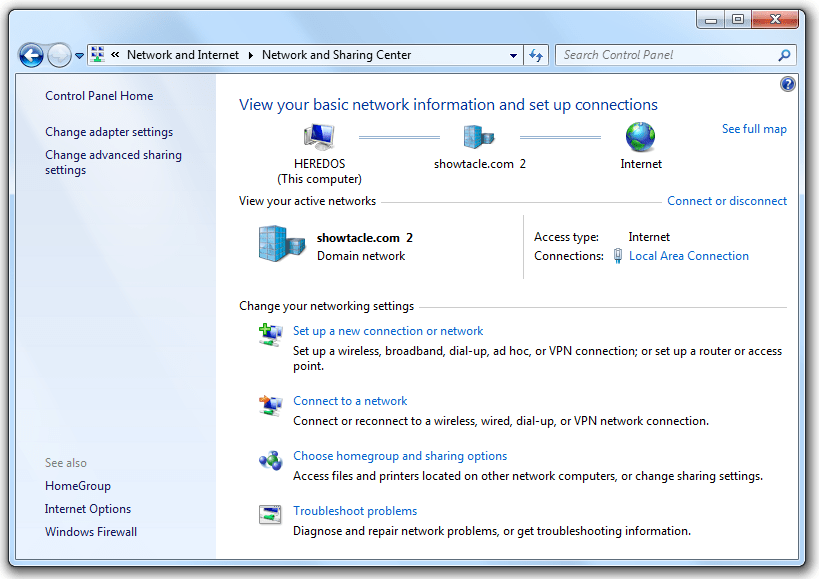
Network and Sharing Center
Key Configuration Details:
By default, LED Strip Studio operates within the IP address range 192.168.1.1 – 192.168.1.255. The computer’s IP address and LEC3 device IP address must be different. For example, you could assign 192.168.1.22 to your computer and 192.168.1.147 to the LEC3 device.
Videos
