Invalid color management profile
Sometimes when you select a different color profile in your Windows settings, the software fails to start. This occurs due to invalid Windows configuration. To resolve this, navigate to Color Management → Advanced → Windows Color System Defaults → Device Profile and ensure all settings use the “System Default” option:
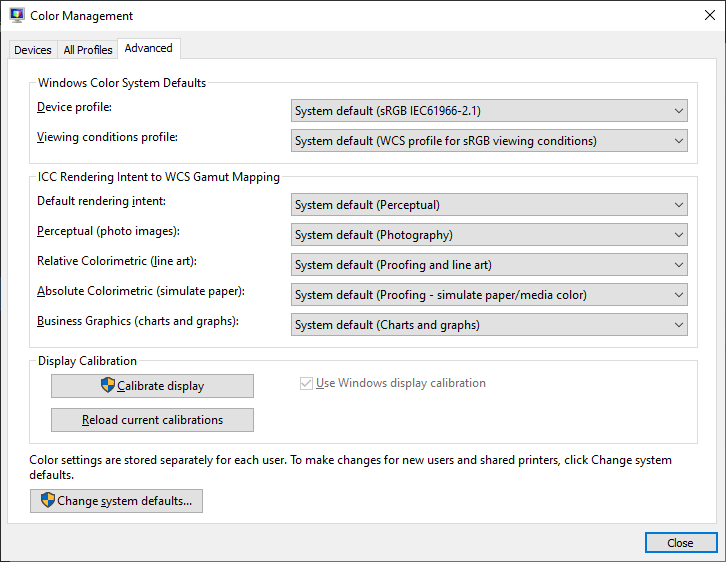
Correct color profile
If you use an alternative profile such as Virtual sRGB, the software will not launch. You may encounter System.ArithmeticException or System.OverflowException errors in the Event Viewer. There is no workaround available—you must revert to the default color profile settings for the application to function properly.