Drag. Drop. Mapped.
LEC3 comes with a lifetime LED Strip Studio license, and every show starts with the mapping. Tell the software how the strips are installed, drag segments into place over a photo of the venue, and every effect lands on the right pixels.
Mapping
The plan of your installation
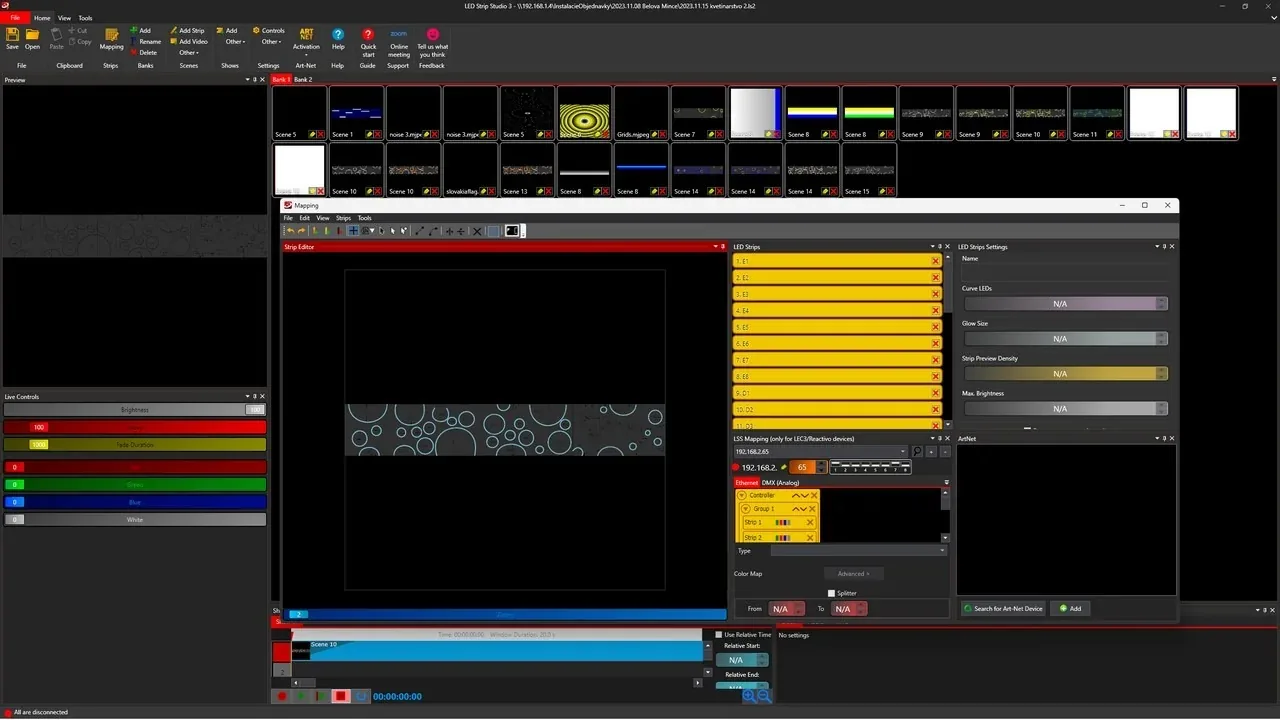
Mapping is the plan of your installation: how the LED strips or pixels are installed and how many pixels each segment uses. In LED Strip Studio 4 you set the number of pixels each controller drives and place the segments where they sit in the real space.
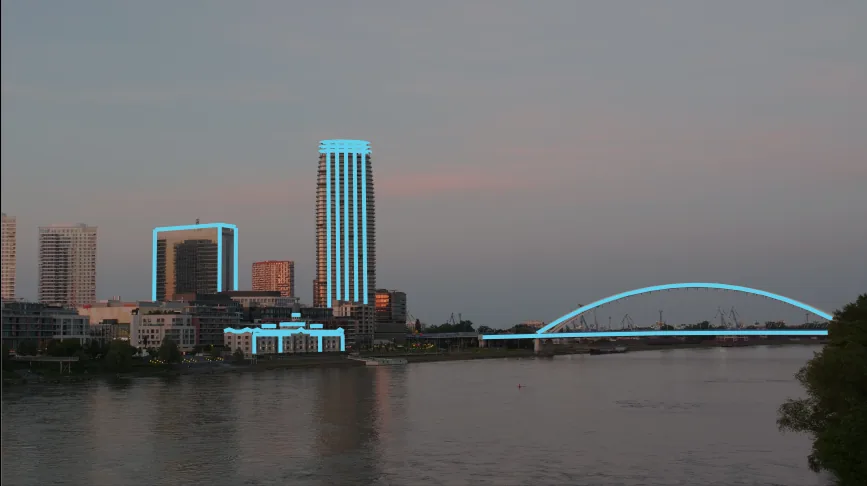
Upload a photo of the venue and trace the strip positions over it. The same image lets you render a preview for the client before installation day.
- Drag and drop strips into the map
- Straight and curved segments with the drawing tools
- Grids for matrices and circular layouts with alignment
- Highlight a segment to find it on site
Mixed Installations
Digital and analog strips in one map
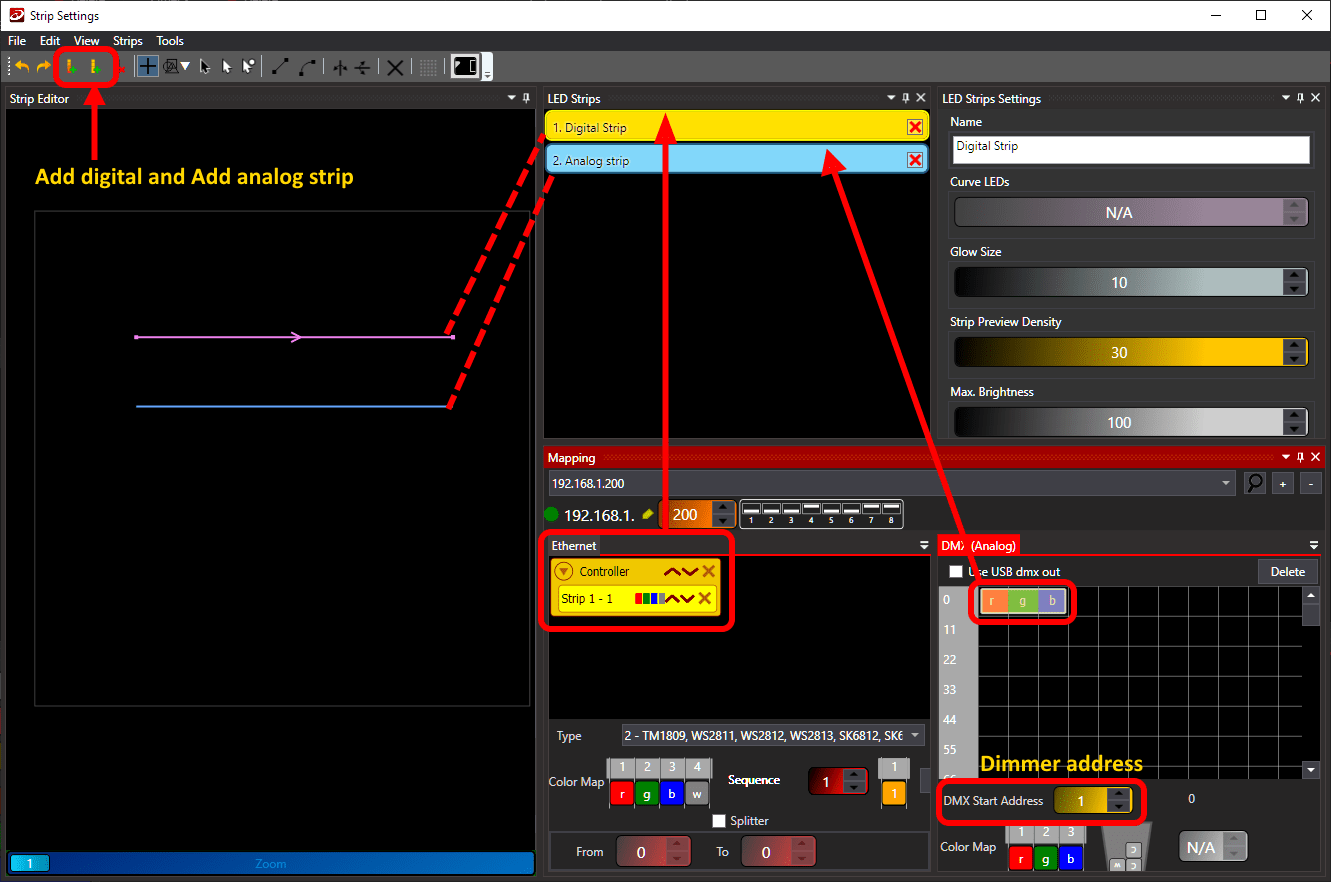
One mapping can combine digital pixel strips on the SPI outputs with analog RGB strips driven through DMX, so a single show covers both.
The mapping is also the basis for standalone shows: effects exported to the SD card follow it, so standalone playback looks exactly like the show in the software.
- Analog RGB and RGBW zones next to pixel segments
- The same mapping for live control and SD card export
- Getting started: create a pixel LED mapping
FAQ
Mapping questions
Yes. Every LEC3 comes with a lifetime LED Strip Studio license. More in Software activation for LEC3 device?
No. Effects exported to the SD card use the mapping you created in the software. A correct mapping is what makes them play right from the card. More in How to export effects to SD Card? – BASIC.
Yes. Segments can be drawn as Bezier curves, and alignment grids cover matrices, circles and custom patterns. See drawing tools and alignment. More in Curved LED Segment Drawing in LSS4.
Want to See Your Installation Mapped?
Book a free consultation and we'll show you how LED Strip Studio 4 maps your project.
Book a Free Consultation →