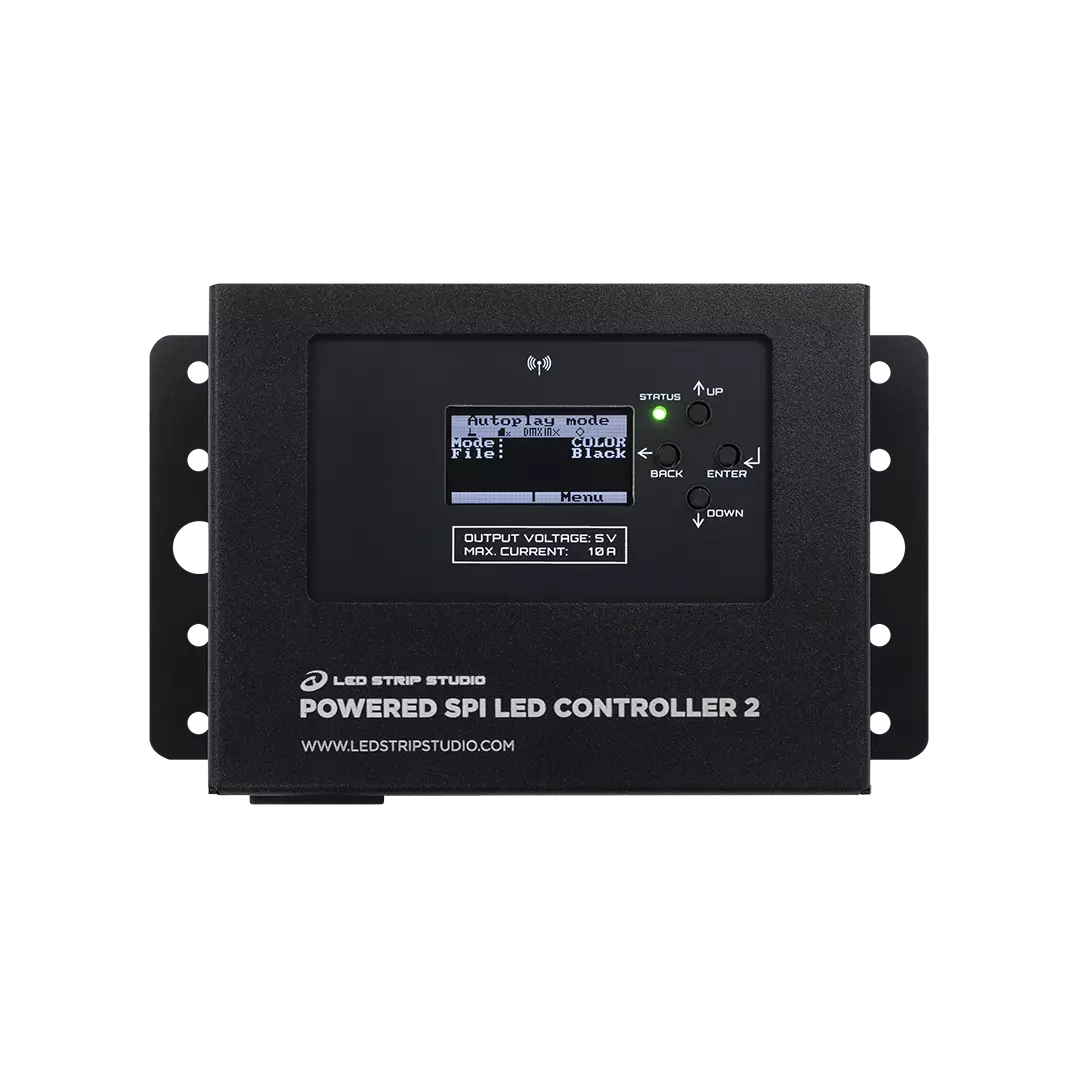



POWERED SPI LED CONTROLLER 2 – All-in-One Pixel Controller

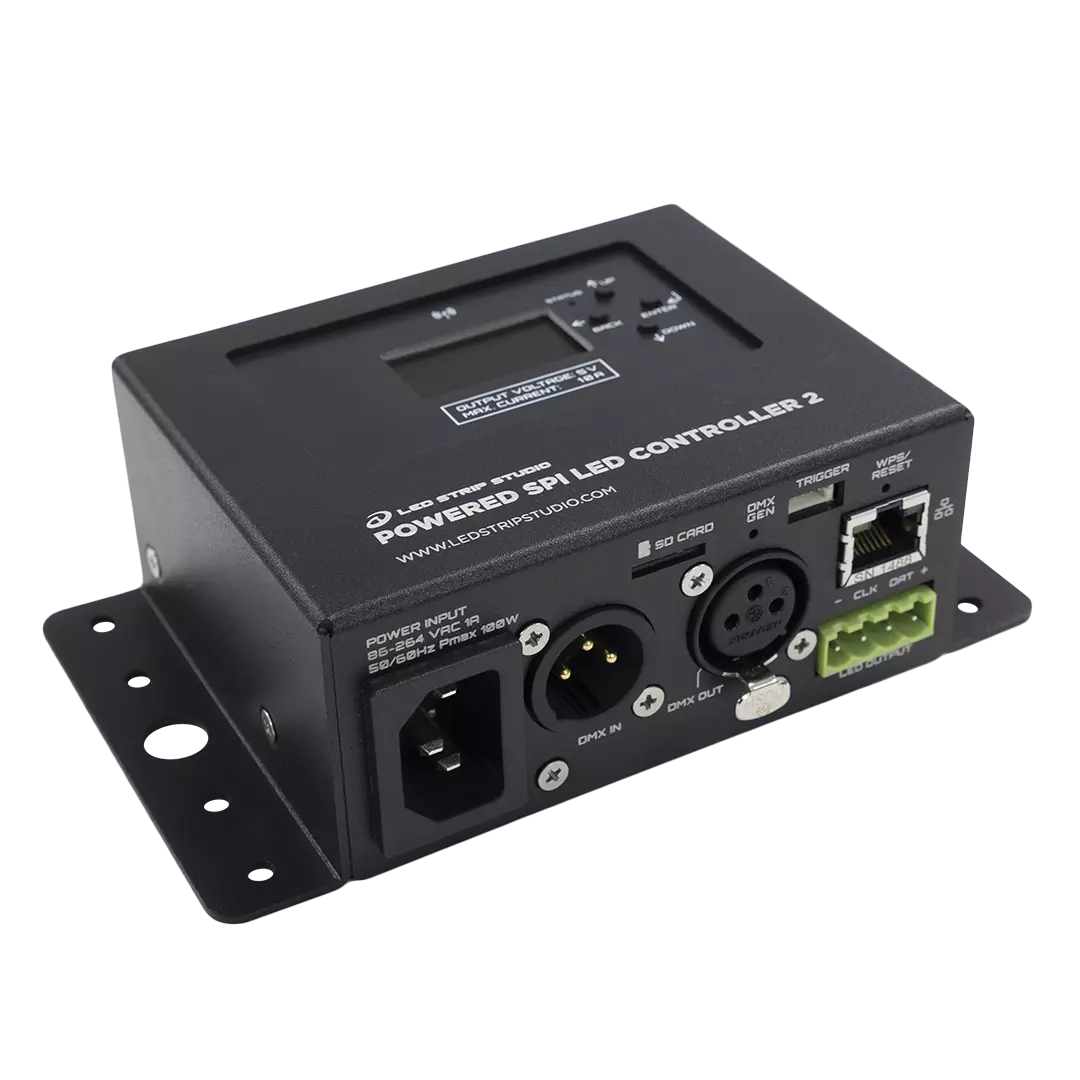
POWERED SPI LED CONTROLLER 2 is an all-in-one pixel controller with the power supply already inside — one mains cable in, LED strip out. It drives up to 1024 addressable pixels over Art-Net™, DMX512, or completely standalone from a micro SD card. An OLED menu and four buttons set everything up without a laptop. Built for events, clubs, theatre, scenography and architectural lighting.

Secure payment5-year warranty

Ships within 24 hours

excl. VAT

Description

A pixel LED installation usually means three boxes: a power supply, a controller, and a mounting plate. POWERED SPI LED CONTROLLER 2 puts all of it into one aluminium housing.

Why does it need no external power supply?

Plug it into a grounded socket with the supplied IEC cable. The internal power supply then feeds the controller and the LED strip together. Three variants cover the common strip voltages: 5 V/10 A, 12 V/5 A and 24 V/2.5 A. If a run needs more power, feed the strip from an external supply instead. The controller then works purely as a signal source for all 1024 pixels.

How do you control the Powered SPI LED Controller 2?

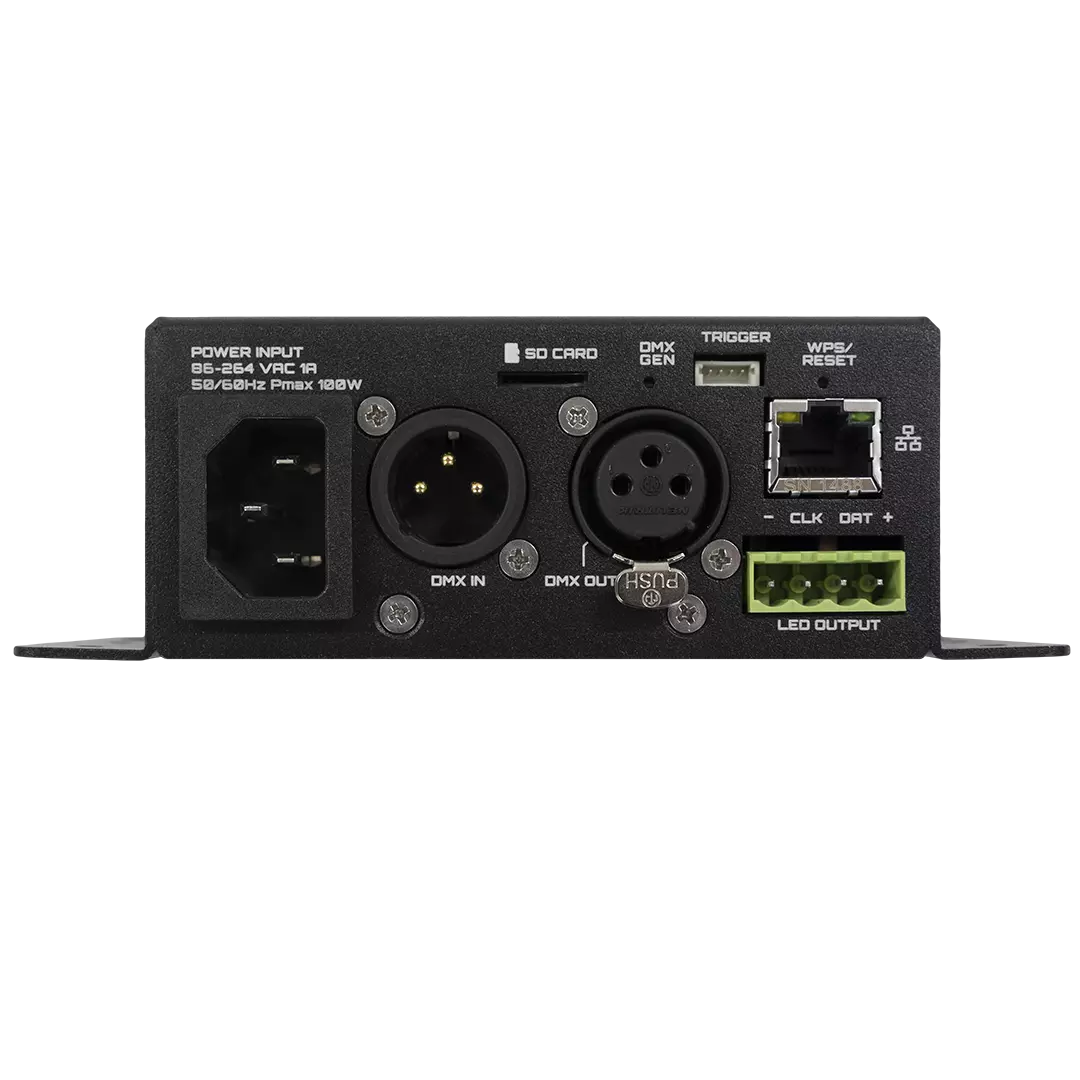
Control arrives however the project needs it. Art-Net™ travels over wired Ethernet or 2.4 GHz Wi-Fi. As a result, pixels run live from Madrix™, ChamSys™, grandMA™, MadMapper, Resolume or LED Strip Studio. DMX512 comes in and goes out on XLR, so the unit slots into an existing daisy chain. It can also work as an Art-Net™ to DMX512 node. When the network goes quiet, animations keep playing from the micro SD card. In addition, two analog trigger inputs hand control to a button, potentiometer or sensor.

Key features of this pixel controller

Built-in power supply, 86 to 264 VAC input on IEC C14.
Output 5 V/10 A, 12 V/5 A or 24 V/2.5 A by variant.
Up to 1024 RGB or 768 RGBW pixels on one SPI output (TM, WS, SK and APA chips).
Art-Net™ over Ethernet or Wi-Fi, DMX512 in and out on 3-pin XLR.
Standalone playlists of up to 32 animations from micro SD card.
OLED menu, web interface, HTTP commands and mobile app.

Art-Net Edition or LED Strip Studio Edition?

The Art-Net Edition works with any Art-Net™ controller or software. The LED Strip Studio Edition adds a lifetime LED Strip Studio license. Because it uses the native LSS protocol, communication is faster and better optimised.

Finally, the aluminium housing measures 150.6 x 48.1 x 85.2 mm and weighs 470 g. Showtacle makes it in Bratislava, Slovakia, with a 2-year limited warranty.
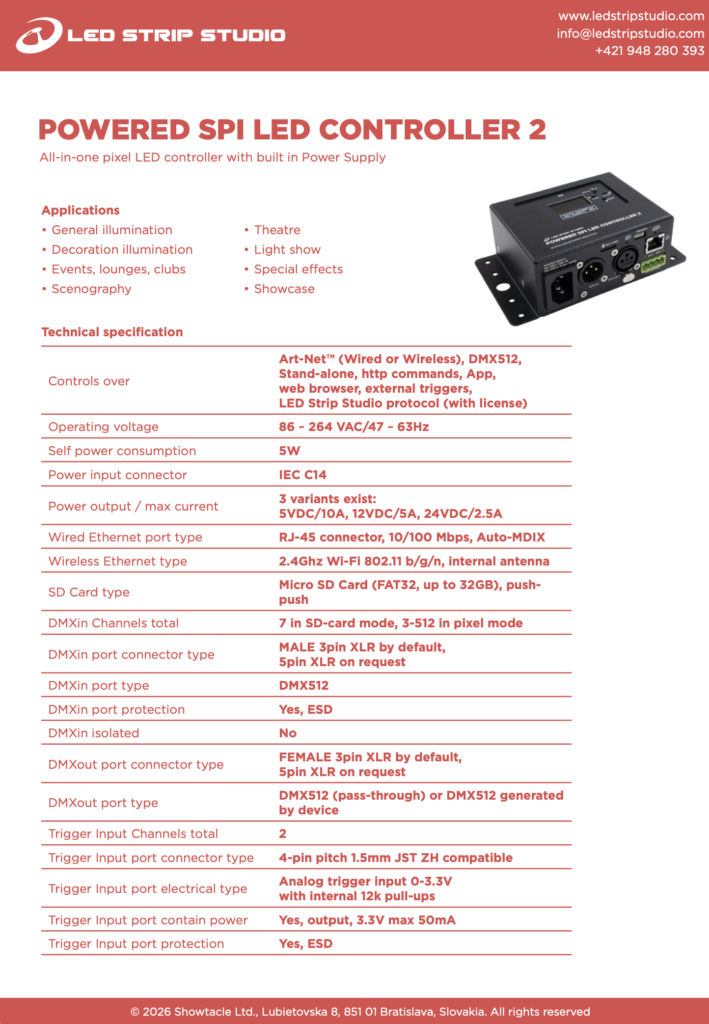
Power Output / Max Current5 VDC / 10 A, 12 VDC / 5 A, 24 VDC / 2.5 A
LicenseArt-Net Only, LED Strip Studio Edition
Control ProtocolsArt-Net (wired or wireless), DMX512, Standalone playback, HTTP commands, Web browser, Android/iOS app, External triggers, LED Strip Studio protocol (with license)
Operating Voltage86–264 VAC / 47–63 Hz
Self Power Consumption5 W
Maximum Power Consumption100 W
Power Input ConnectorIEC C14
Max Pixels per Output1024 RGB, 768 RGBW
NetworkWired Ethernet RJ-45 10/100 Mbps Auto-MDIX, Wi-Fi 2.4 GHz 802.11 b/g/n
StorageMicro SD card, FAT32, up to 32 GB, push-push
DMX InputDMX512, male 3-pin XLR (5-pin XLR on request), ESD protected, not isolated
DMX OutputDMX512 pass-through or generated by device, female 3-pin XLR (5-pin XLR on request)
DMX Channels7 in SD card mode, 3–512 in pixel mode
Trigger Inputs2 × analog 0–3.3 V, 4-pin JST ZH 1.5 mm, ESD protected
LED Output Connector4-pole pluggable terminal block, 5 mm pitch
LED Output SignalSingle-ended TTL 5 V, synchronous / asynchronous
Supported LED ICsTM, WS, SK and APA families — TM1809, WS2811, WS2812B, WS2813, WS2815, SK6812, APA102 and more
Device MenuOLED 64 × 128 px, 4 navigation buttons
Dimensions150.6 × 48.1 × 85.2 mm
Weight470 g
EnclosureAluminium
Ingress ProtectionIP30
Operating Temperature-10 °C to 45 °C
Storage Temperature-10 °C to 60 °C
Relative Humidity5 % to 80 % non-condensing
Mounting Side tabs with holes for screws, cable ties, clamps, safety wire
Warranty2 years
Art-Net Only | Led Strip Studio Edition

You may also like…

Free consultation

Need help with your installation?

Tell us about your project and our technicians will help you choose the right controller, software and infrastructure.

Looking for a complete setup by application? Explore setups